How to Keep Animal Health Records
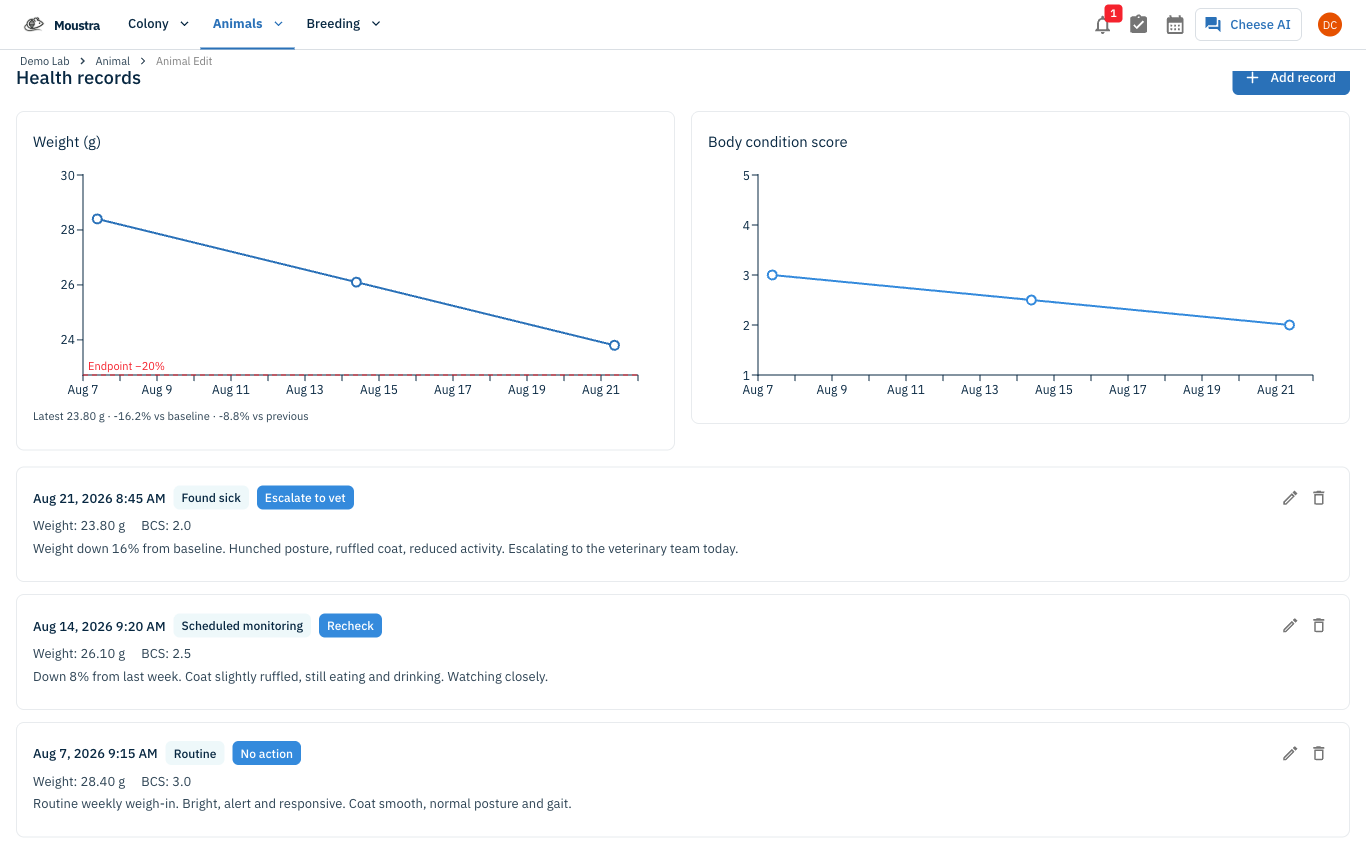
Health records capture a dated observation of an animal or cage — weight, body condition, clinical signs, an assessment, and what you plan to do about it. Moustra charts weight and body condition score across every record, so a declining animal shows up as a trend rather than a number you have to remember.
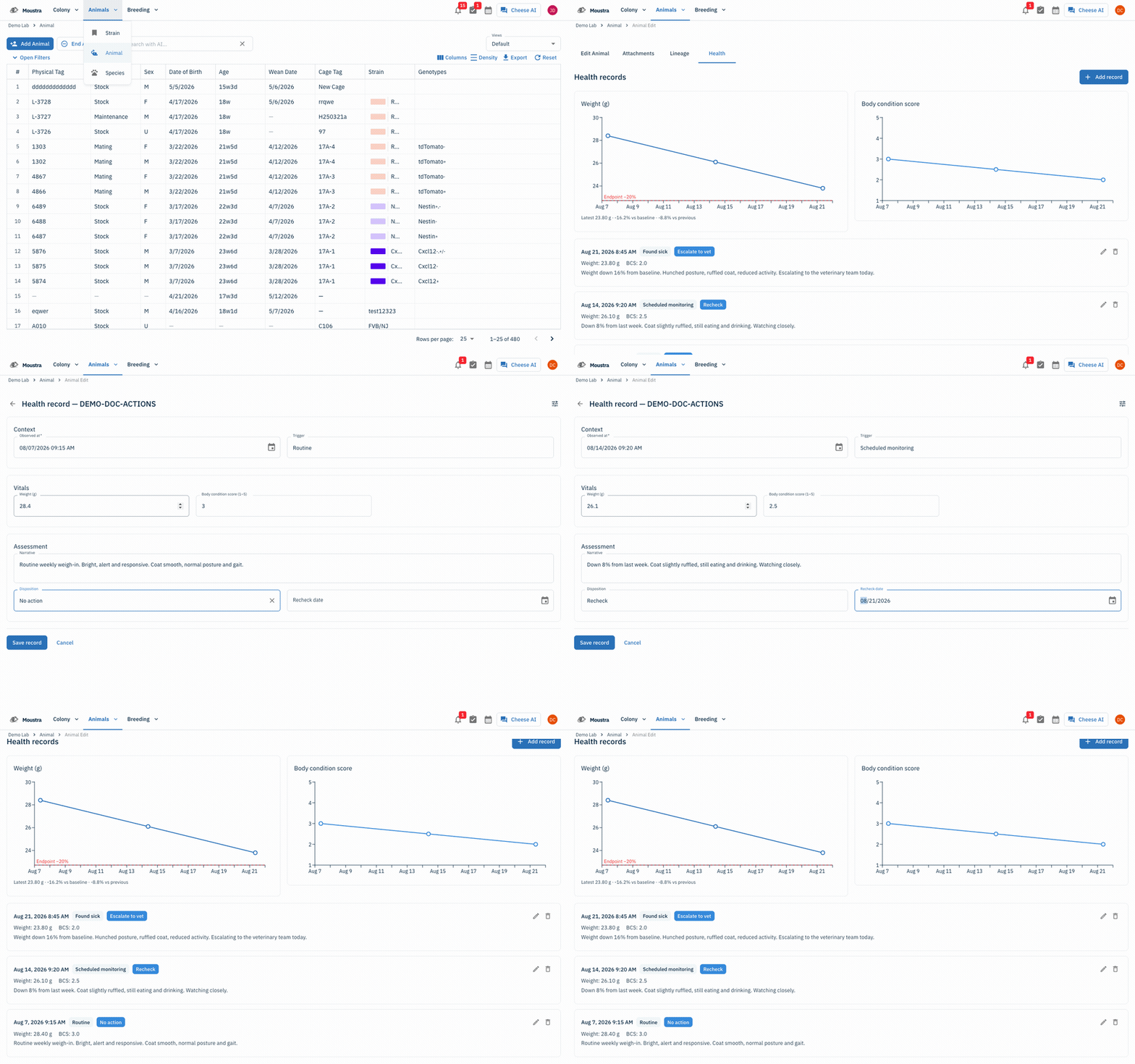
Open the animal
Click Animals in the navigation menu, choose Animal, then click the animal you want to record against. Cages work the same way from Colony → Cage.
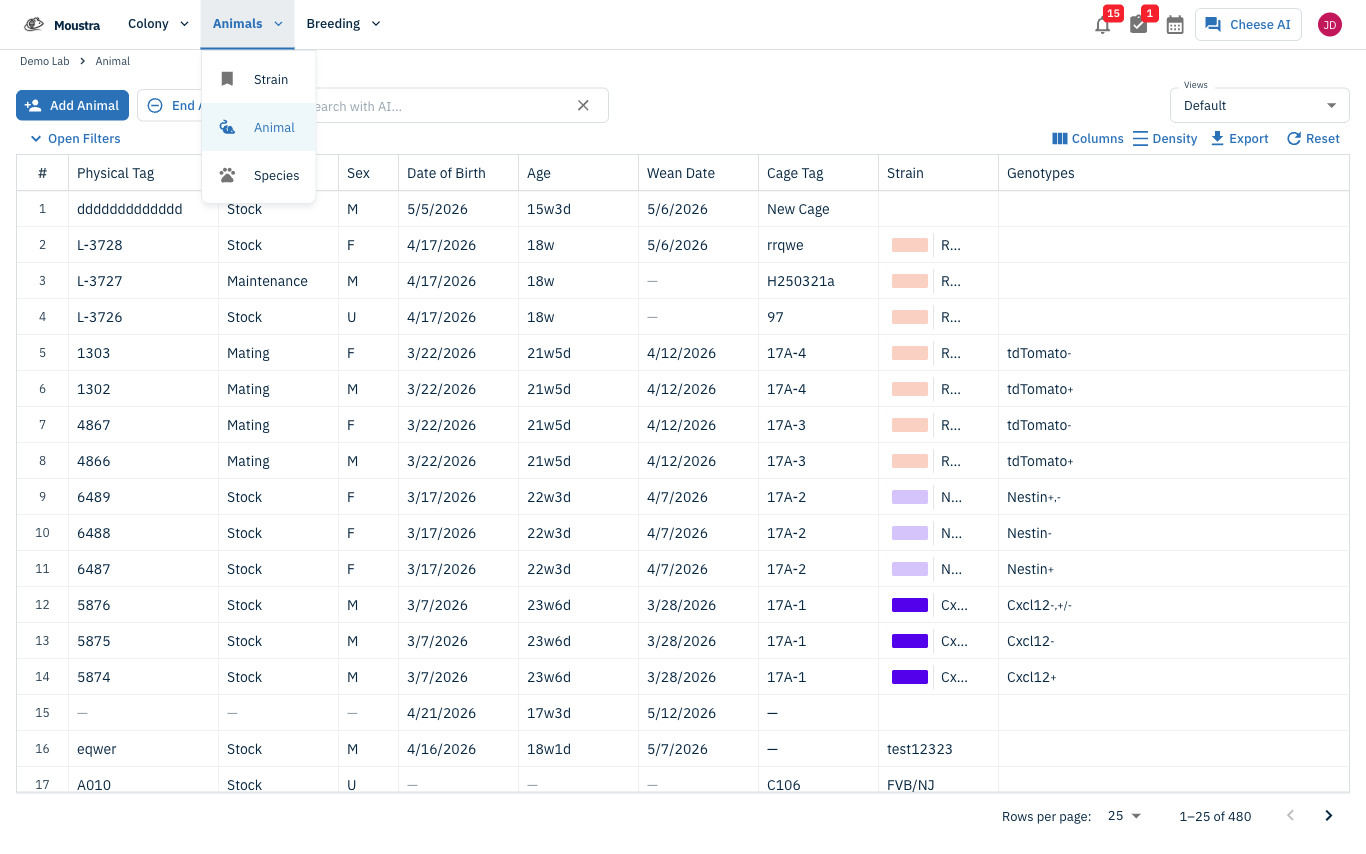
Go to the Health tab
Click the Health tab. It lists every record for this animal newest-first, with weight and body condition charts above.
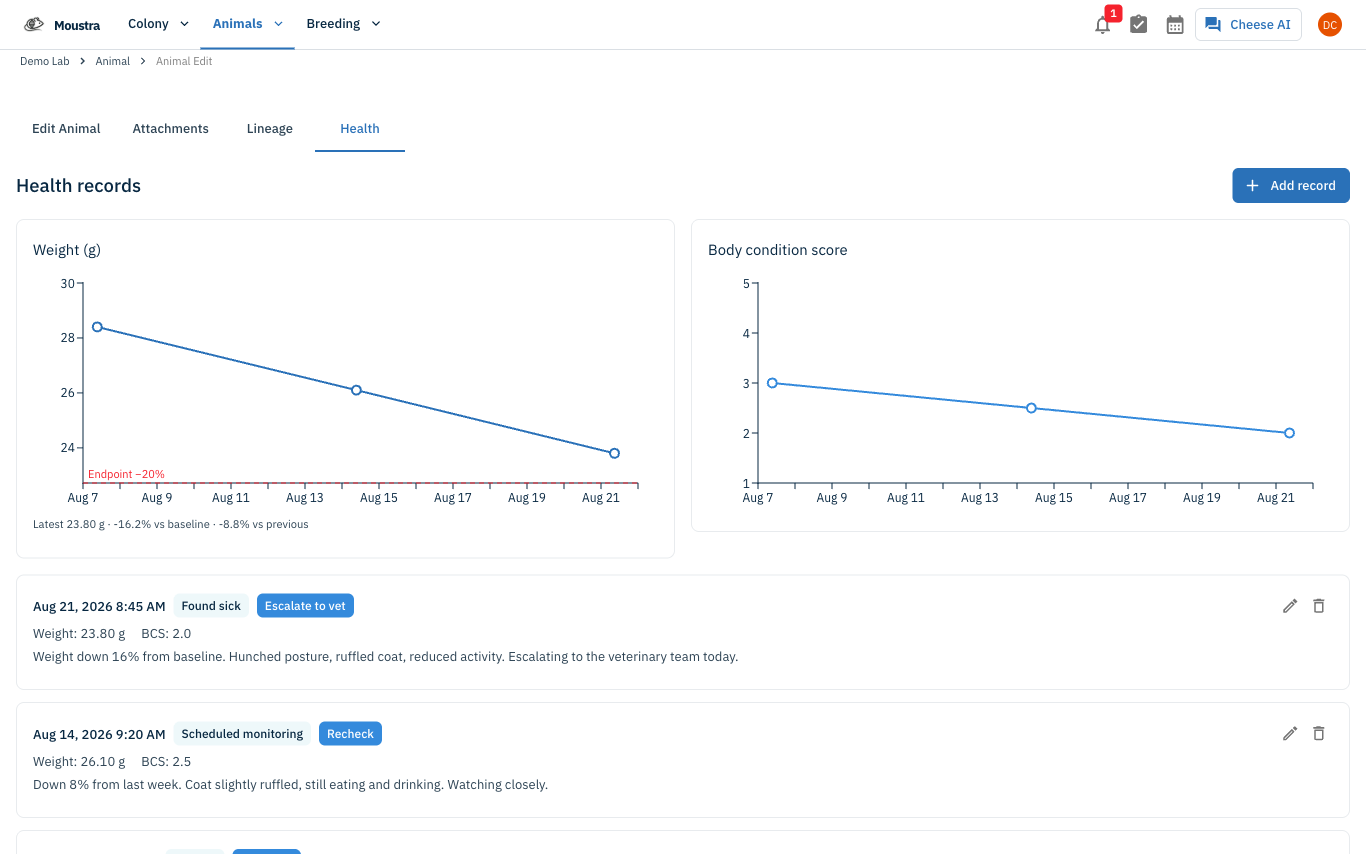
Start a new record
Click Add record. The form header names the subject, so you can confirm you are writing to the right animal.
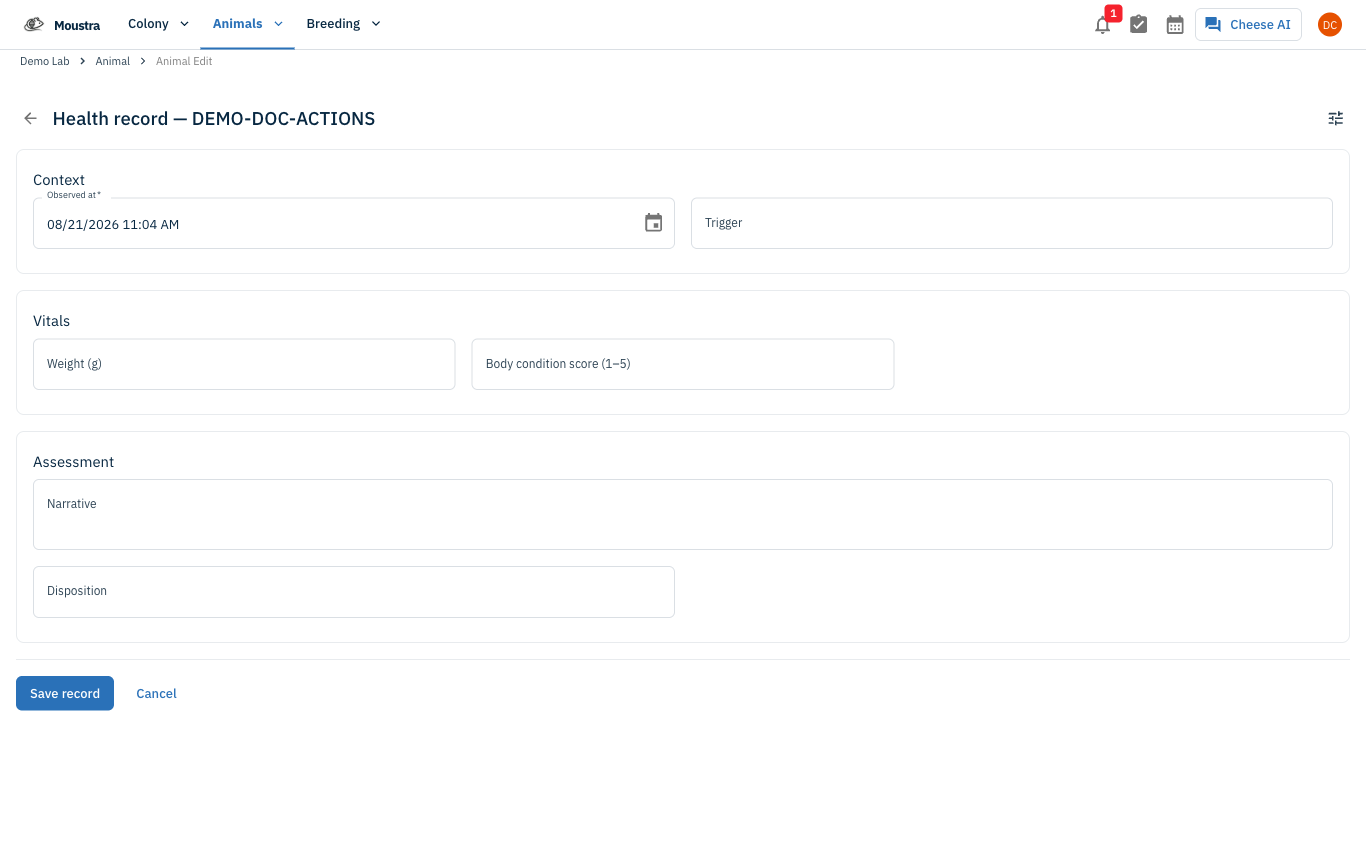
Enter the observation
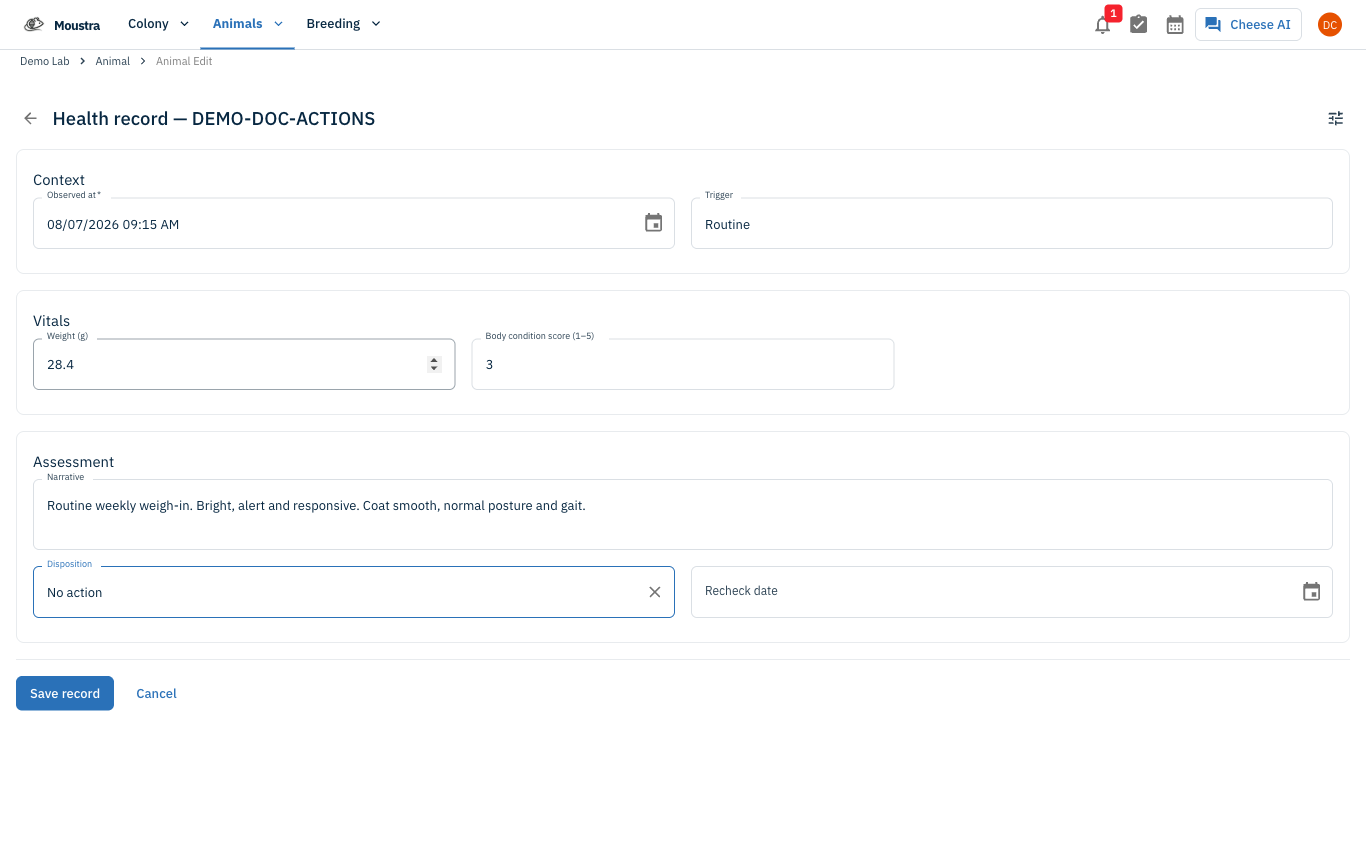
Set Observed at and pick a Trigger. Fill in Weight (g), Body condition score (1–5), and a Narrative describing what you saw.
Record the outcome
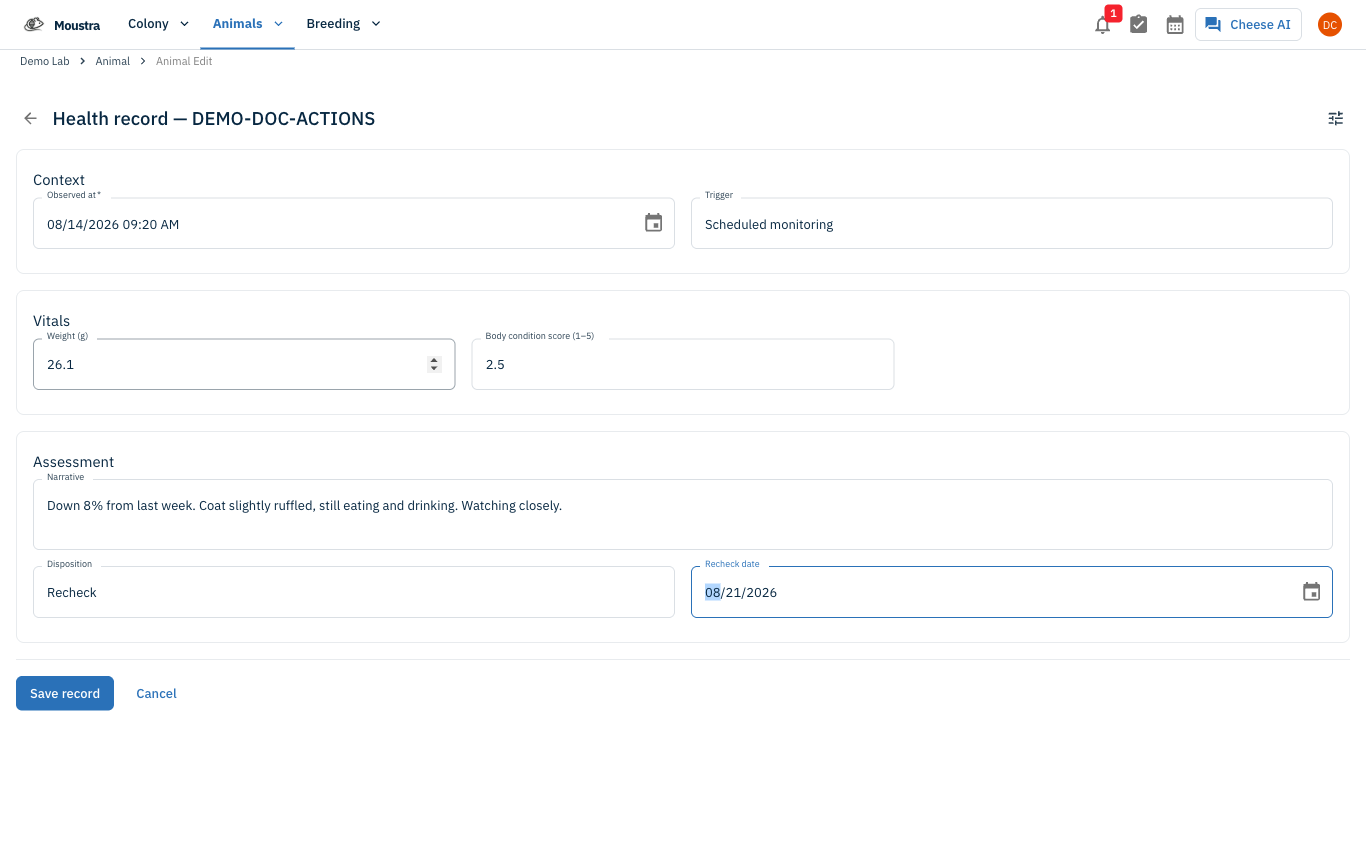
Choose a Disposition for what happens next. A Recheck date field appears once you do, so you can set a follow-up date when the animal needs one.
Show the full clinical exam
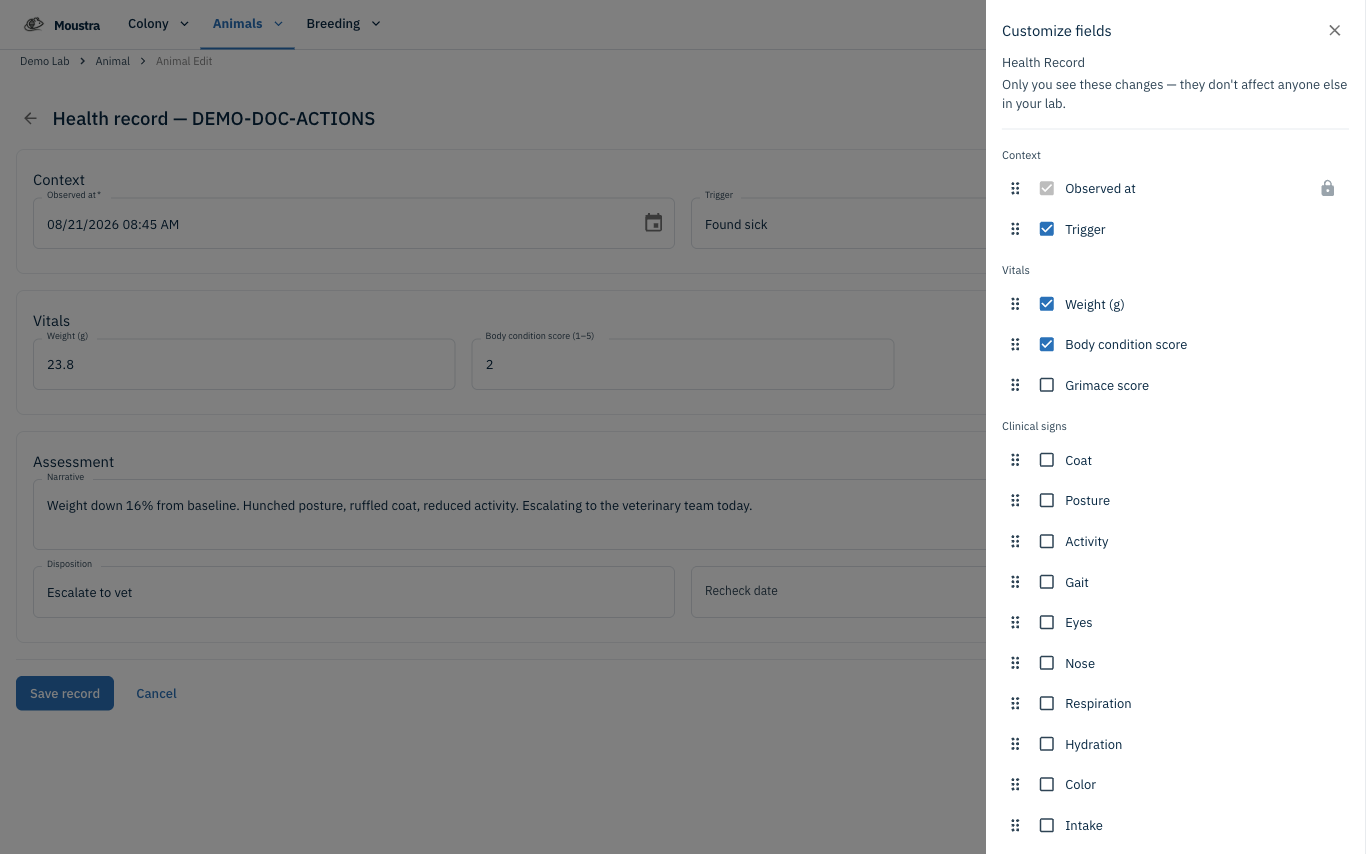
For a full exam, click the Customize fields icon at the top of the form and check the box for the clinical sign fields you need — coat, posture, gait, hydration, masses, lesions, and the rest.
Save the record
Click Save record and it appears at the top of the timeline. To fix a mistake later, use Edit or Delete on the record's card.
More in Editing your colony
How to Create a New Animal
Step-by-step instructions for adding a new animal, including key fields and tips.
How to Add a New Strain
This guide will walk you through the process of creating a new strain entry in Moustra.
How to Add Breeding Animals
This guide will walk you through the process of creating multiple breeding animals at once in Moustra.