How to Create a New Animal
Add animals to your colony from the Animal page. The Bulk Animal Creation form lets you record one animal or many at once — for example a new arrival, an imported donor, or a one-off correction.
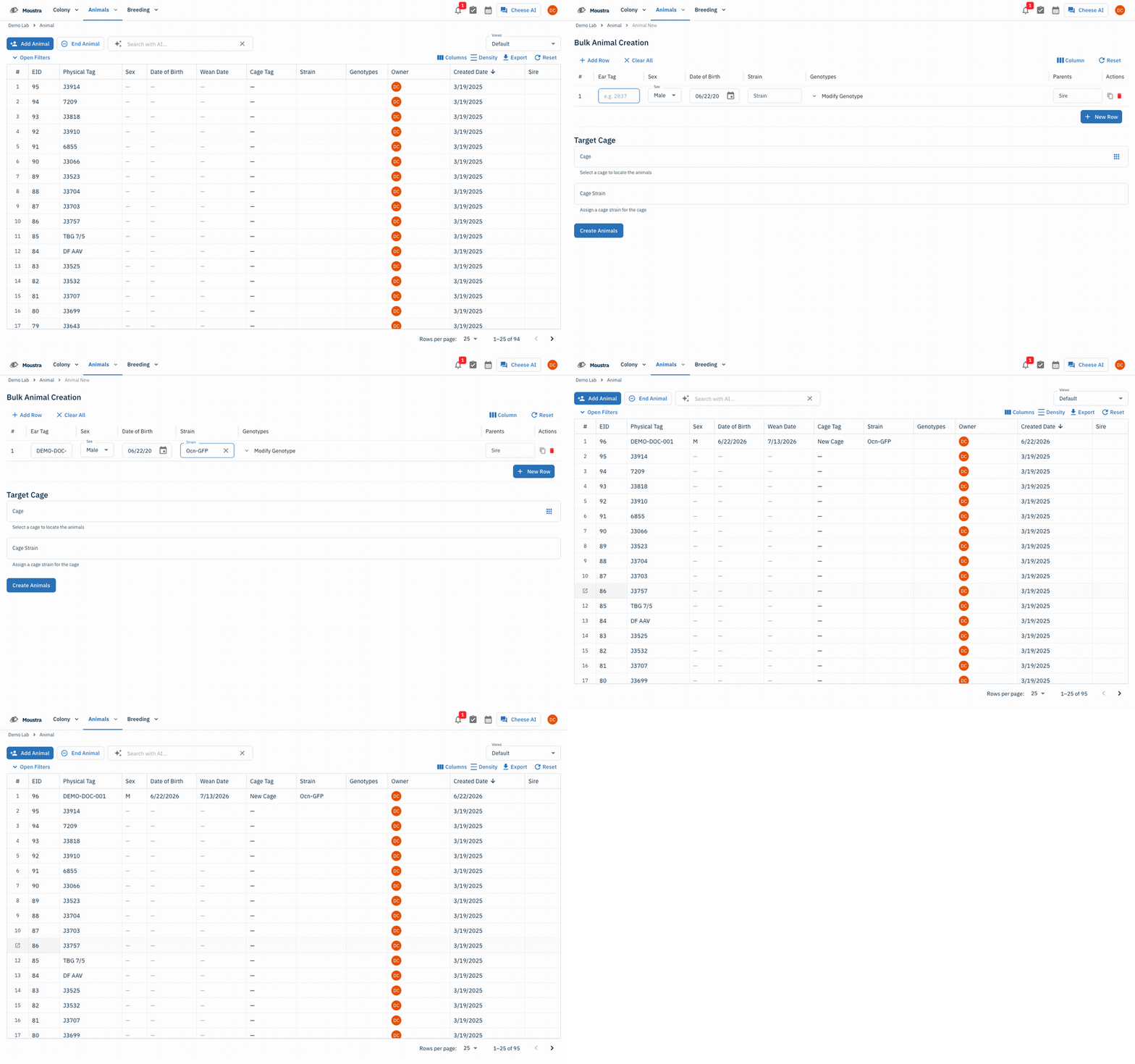
Open the Animal page
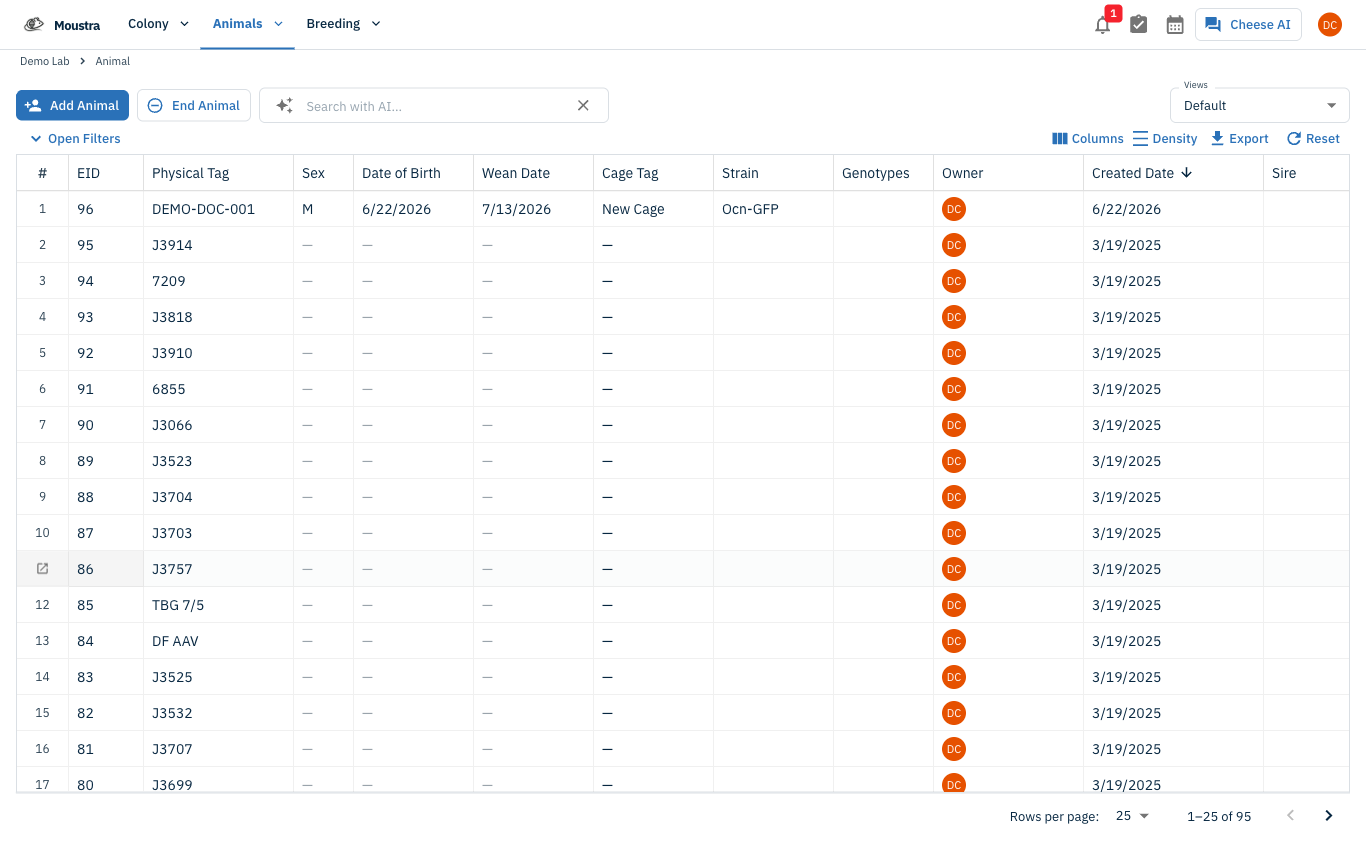
From the top navigation, open Animals → Animal to view your colony's animal records.
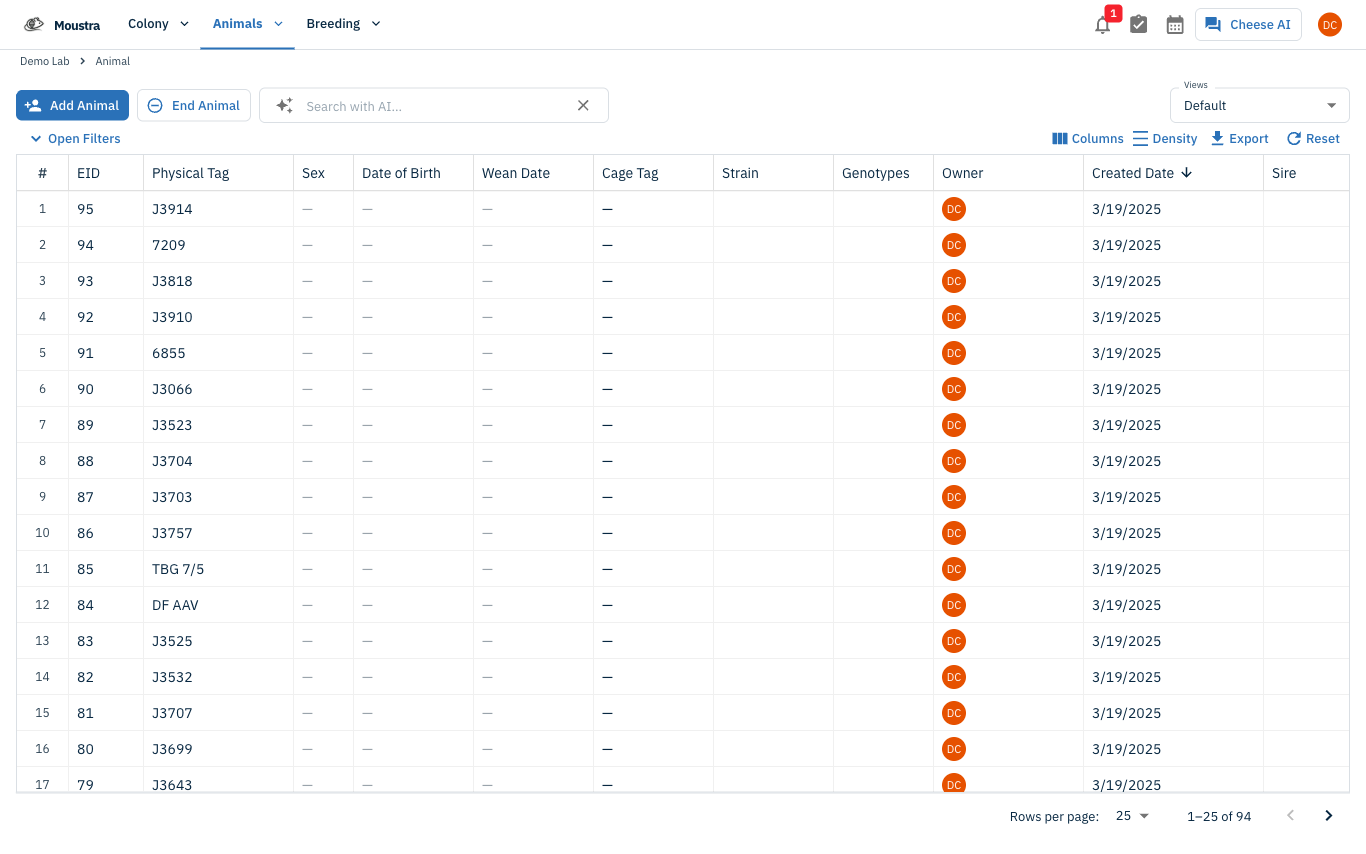
Start a new animal
Click Add Animal at the top of the table. This opens the Bulk Animal Creation form with one empty row.
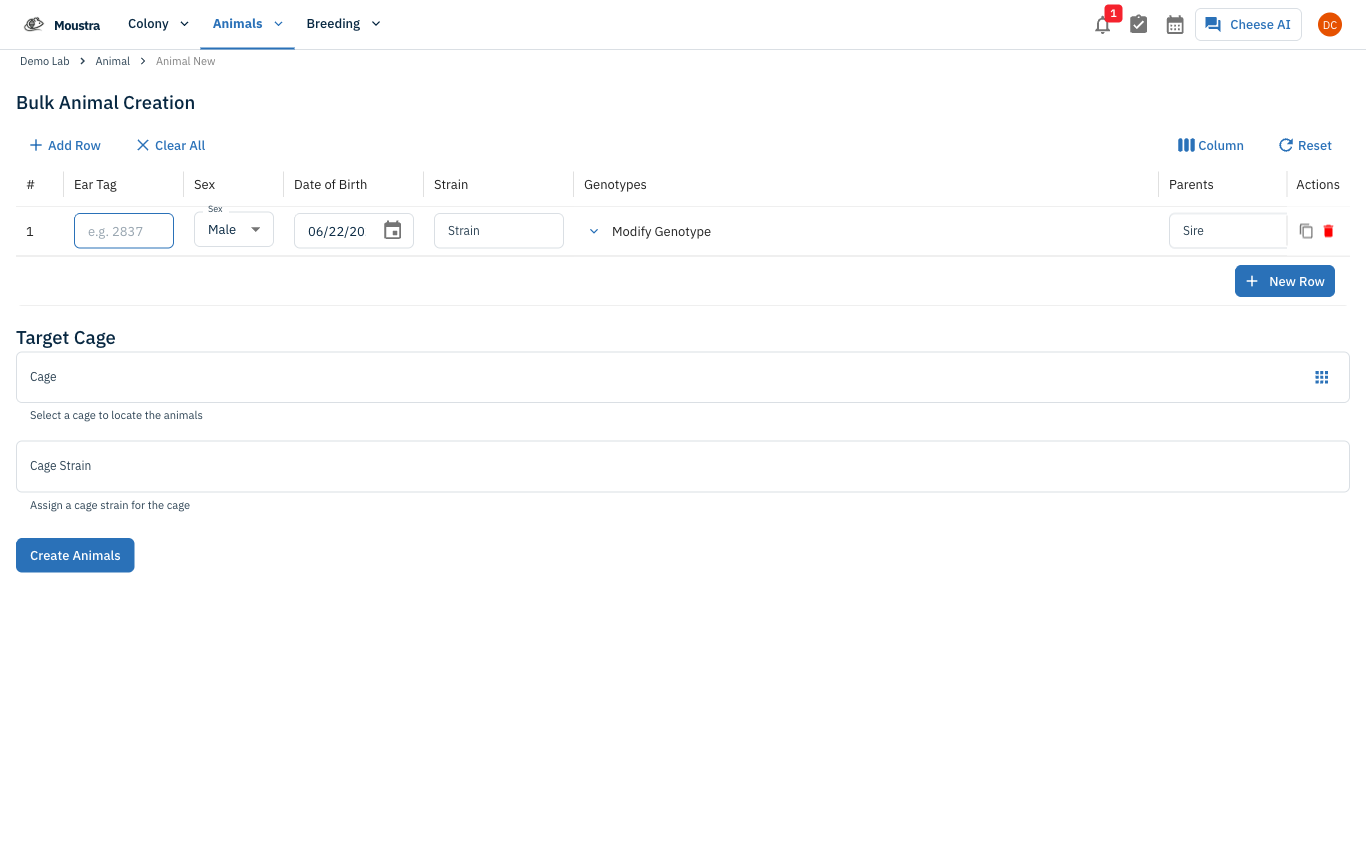
Fill in the animal details
In the row, enter the Ear Tag (physical tag), choose the Sex, set the Date of Birth, and pick a Strain. Optionally add Genotypes, a Sire and Dam, or a Target Cage below. Use New Row to add several animals at once.
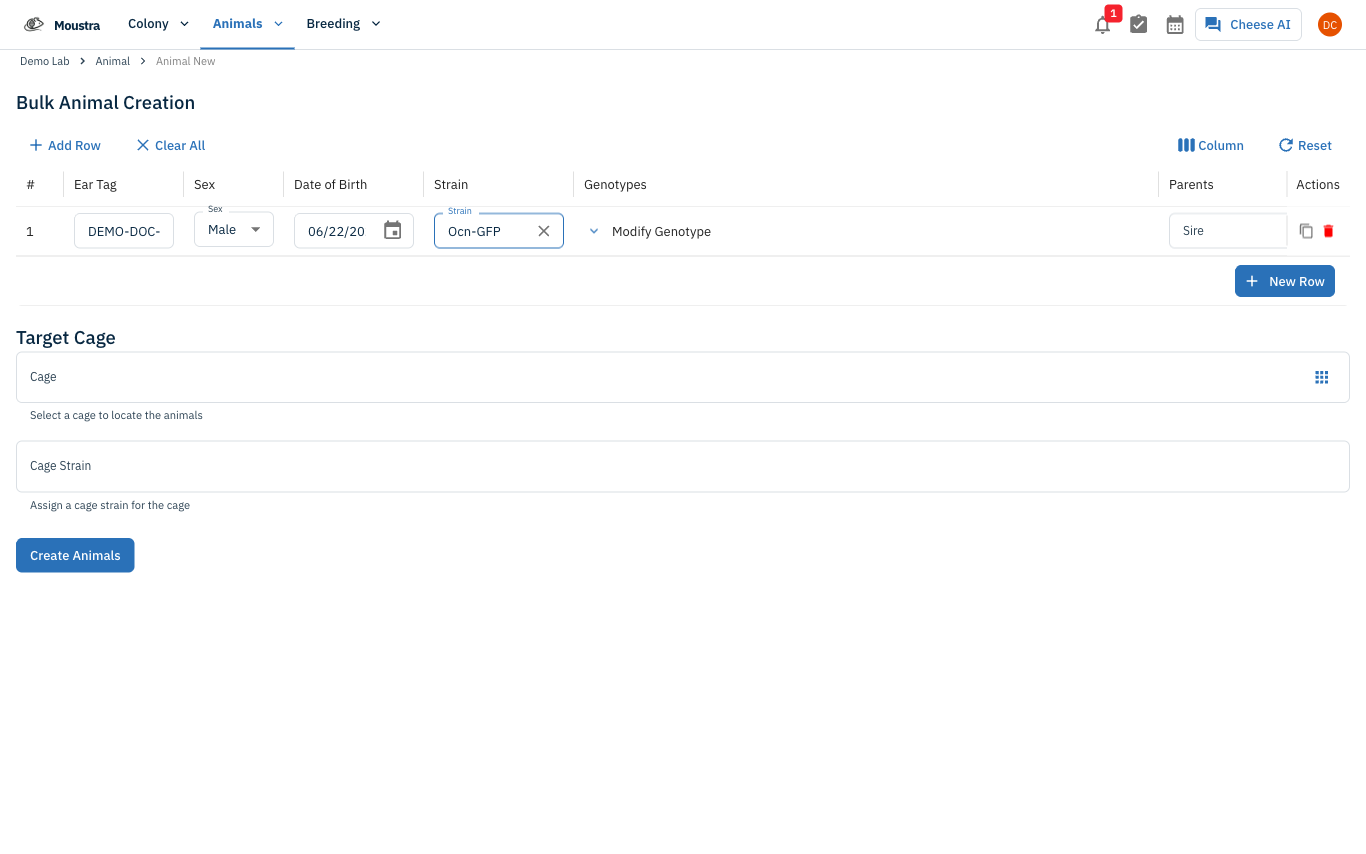
Create the animal
Click Create Animals. The new record is saved and appears at the top of the animal table.
More in Editing your colony
How to Add a New Strain
This guide will walk you through the process of creating a new strain entry in Moustra.
How to Add Breeding Animals
This guide will walk you through the process of creating multiple breeding animals at once in Moustra.
How to Add a New Cage
This guide will walk you through the process of creating a new cage in Moustra.