How to Disband a Mating
Retire a breeding pair or trio by recording a disbanded date. The animals stay in the colony — only the mating is closed out.
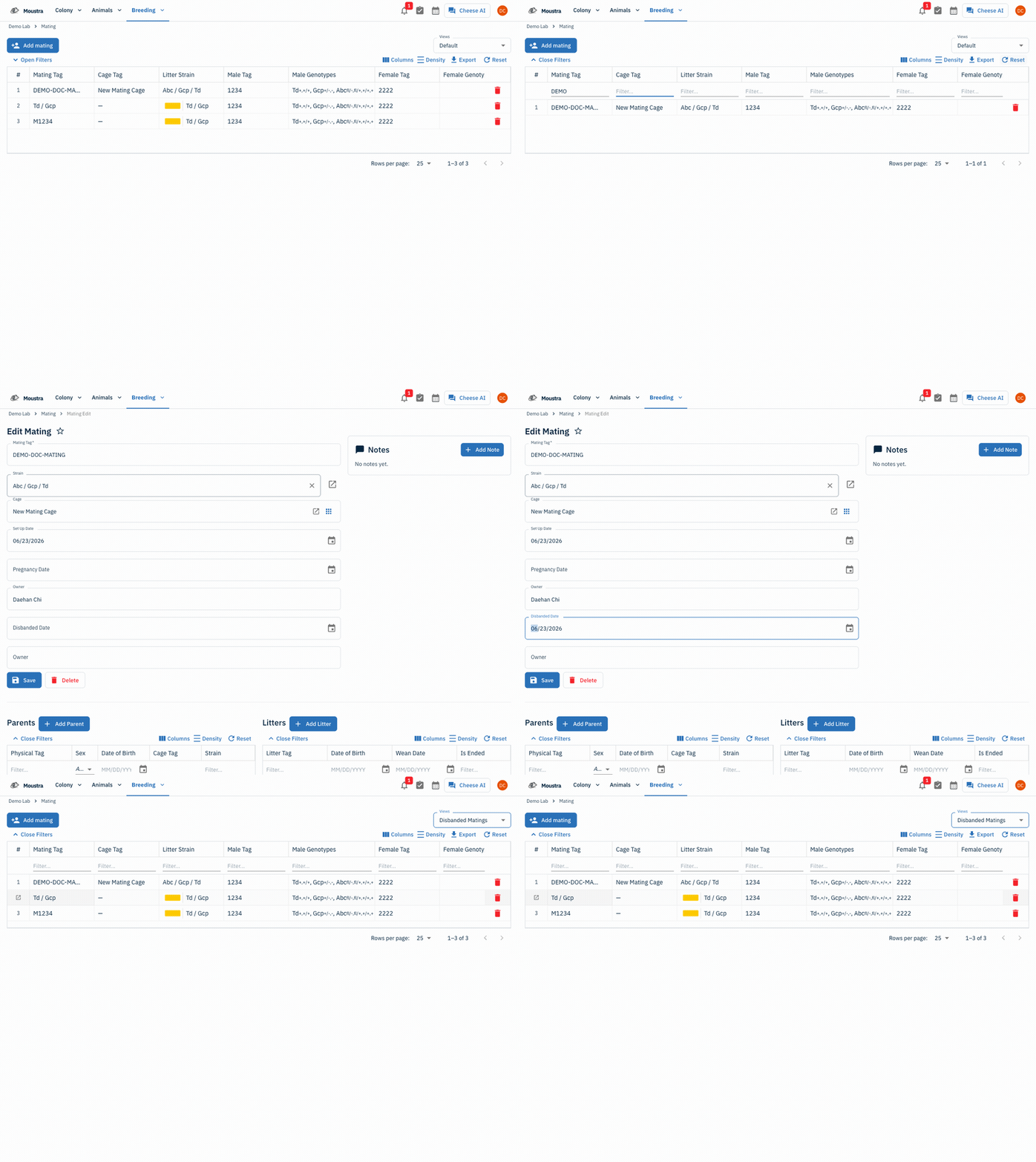
Open the Mating page
From the Breeding menu, choose Mating to open the grid of every mating in your colony.
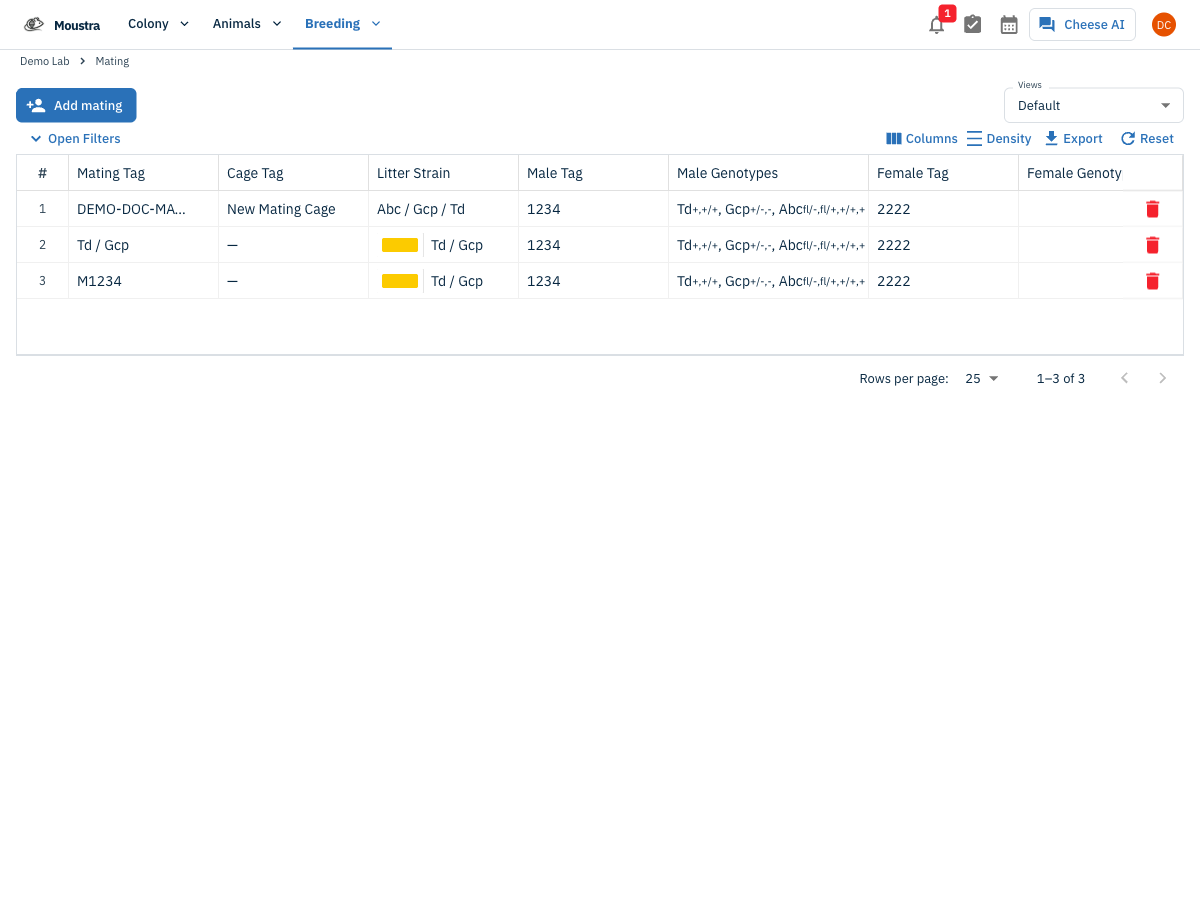
Find the mating
Click Open Filters and type into the Mating Tag (or Cage Tag / strain) column filter to narrow the grid to the pair you want to retire.
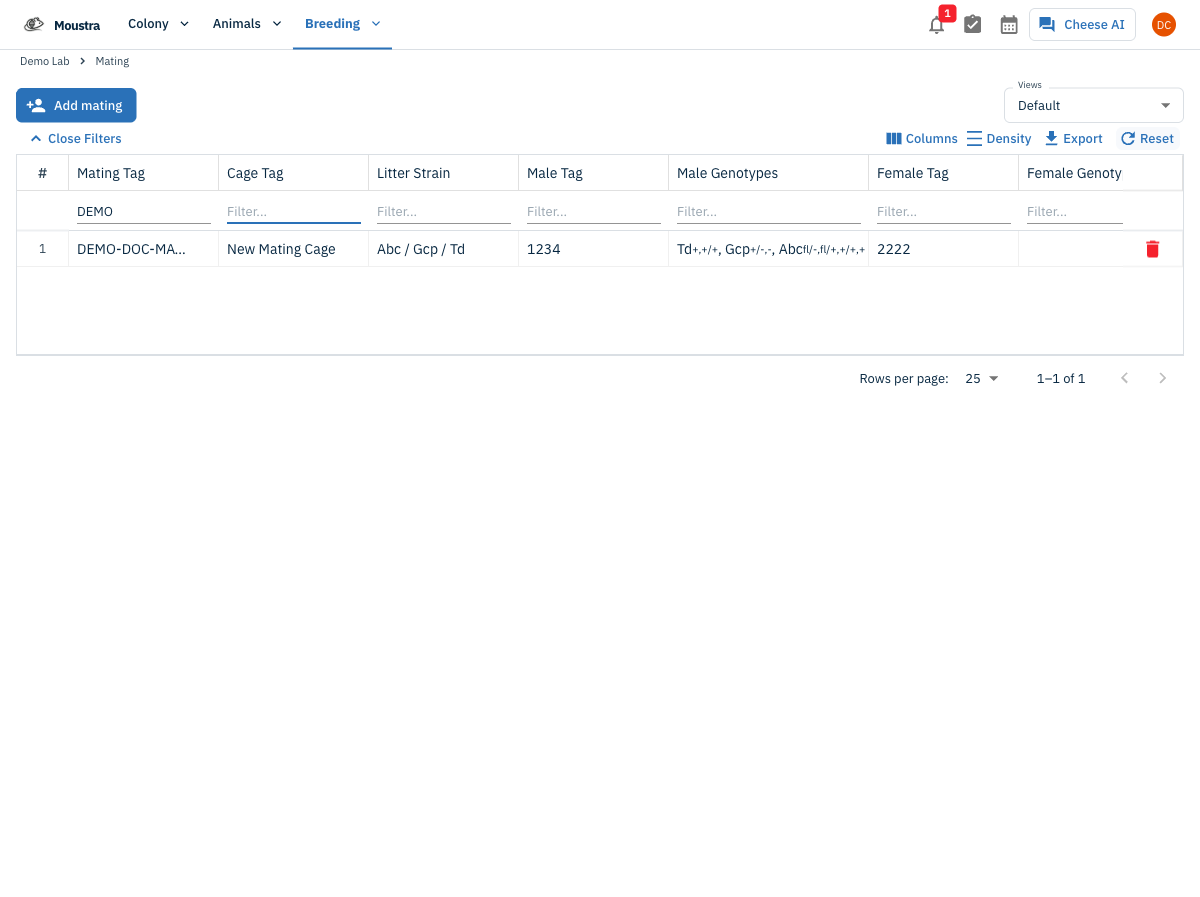
Open the mating
Click the row, then click Open record to open the mating's Edit Mating page.
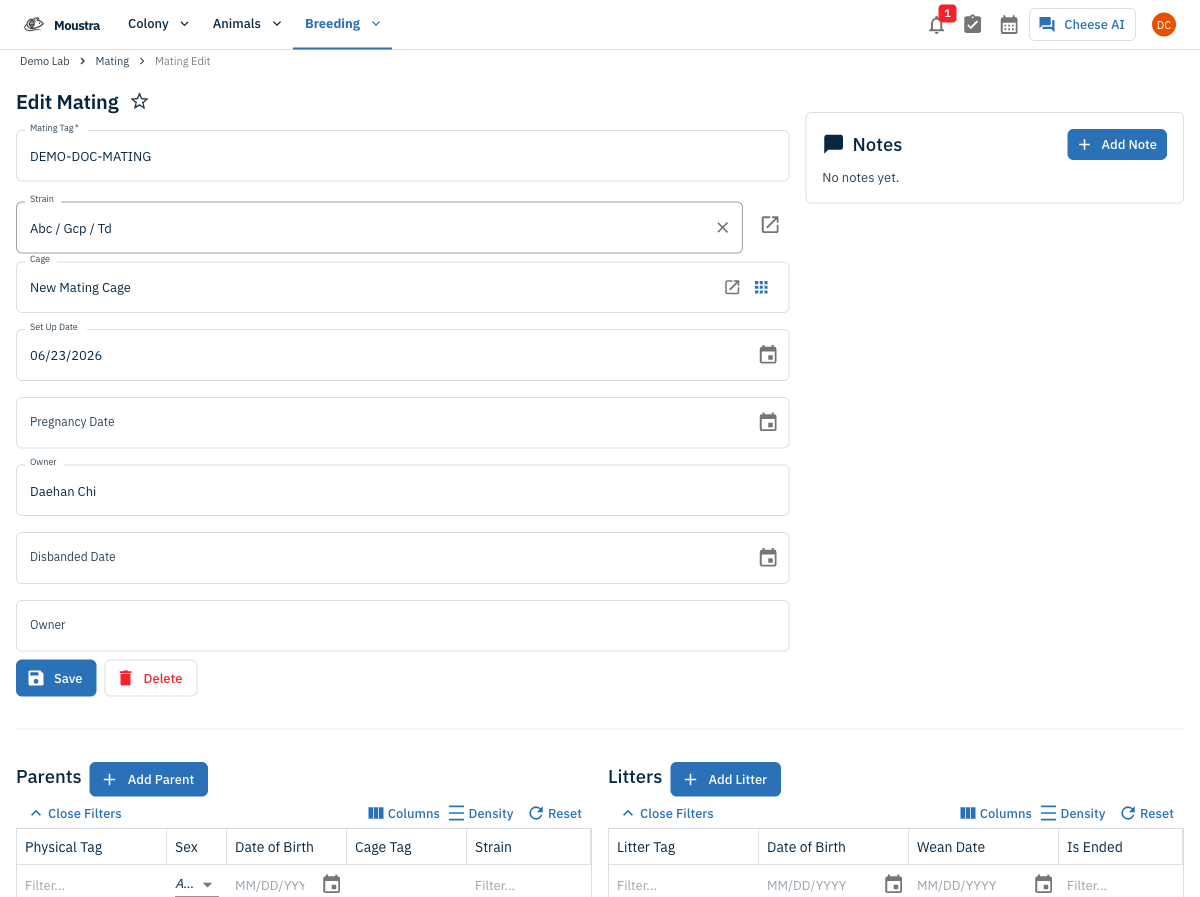
Set the Disbanded Date
There is no separate "disband" button — disbanding is done by filling in the Disbanded Date field with the day the pair was separated.
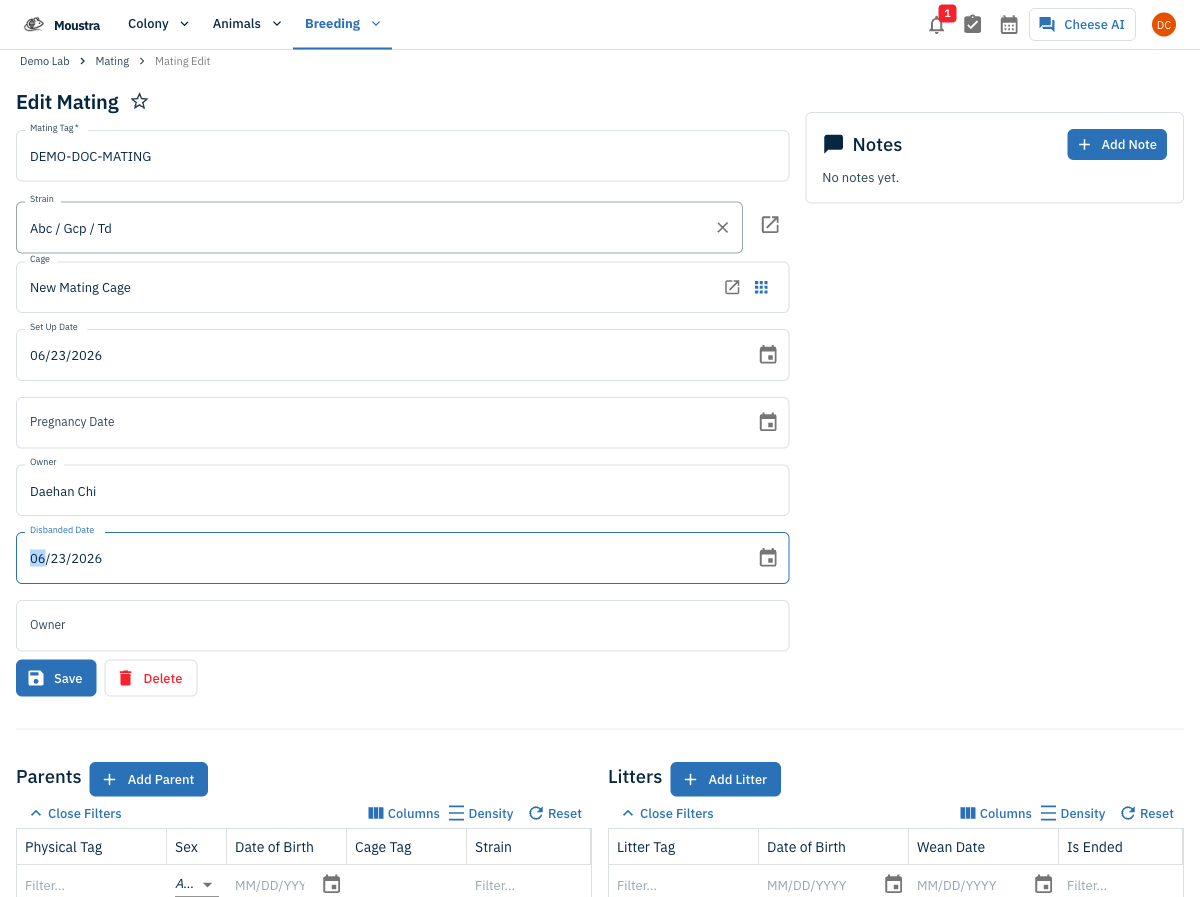
Save and verify
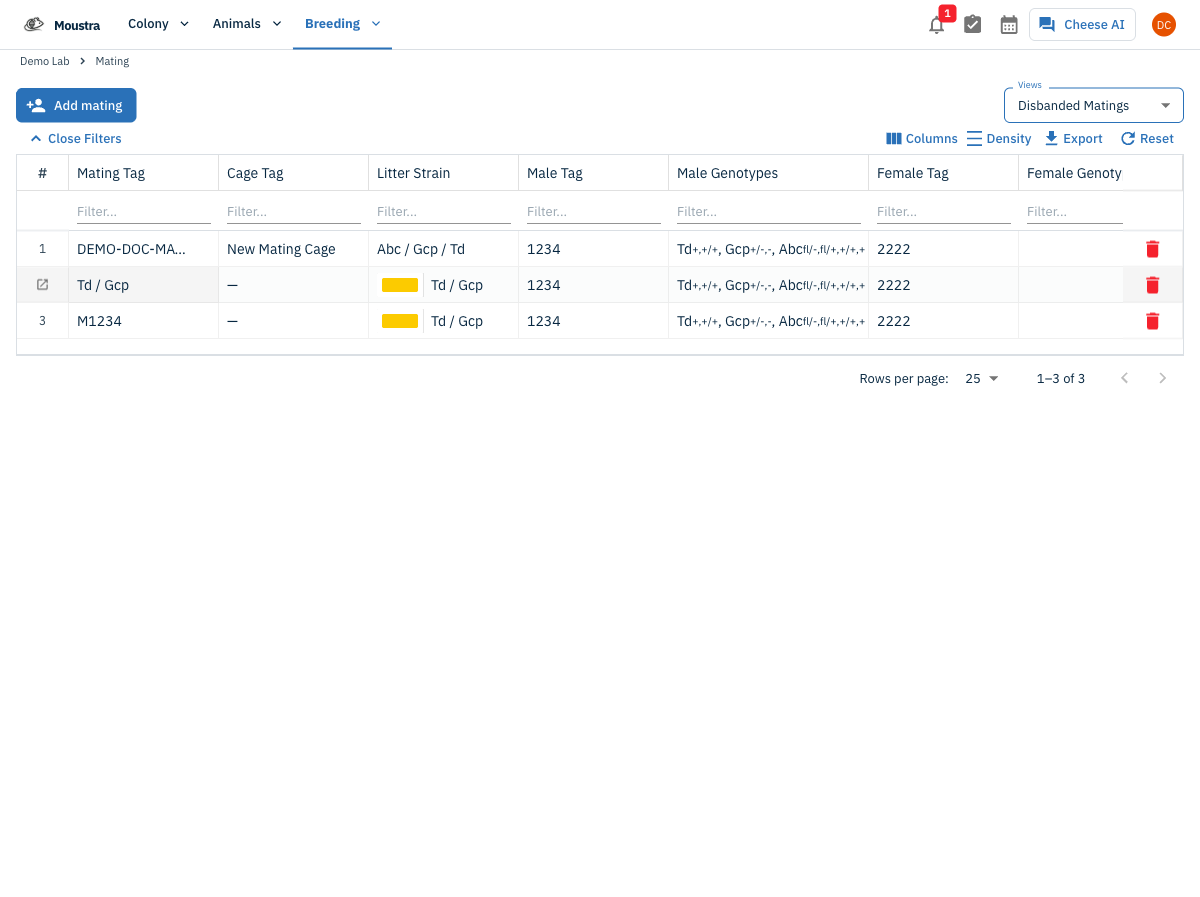
Click Save. To confirm, switch the Views dropdown to Disbanded Matings — the mating now appears there with the date you entered.
More in Editing your colony
How to Create a New Animal
Step-by-step instructions for adding a new animal, including key fields and tips.
How to Add a New Strain
This guide will walk you through the process of creating a new strain entry in Moustra.
How to Add Breeding Animals
This guide will walk you through the process of creating multiple breeding animals at once in Moustra.