How to Add a New Strain
Define a strain once and reuse it everywhere. A strain bundles a name, owner, and genotype (gene + allele combinations) so Moustra can track genetics and flag breeding conflicts.
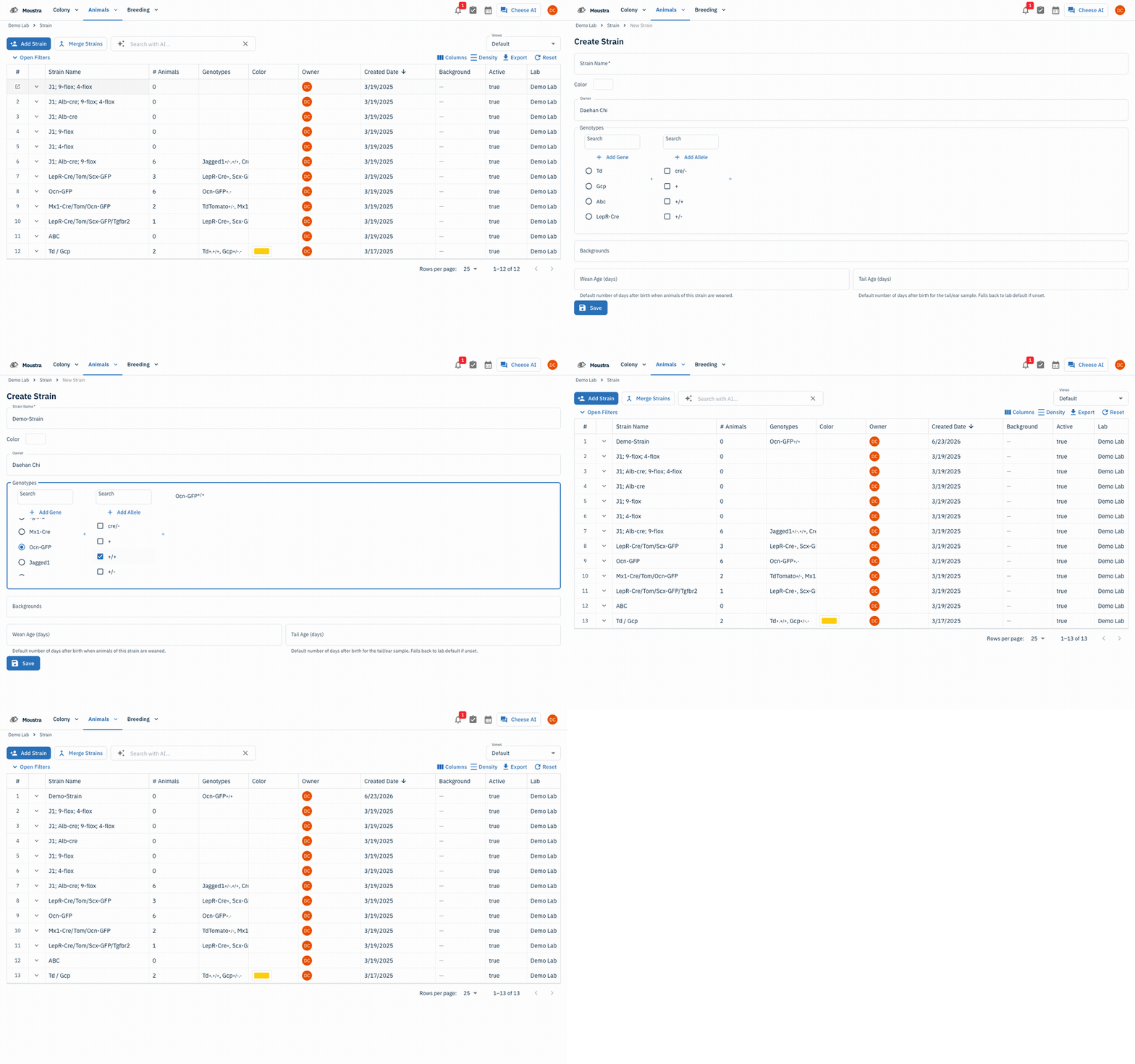
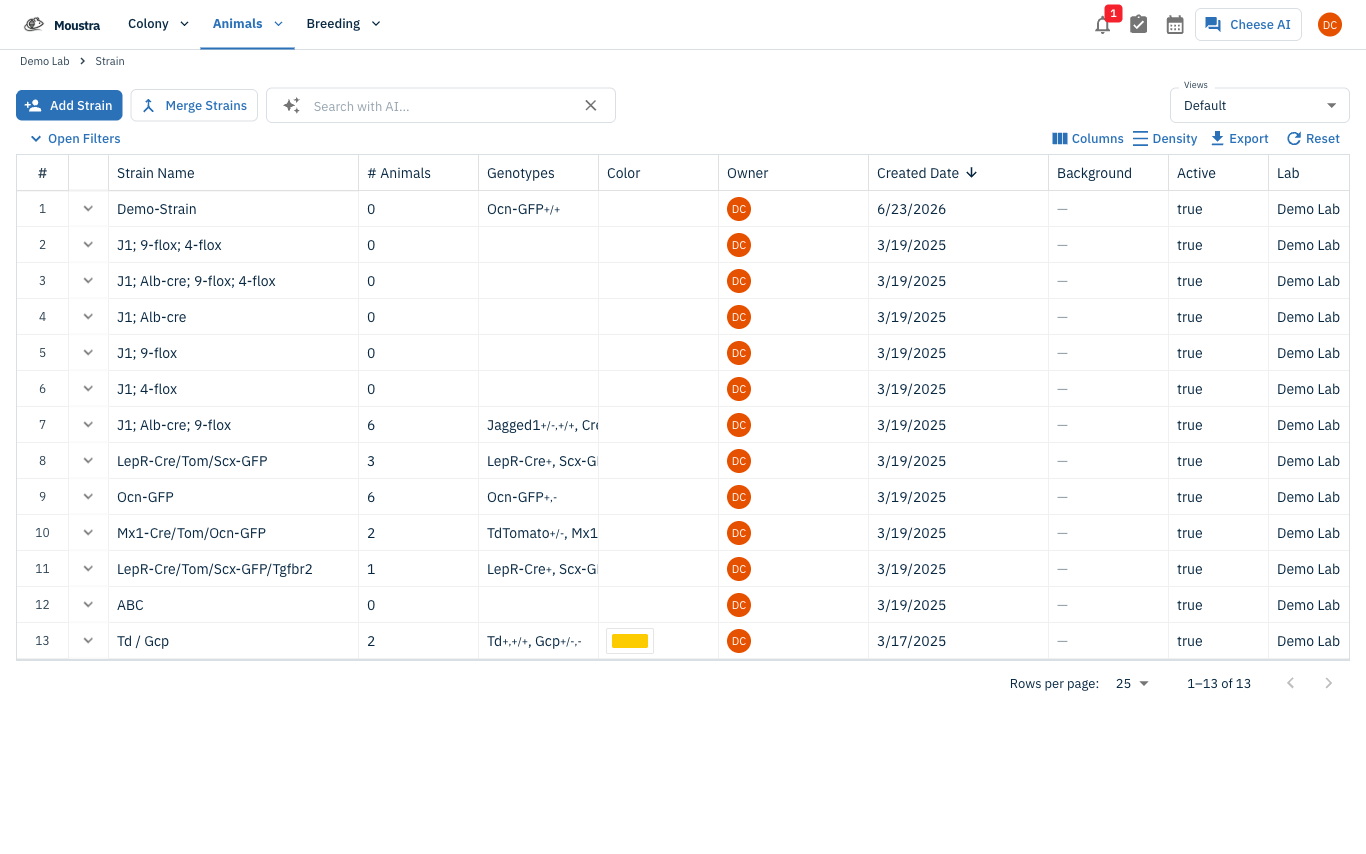
Open the Strain page
In the navigation, open the Animals menu and click Strain to see all strains in your lab.
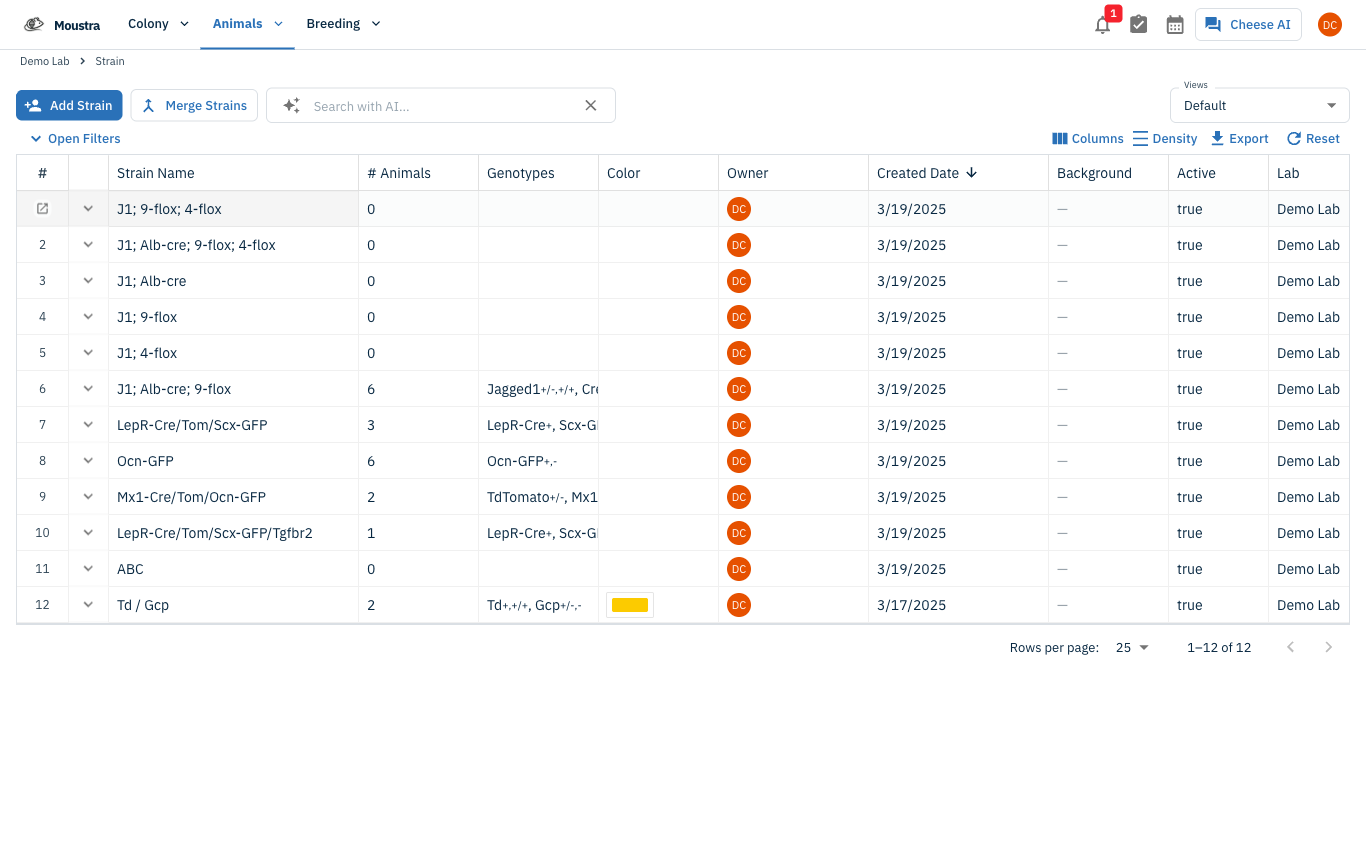
Start a new strain
Click Add Strain at the top-right to open the creation form.
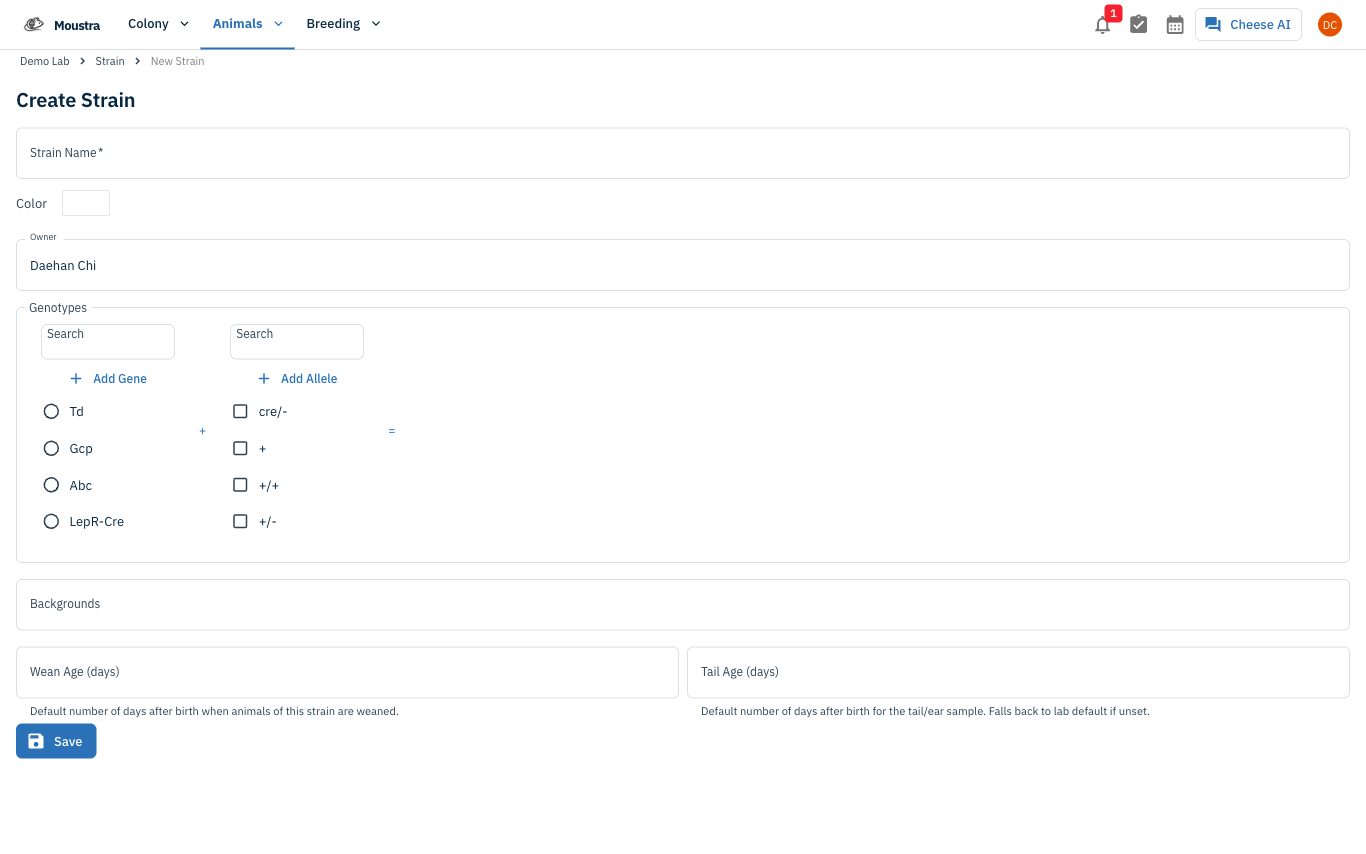
Enter strain details
Give the strain a Strain Name (required) and confirm the Owner. To record genetics, pick a Gene from the left list and check one or more Alleles — each combination builds the genotype shown after the =. Optionally set a Color, Backgrounds, and default Wean / Tail Age.
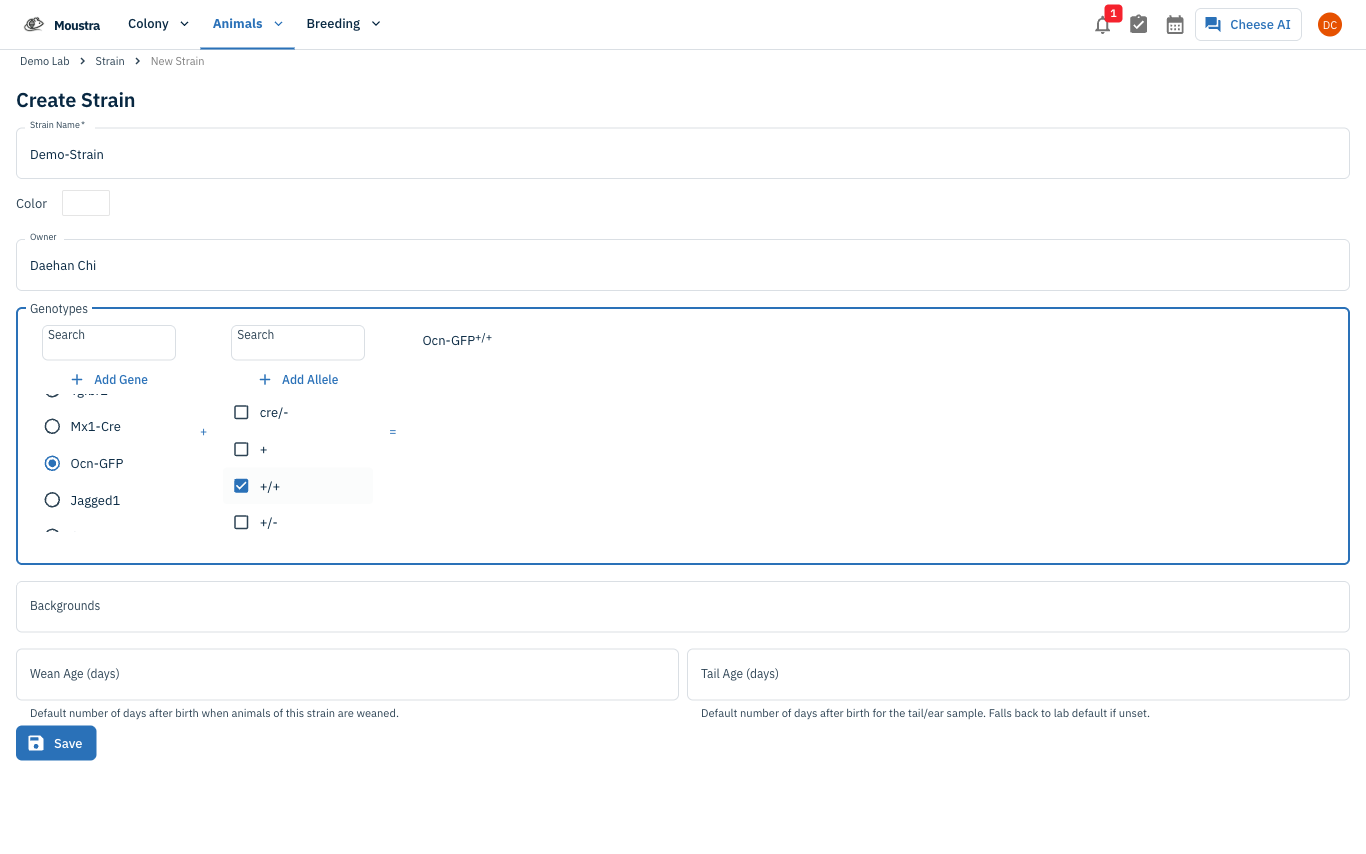
Save the strain
Click Save. The strain now appears in the list and in every strain selector across Moustra.
More in Editing your colony
How to Create a New Animal
Step-by-step instructions for adding a new animal, including key fields and tips.
How to Add Breeding Animals
This guide will walk you through the process of creating multiple breeding animals at once in Moustra.
How to Add a New Cage
This guide will walk you through the process of creating a new cage in Moustra.