How to View Study Reports and Export Data
Every study has a Reports tab that rolls up its cohort, group balance, time-points, tasks, measurements, alerts, and exclusions into one summary, plus one-click CSV exports and a printable view. This guide walks through opening the Reports tab, reading the metrics, and exporting your data.
Open the study
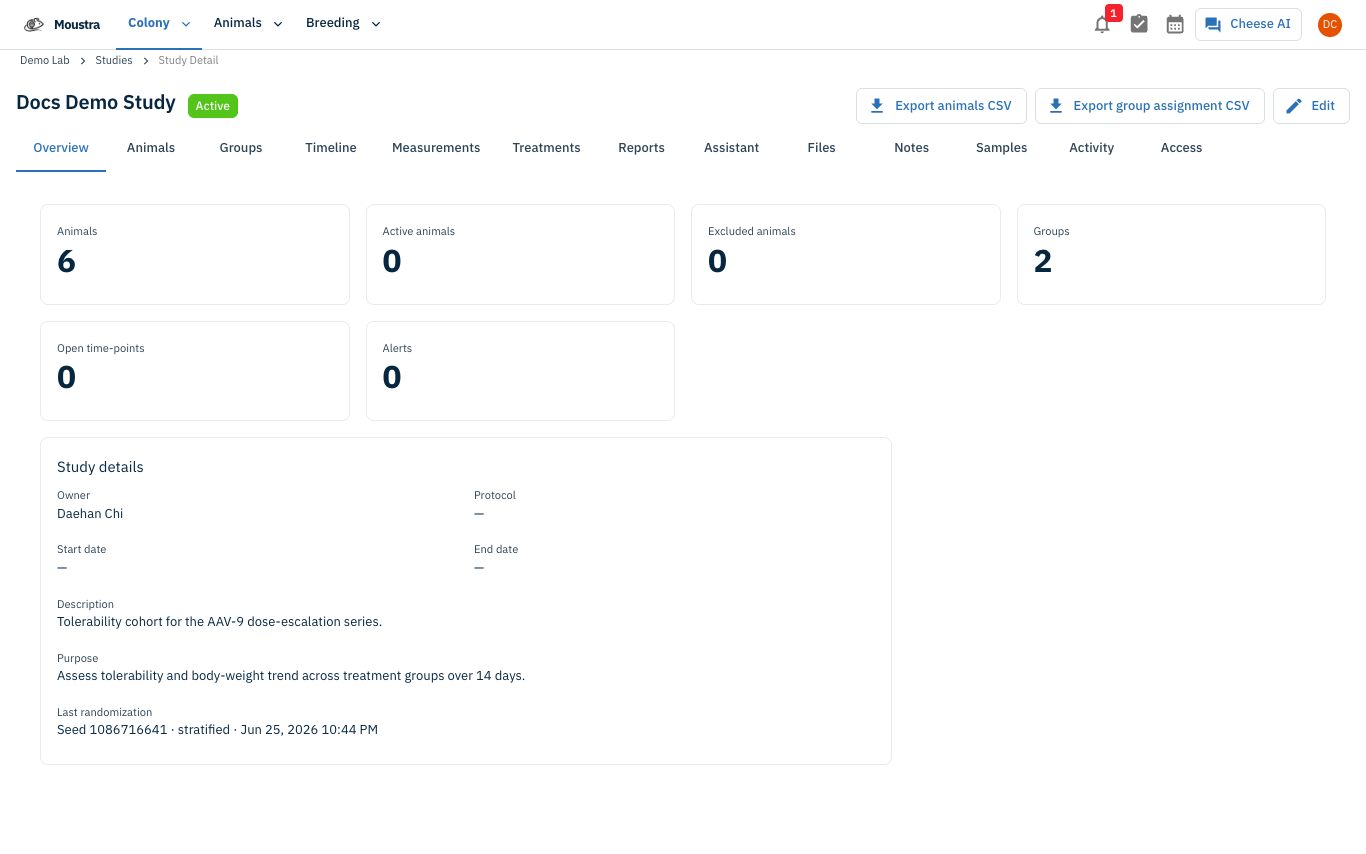
Open the study you want to report on. The detail page opens on the Overview tab and shows the study name with a status chip, plus a top-right toolbar with Export animals CSV and Export group assignment CSV buttons.
Switch to the Reports tab
In the row of tabs, click Reports. The tab loads the study's report summary and the URL updates to include
?tab=reports.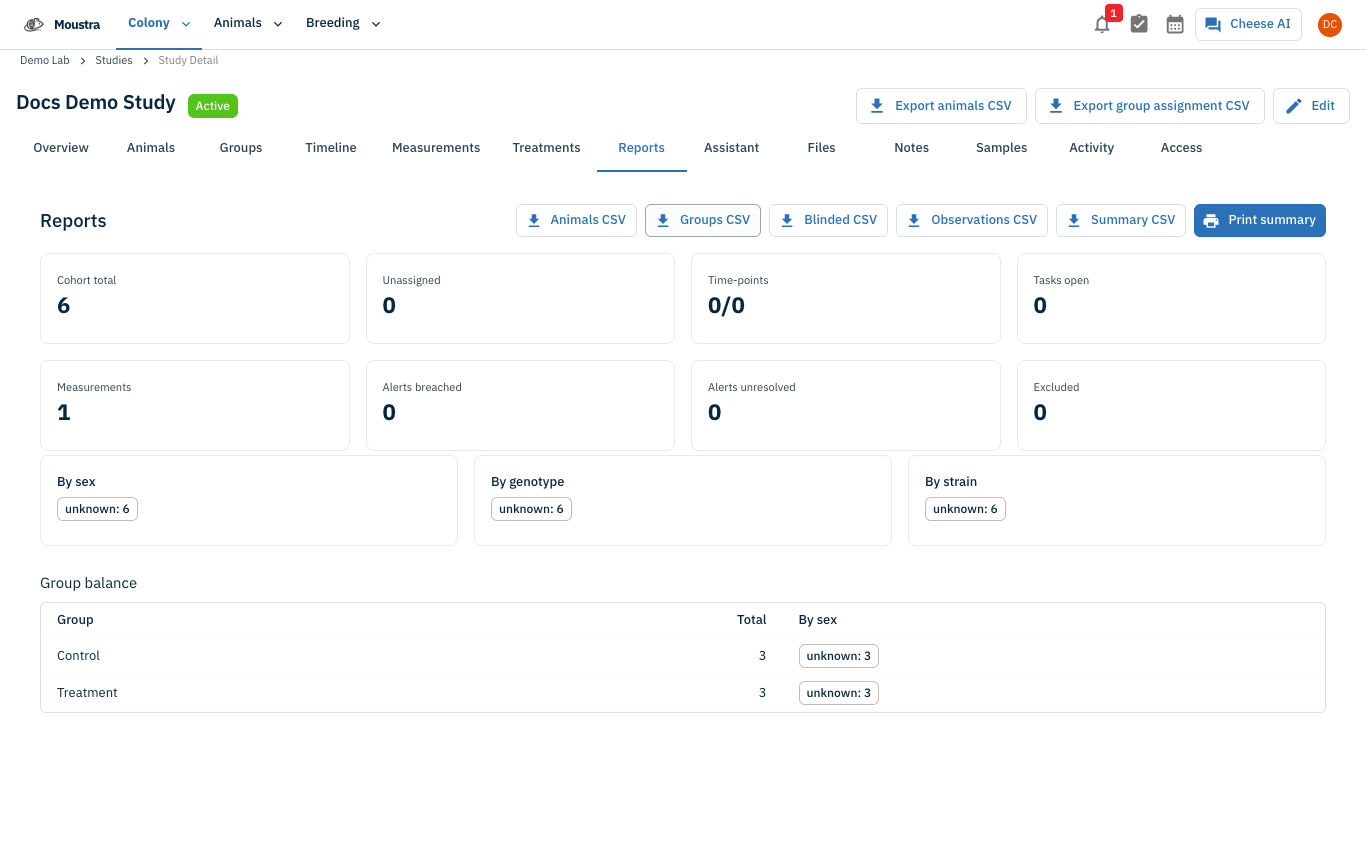
Read the summary metrics
At the top is a strip of KPI cards: Cohort total, Unassigned, Time-points (done/total), Tasks open, Measurements, Alerts breached, Alerts unresolved, and Excluded. Below, three cards break the cohort down By sex, By genotype, and By strain, and a Group balance table lists each group with its Total and a By sex breakdown. Excluded animals, if any, are listed with their reasons.
Export the data you need (CSV)
In the top-right of the Reports tab, use the export buttons: Animals CSV (the cohort), Groups CSV (group assignments), Observations CSV (all measurements), Summary CSV (the rolled-up report), and Blinded CSV (blinded subject IDs, shown only if you can view unblinded data). Click a button and the file downloads to your browser.
Print the summary (optional)
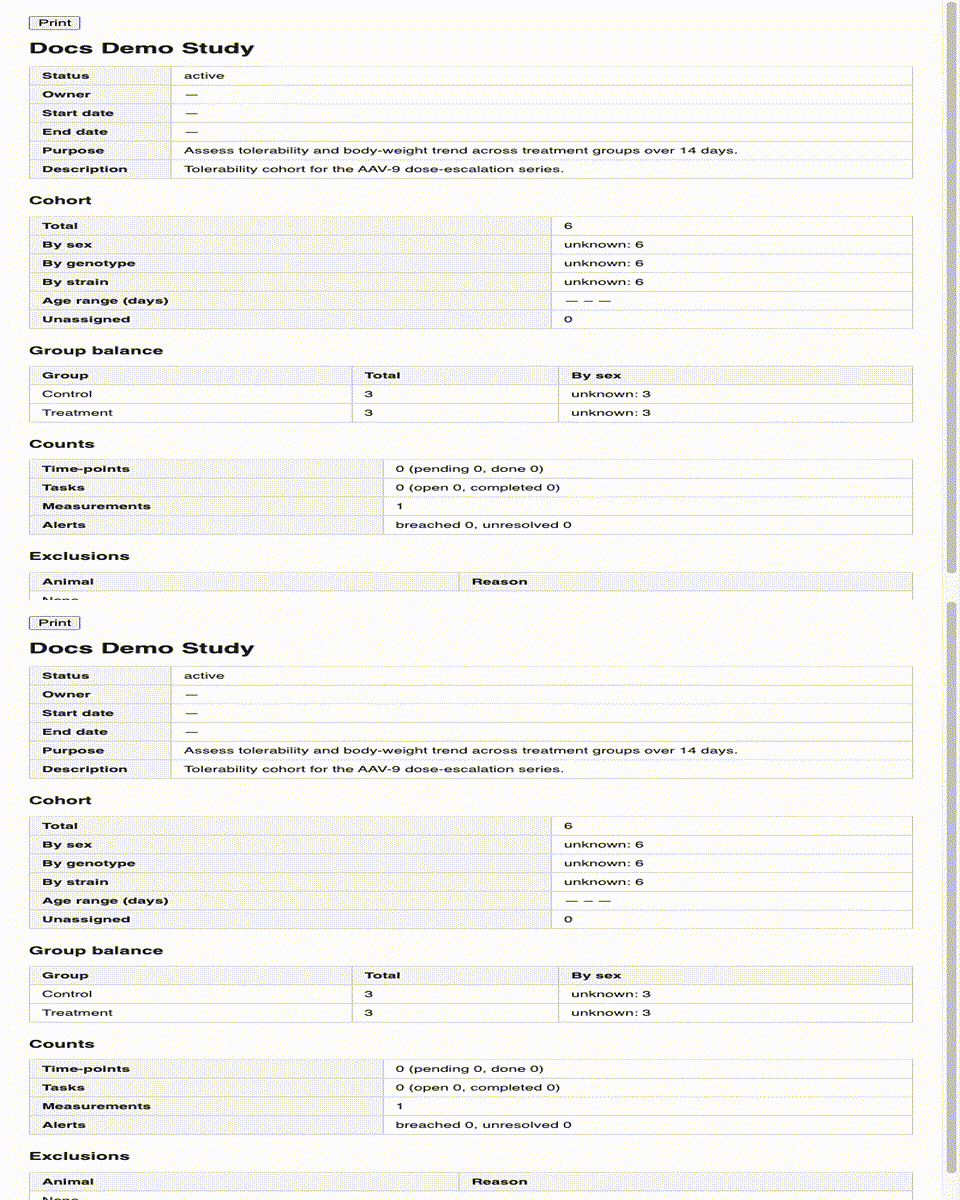
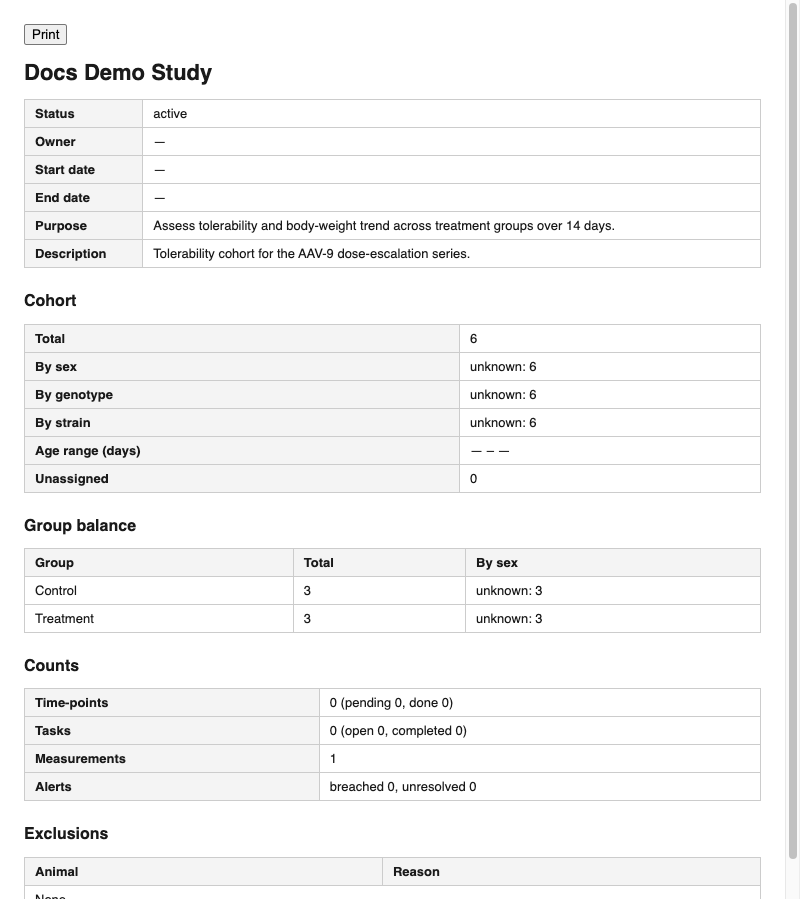
Click Print summary (top-right of the Reports tab) to open a clean, printable page of the study summary in a new browser window. It includes the study details, cohort breakdowns, group balance, counts, and exclusions, with a Print button at the top.
More in Advanced
Quick Edit Cell
Edit values directly in any data grid: double-click an editable cell and Moustra shows the right input (text, number, date, or dropdown). Press Enter to save or Escape to cancel.
How to Print Cage Cards
Print cage labels with animal tags, strain, and IACUC information for physical cage identification.
How to Connect Slack
Receive real-time notifications in Slack for litters, weans, and colony milestones without logging into Moustra.