How to Add a Mating
Pair a male with one or more females to set up a mating. The Create Mating form walks you through picking the animals and recording the housing details.
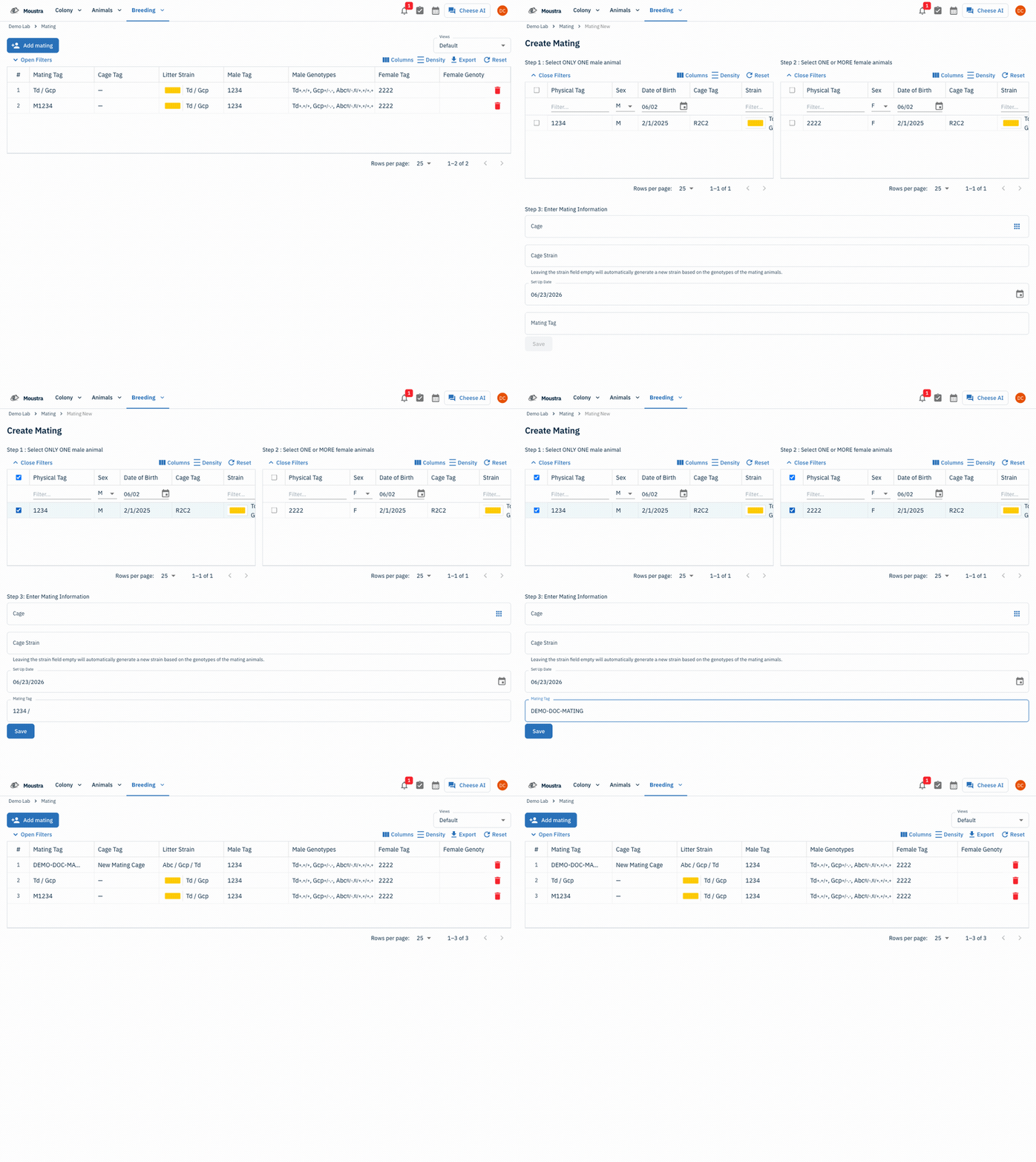
Open the Mating page
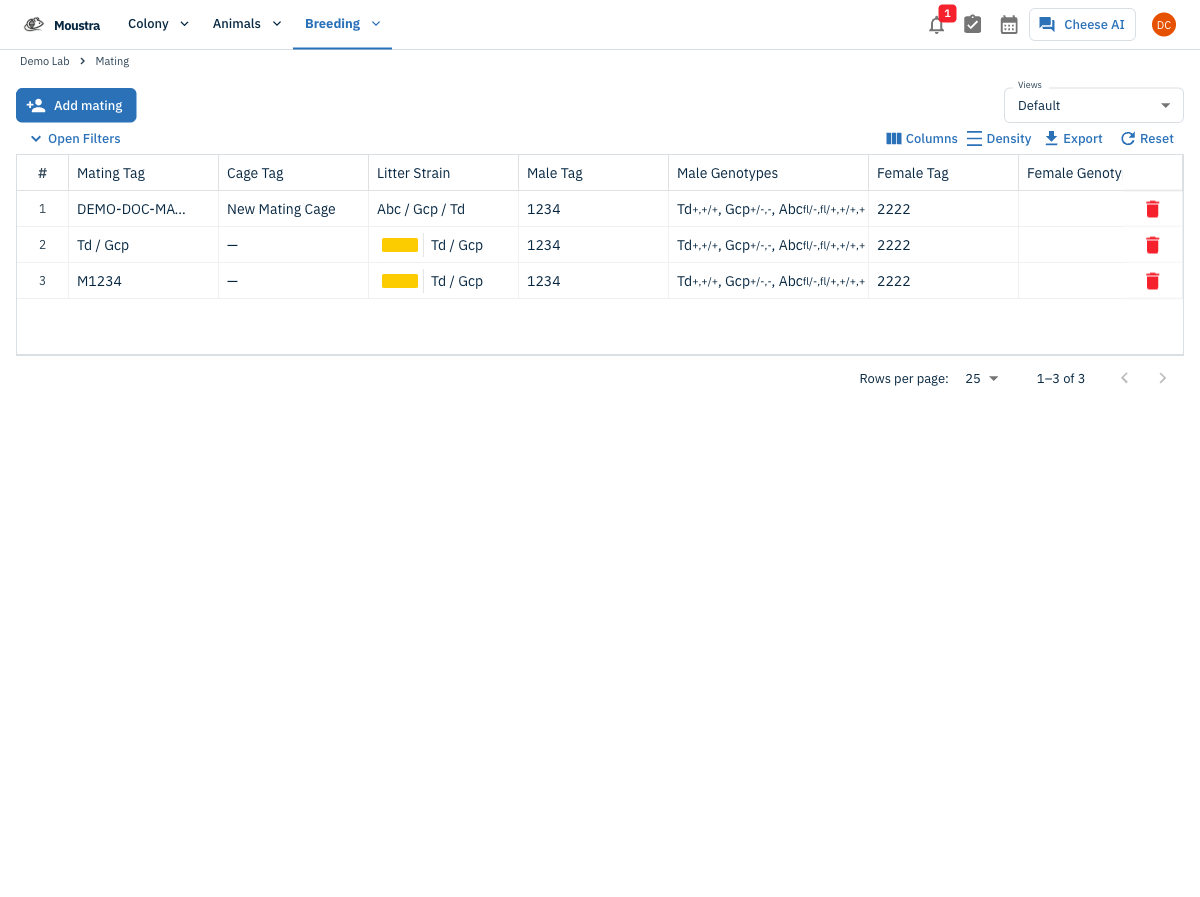
From the Breeding menu, choose Mating to open the mating grid. It lists every mating in your colony.
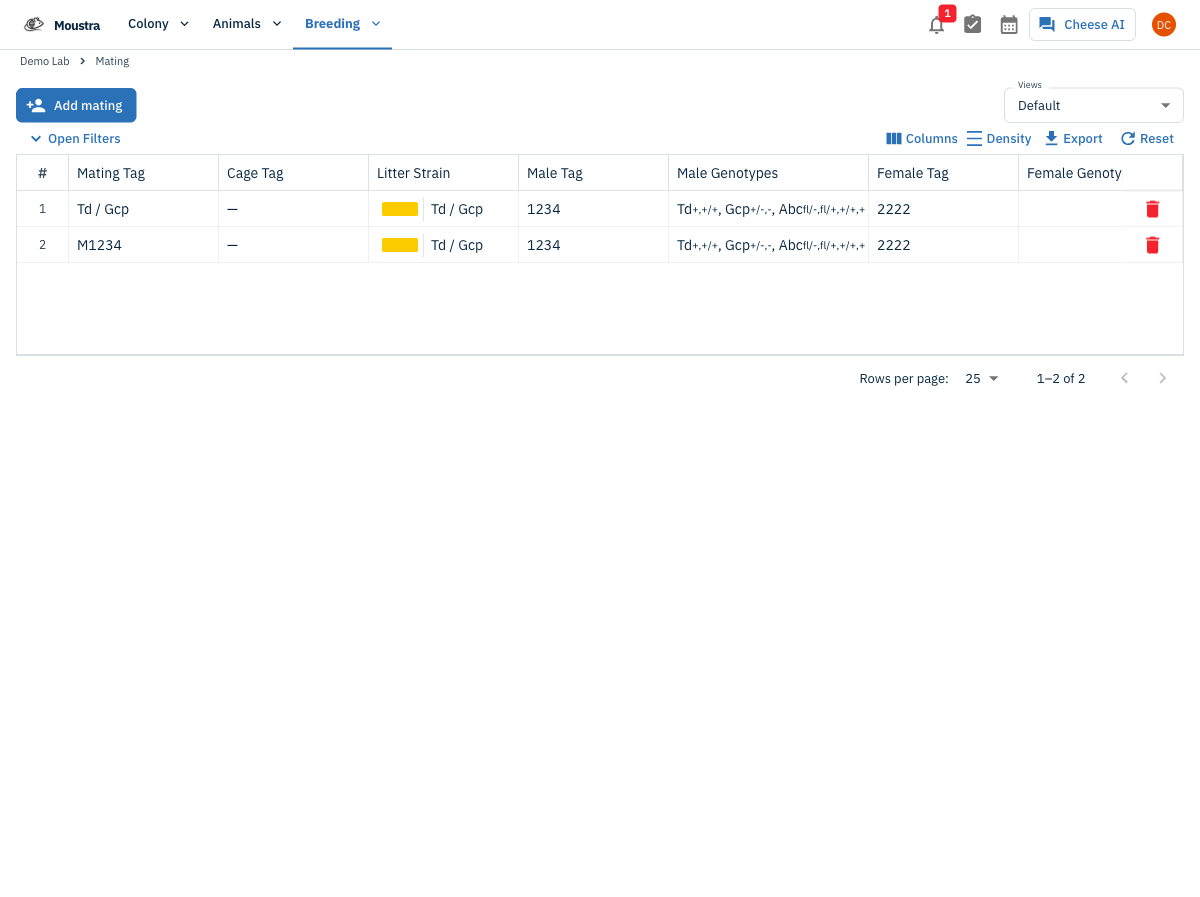
Start a new mating
Click Add mating at the top of the grid to open the Create Mating form.
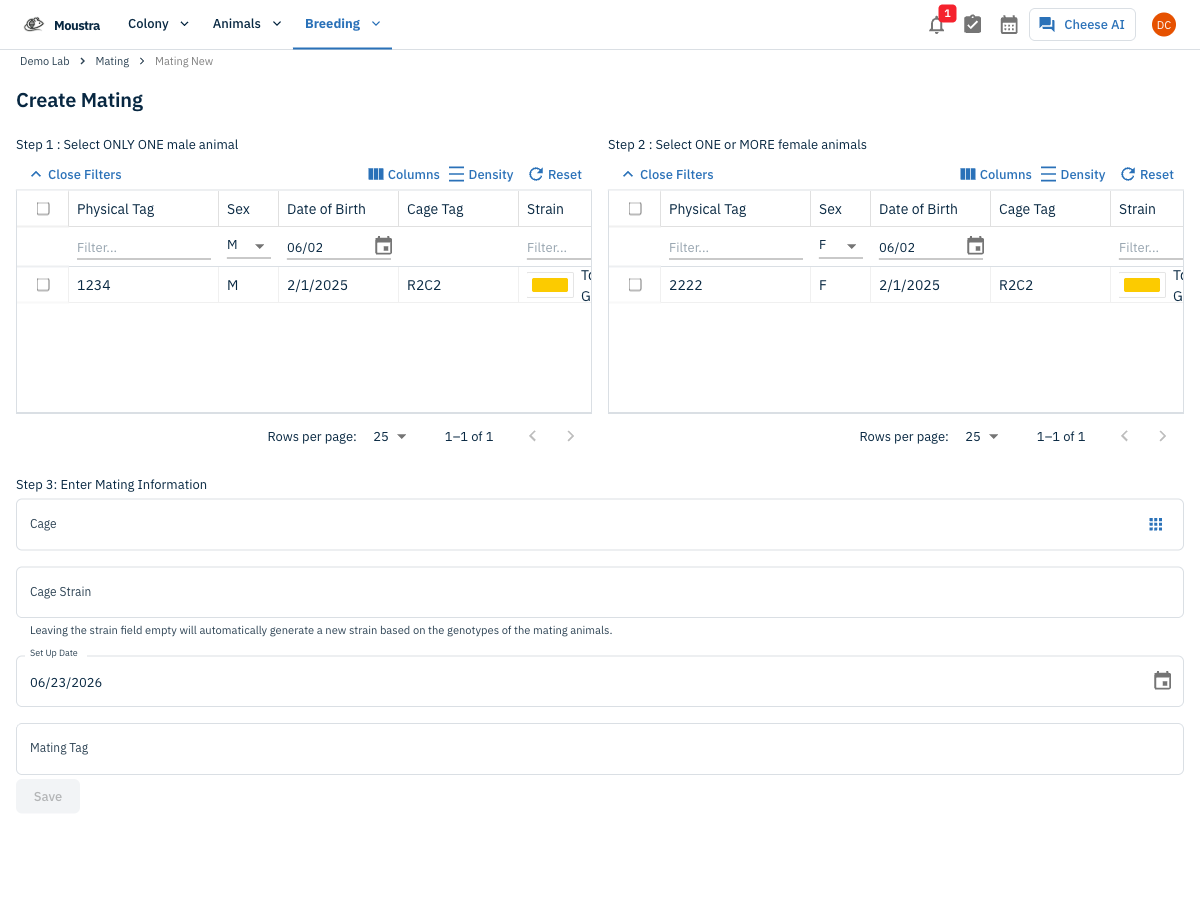
Select the male
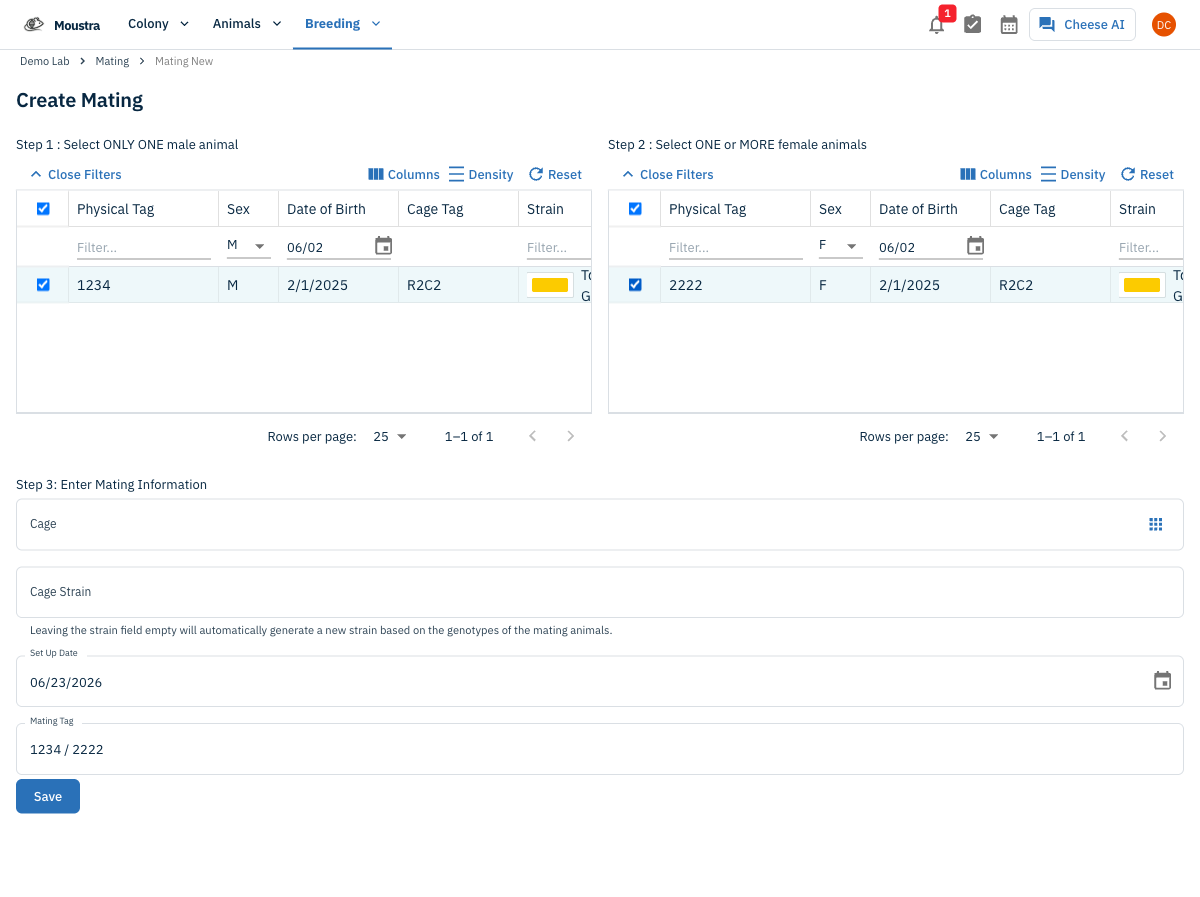
In the Step 1 grid, tick the checkbox next to exactly one male. Use the column filters to narrow by sex, date of birth, strain, or genotype.
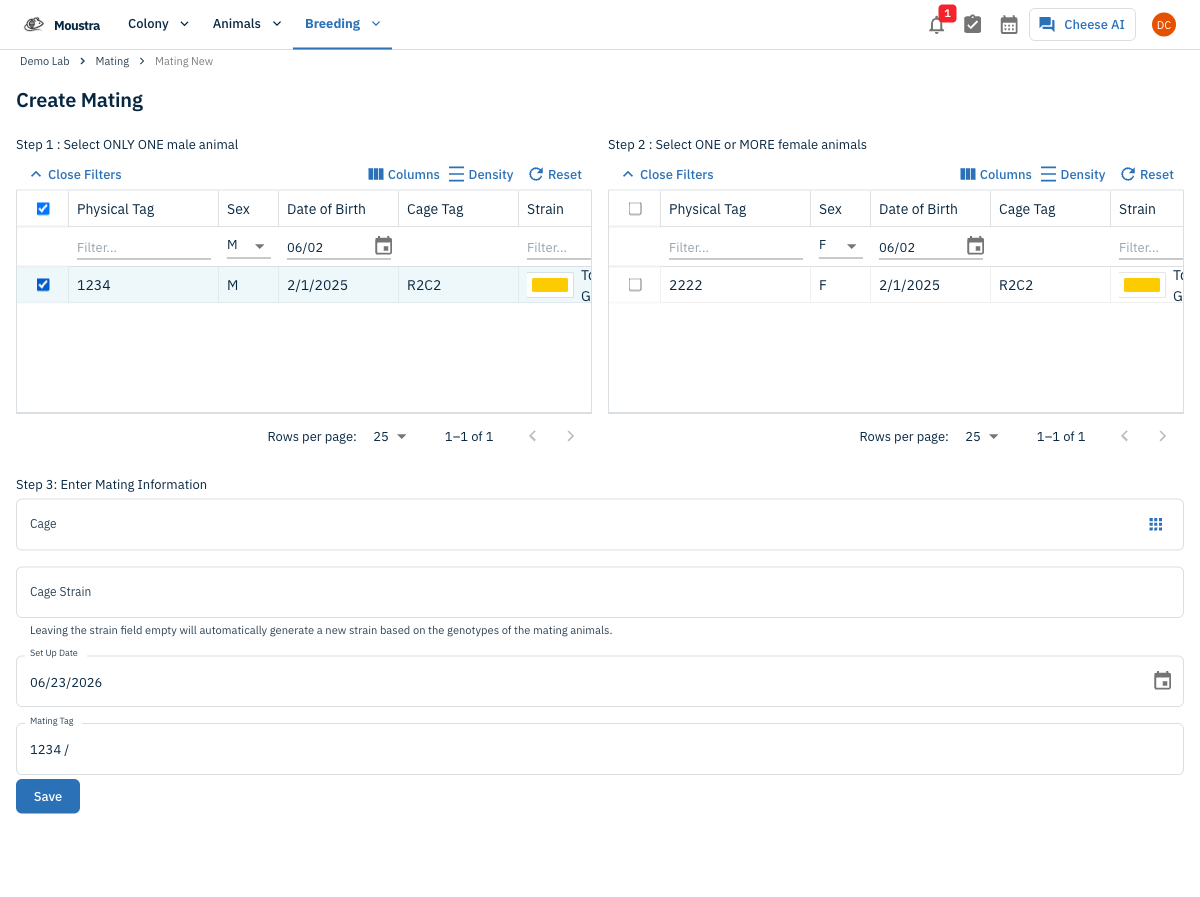
Select one or more females
In the Step 2 grid, tick the checkbox next to each female you are pairing. Select more than one for a trio setup.
Enter the mating details
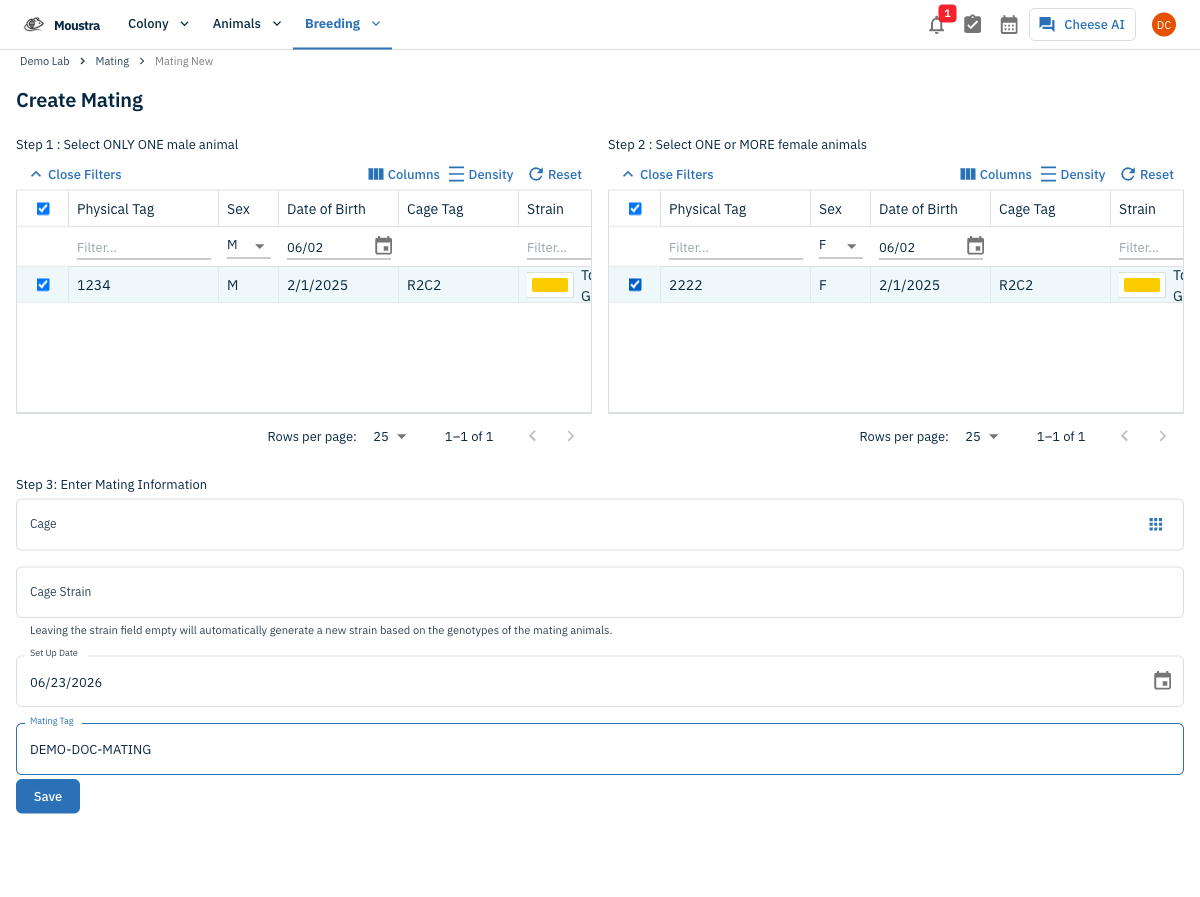
Under Step 3, set the housing Cage and the Set Up Date (defaults to today). The Mating Tag auto-fills from the pair (e.g. "1234 / 2222") — edit it if you like. Leave Cage Strain blank to auto-generate a strain from the parents' genotypes.
Save the mating
Click Save. The new mating appears at the top of the grid and becomes available when you add a litter.
More in Editing your colony
How to Create a New Animal
Step-by-step instructions for adding a new animal, including key fields and tips.
How to Add a New Strain
This guide will walk you through the process of creating a new strain entry in Moustra.
How to Add Breeding Animals
This guide will walk you through the process of creating multiple breeding animals at once in Moustra.