How to Set Up IACUC Protocols
Register your lab's IACUC protocols so Moustra can track approval windows, animal caps, and USDA pain categories. Create a protocol through a short three-step wizard, then assign animals to it from the protocol's Animals tab.
Open the Protocols register
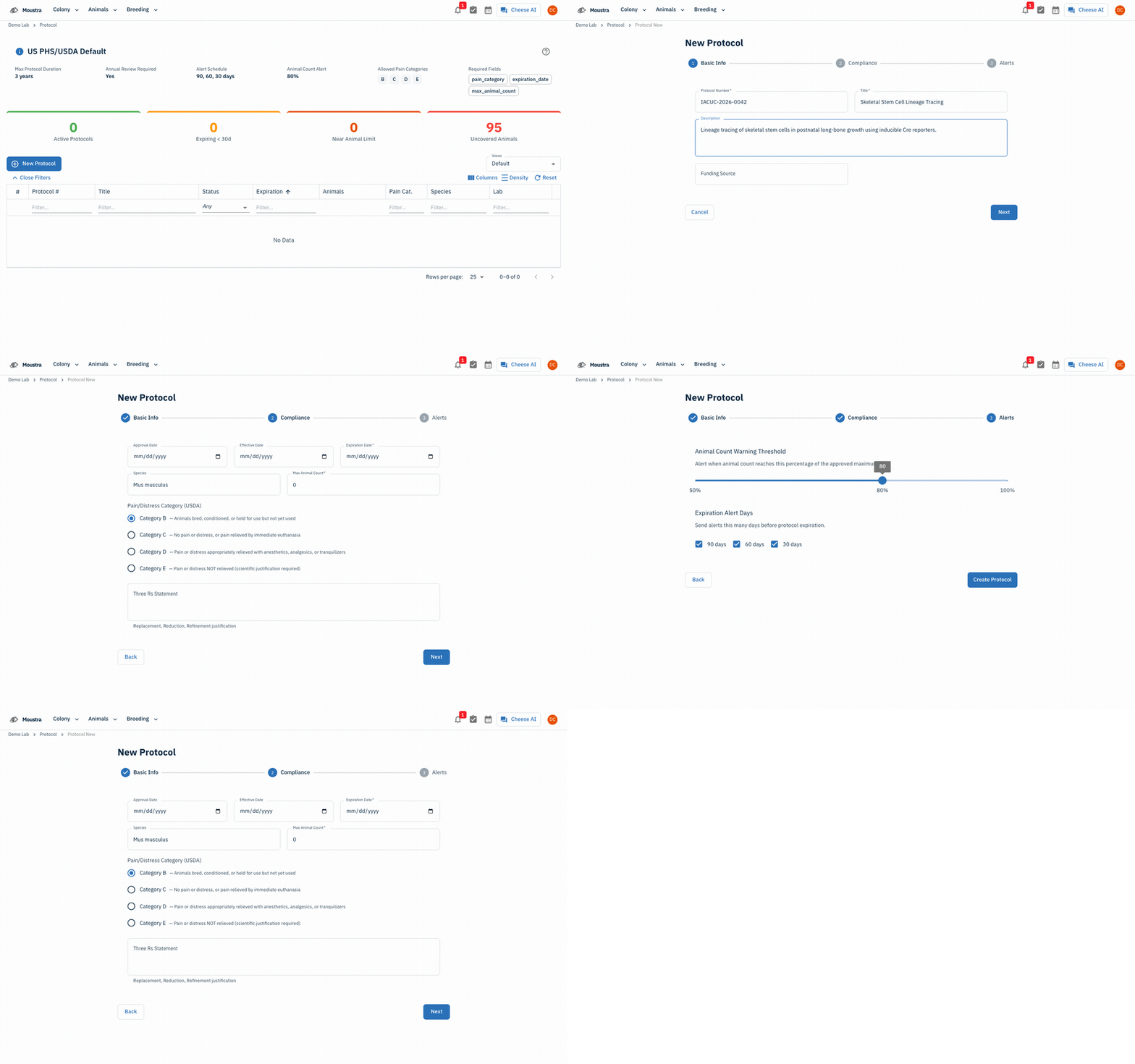
Open the IACUC protocol register at /protocol. It shows your compliance policy, summary cards (Active Protocols, Expiring < 30 days, Near Animal Limit, Uncovered Animals), and a table of every protocol with its status, expiration, animal usage, and pain category.
Start a new protocol — Basic Info
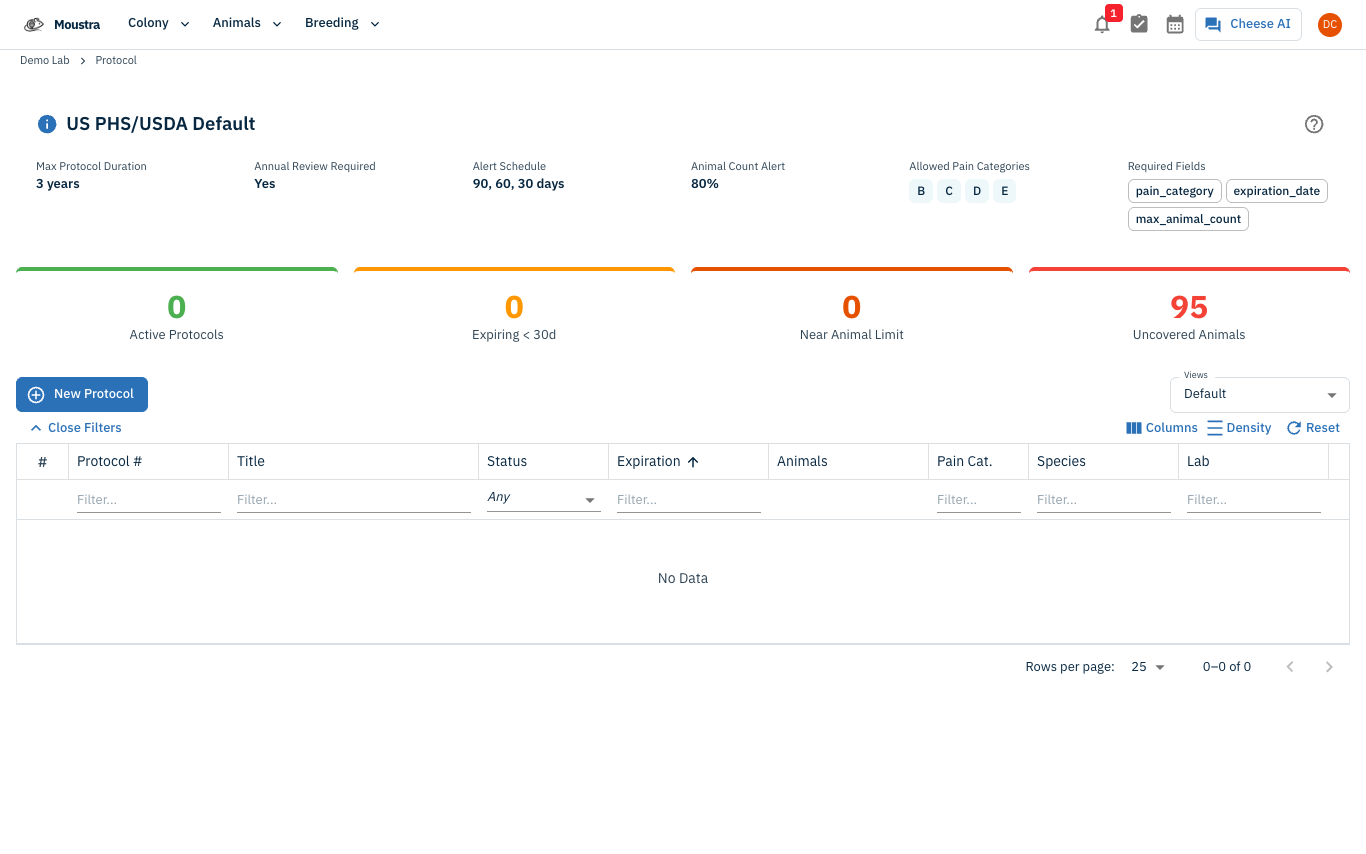
Click New Protocol to open the wizard. In Basic Info, enter the Protocol Number and Title (both required), plus an optional Description and Funding Source, then click Next.
Enter compliance details
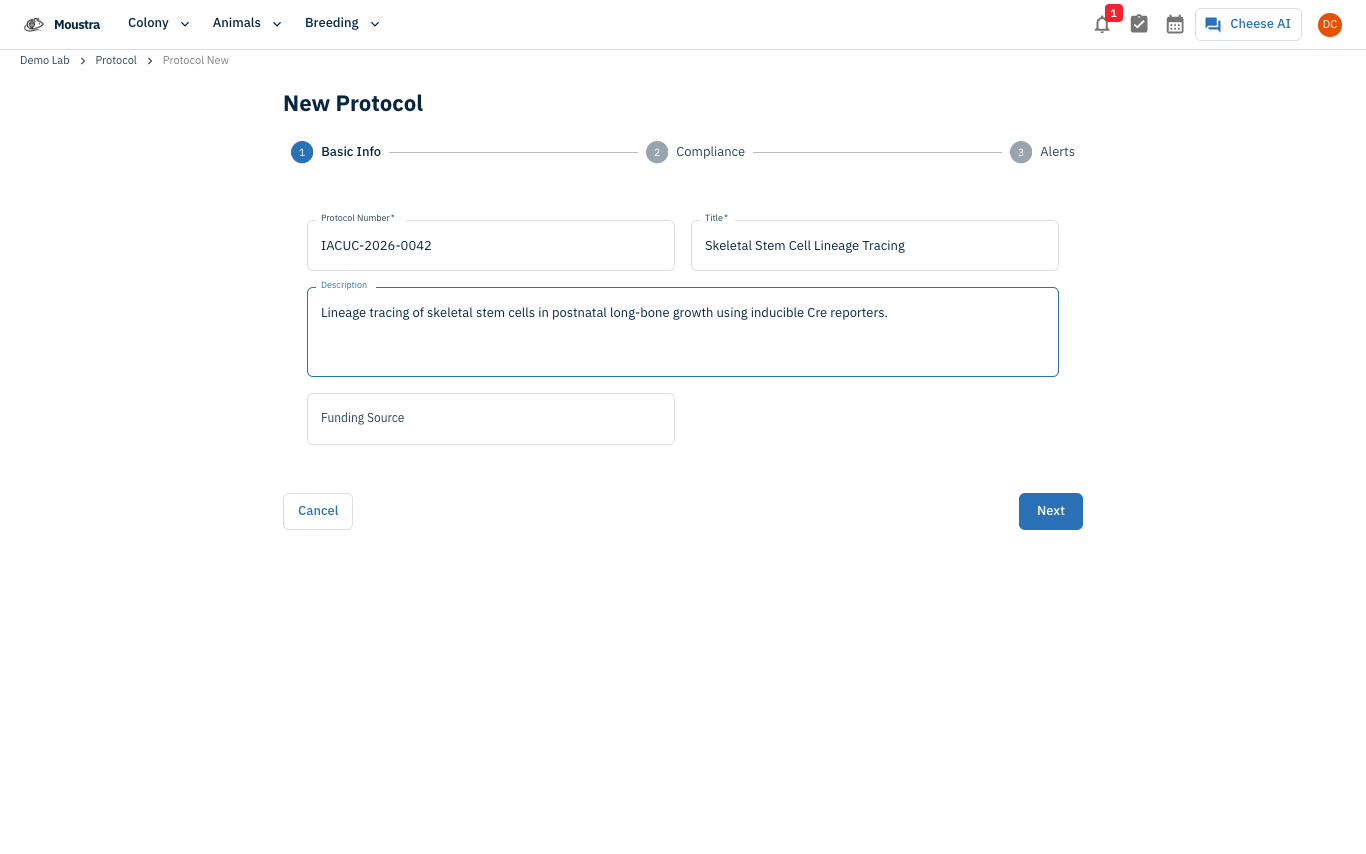
In Compliance, set the Approval, Effective, and Expiration dates, the Species and Max Animal Count, and the USDA Pain/Distress Category (B–E). Add an optional Three Rs statement, then click Next.
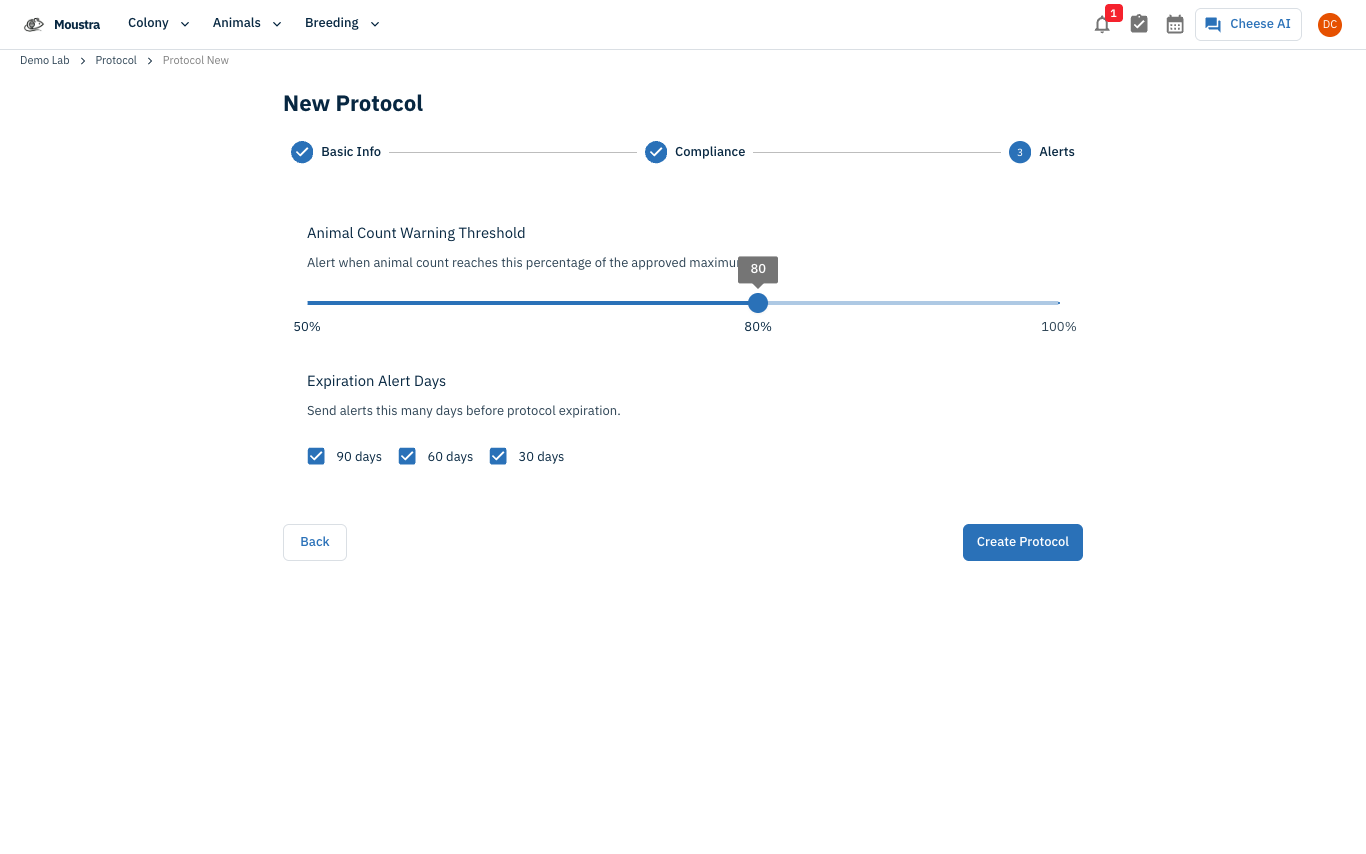
Set alerts and create the protocol
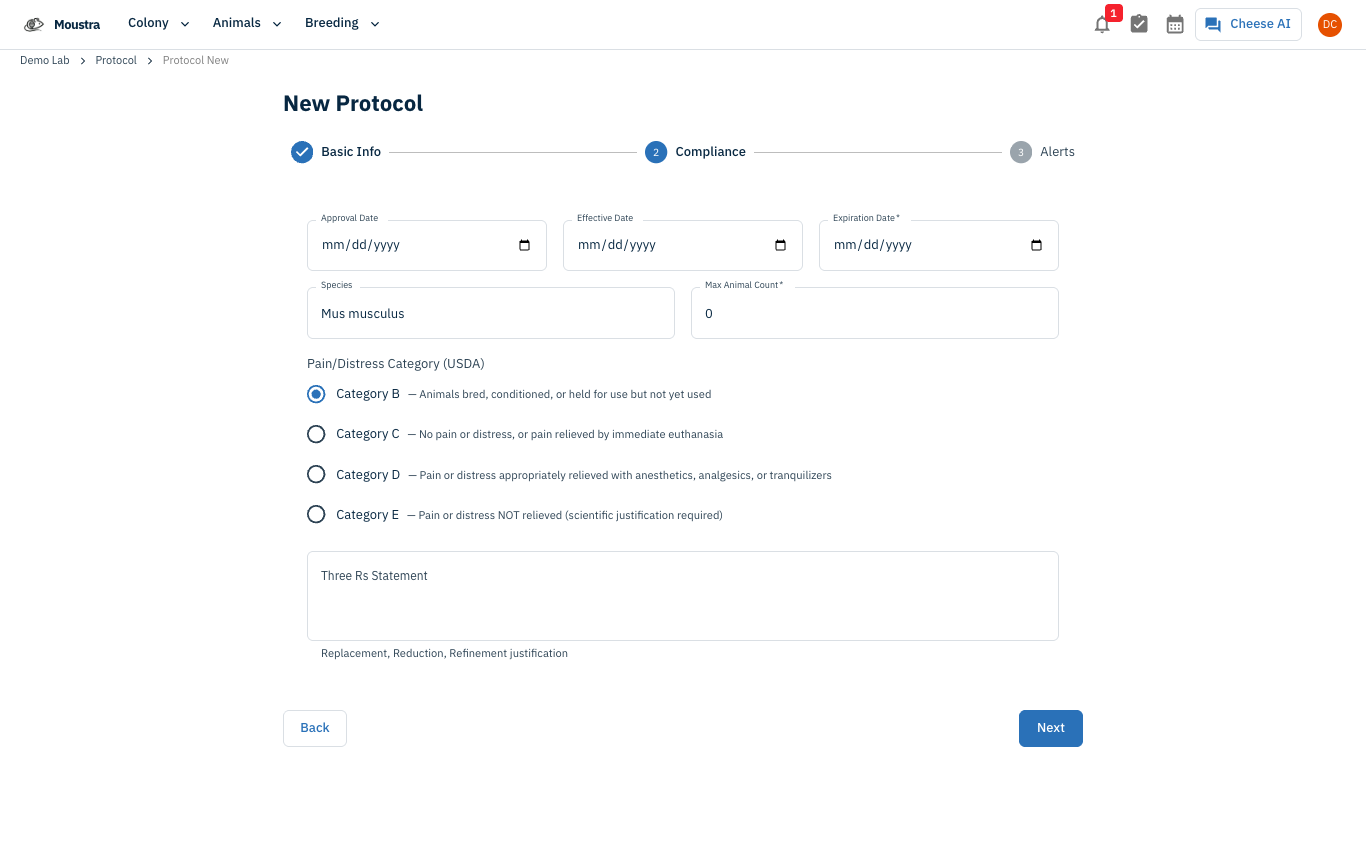
In Alerts, set the Animal Count Warning Threshold (default 80%) and the Expiration Alert Days (90 / 60 / 30), then click Create Protocol. Afterwards, assign animals to it from the protocol's Animals → Add Animals tab — assignment is done from the protocol, not the animal form.
More in Navigation
How to Use the Cage Grid
See all the cages in a rack in a visual, spatial layout that mirrors your physical rack — check occupancy and animal counts and spot empty slots at a glance.
How to View the Family Tree
Visualize an animal's lineage and offspring to understand genetic relationships and plan breeding pairs.
How to Use the Rack View
Visualize your vivarium as an interactive rack layout to spot empty slots, check occupancy, and drag cages between racks.