How to Revive an Animal
Revive an animal that was previously ended to clear its end date and end reason and return it to active status. Use this when an animal was ended by mistake — reviving keeps the animal's records, notes, genotypes, and parentage intact.
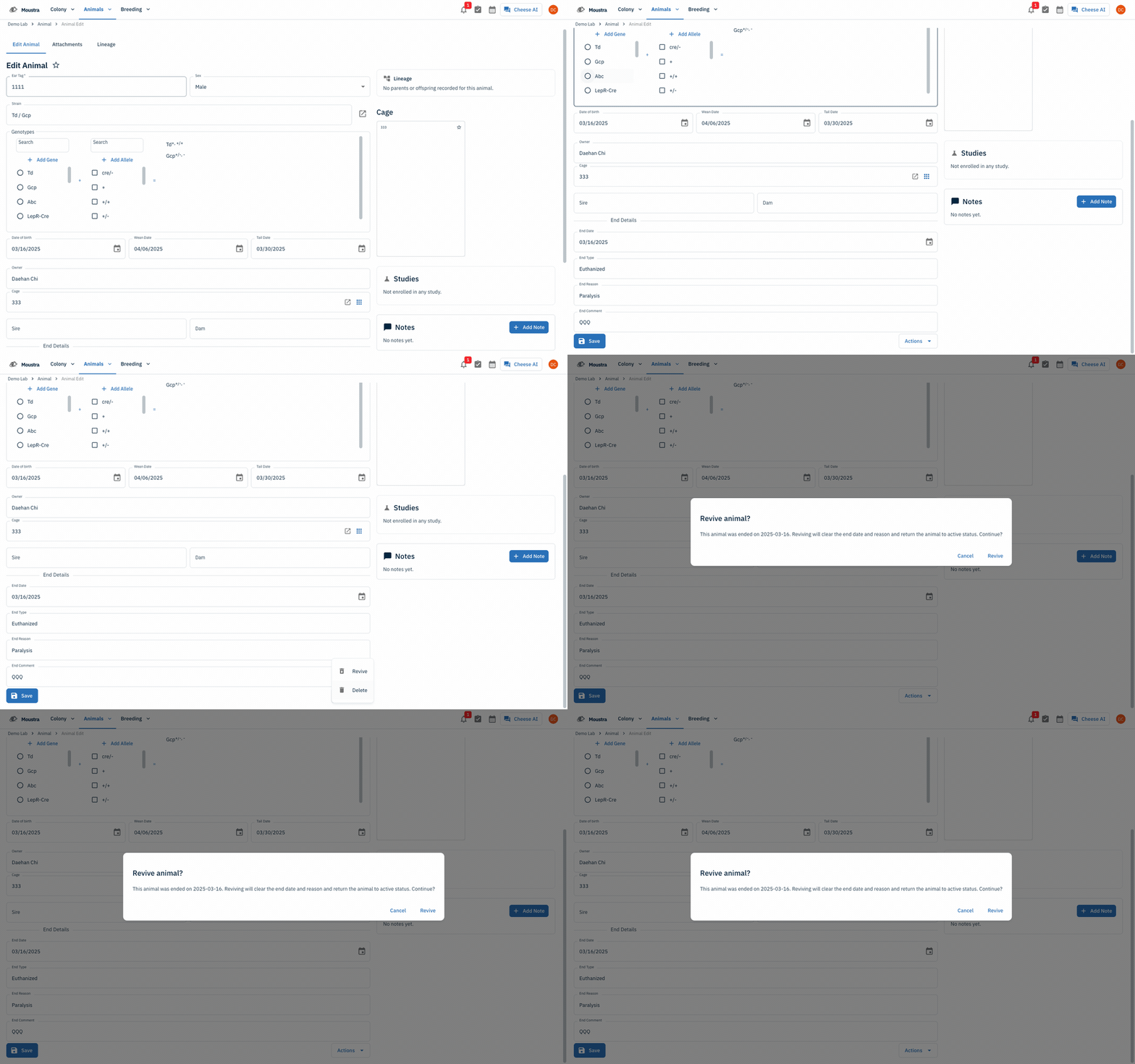
Open the animal
Open Animals → Animal from the top navigation to see your colony list. Ended animals are hidden by default, so filter the End Date column to is not empty (or use search) to find them. Click the animal you want to bring back, then Open record to open its Edit Animal page.
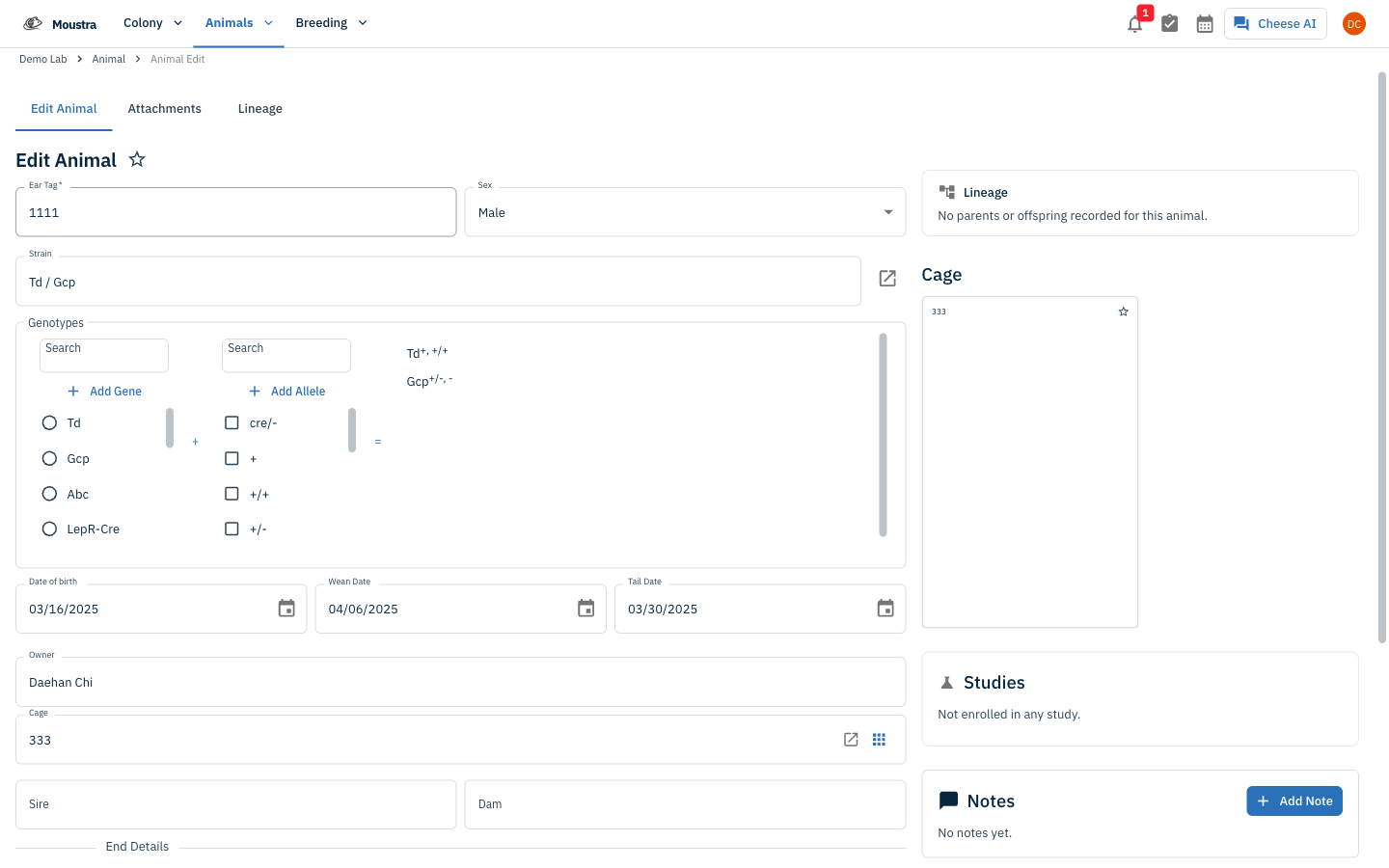
Find the End Details section
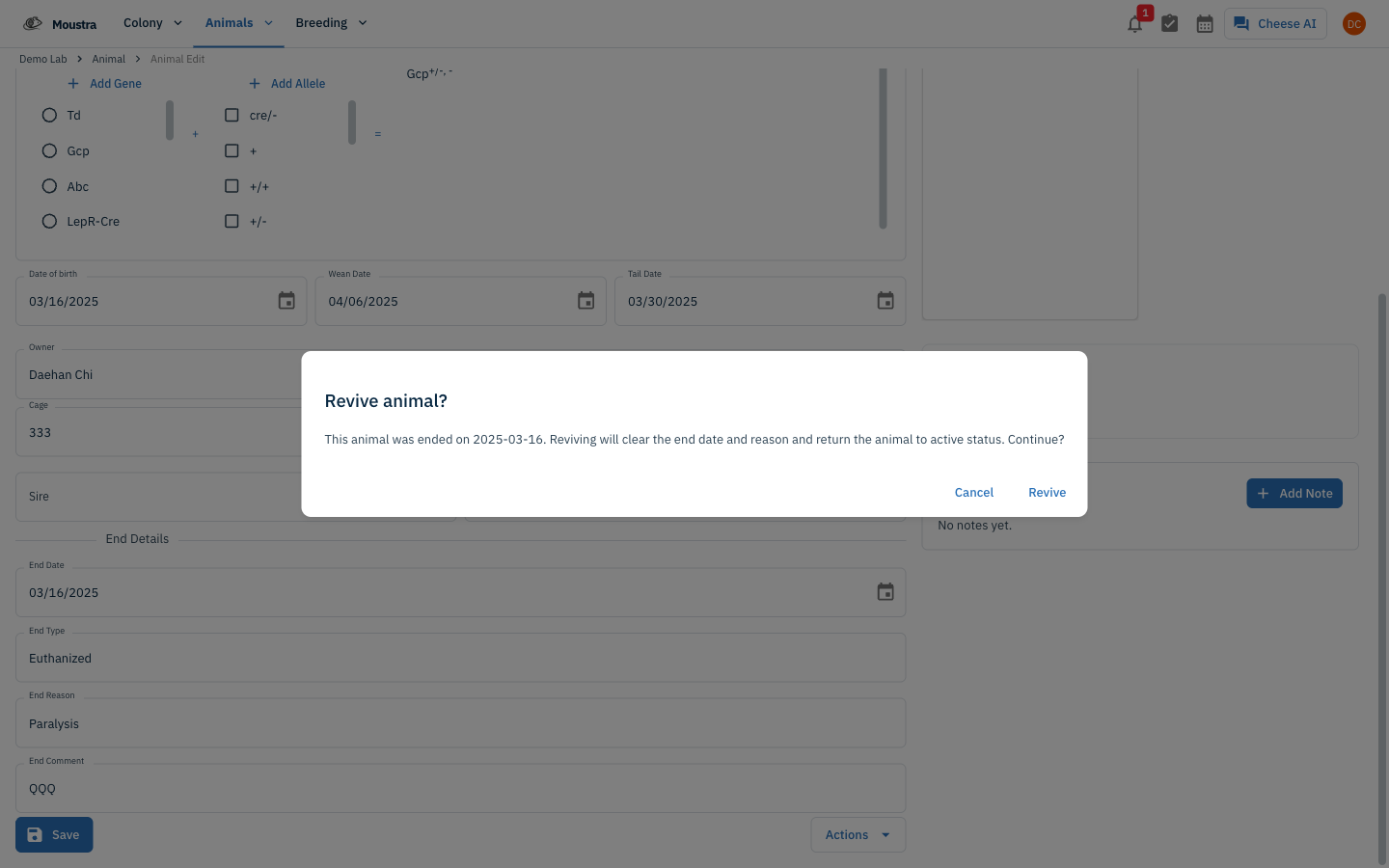
On the Edit Animal page, an ended animal shows an End Details section near the bottom — End Date, End Type, End Reason, and End Comment. Scroll down to it; this is where the revive control lives.
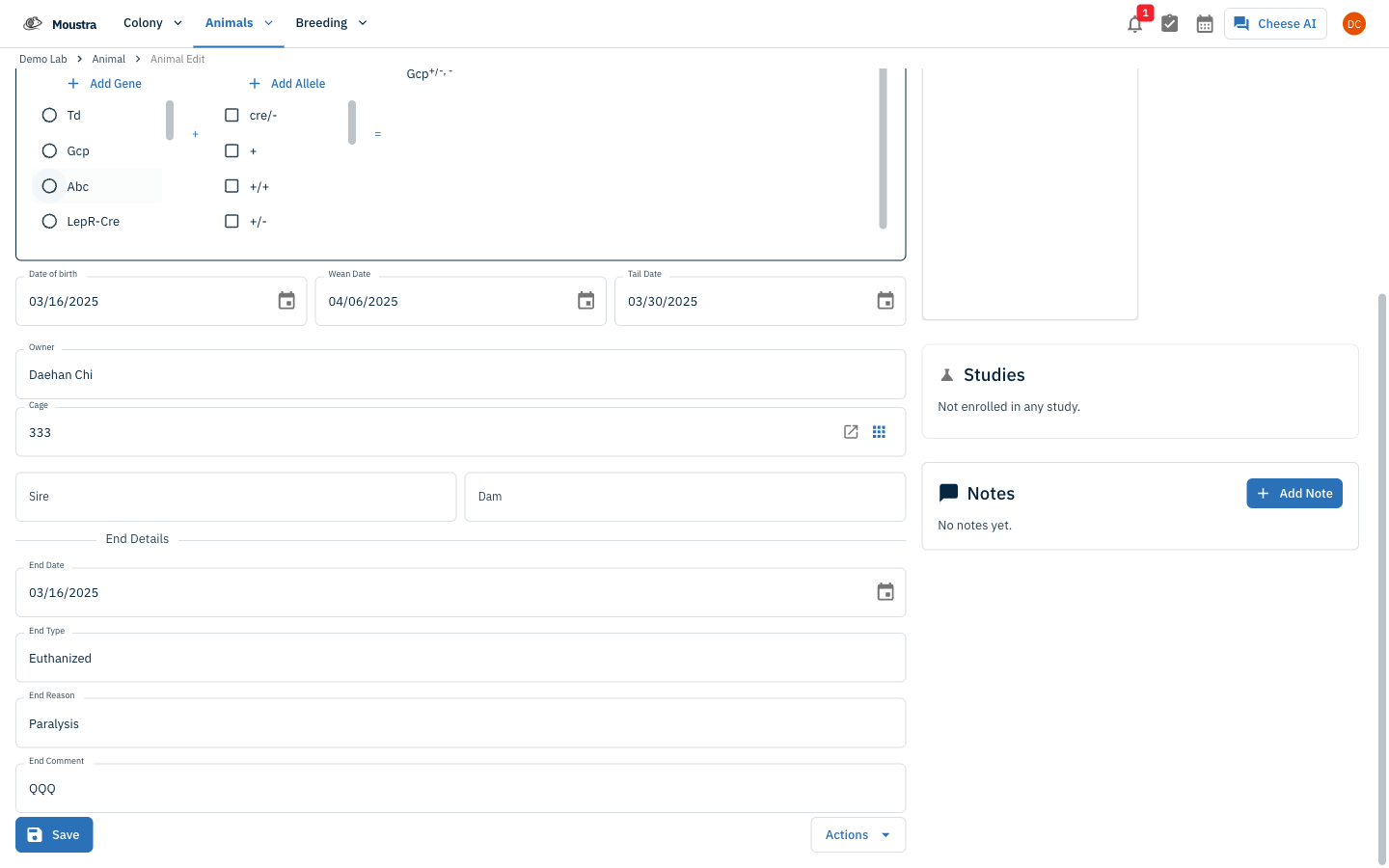
Open Actions and choose Revive
Click the Actions button at the bottom of the form, then choose Revive from the menu. A Revive animal? dialog appears, showing the date the animal was ended and noting that reviving clears the end date and reason and returns the animal to active status.
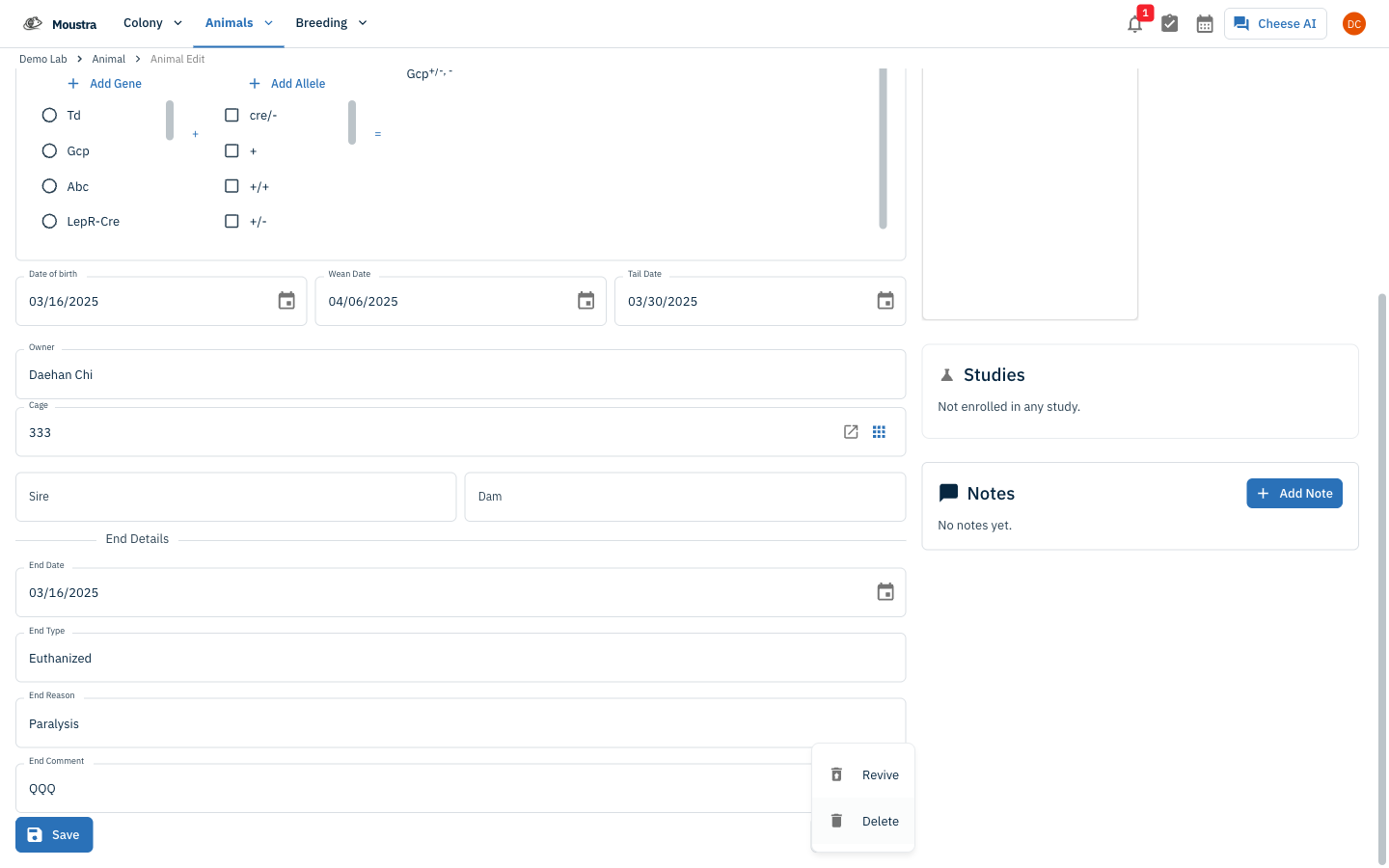
Confirm the revive
Click Revive in the dialog. The end date and reason are cleared, the End Details section disappears, and the animal returns to active status — with its records, notes, genotypes, and parentage intact.
More in Editing your colony
How to Create a New Animal
Step-by-step instructions for adding a new animal, including key fields and tips.
How to Add a New Strain
This guide will walk you through the process of creating a new strain entry in Moustra.
How to Add Breeding Animals
This guide will walk you through the process of creating multiple breeding animals at once in Moustra.