How to Mark a Tail Sample as Done
Log that an animal's tail biopsy has been collected, right from its Edit page. Moustra records the date, clears the tail-sample reminder, and shows a Tail Sampled chip.
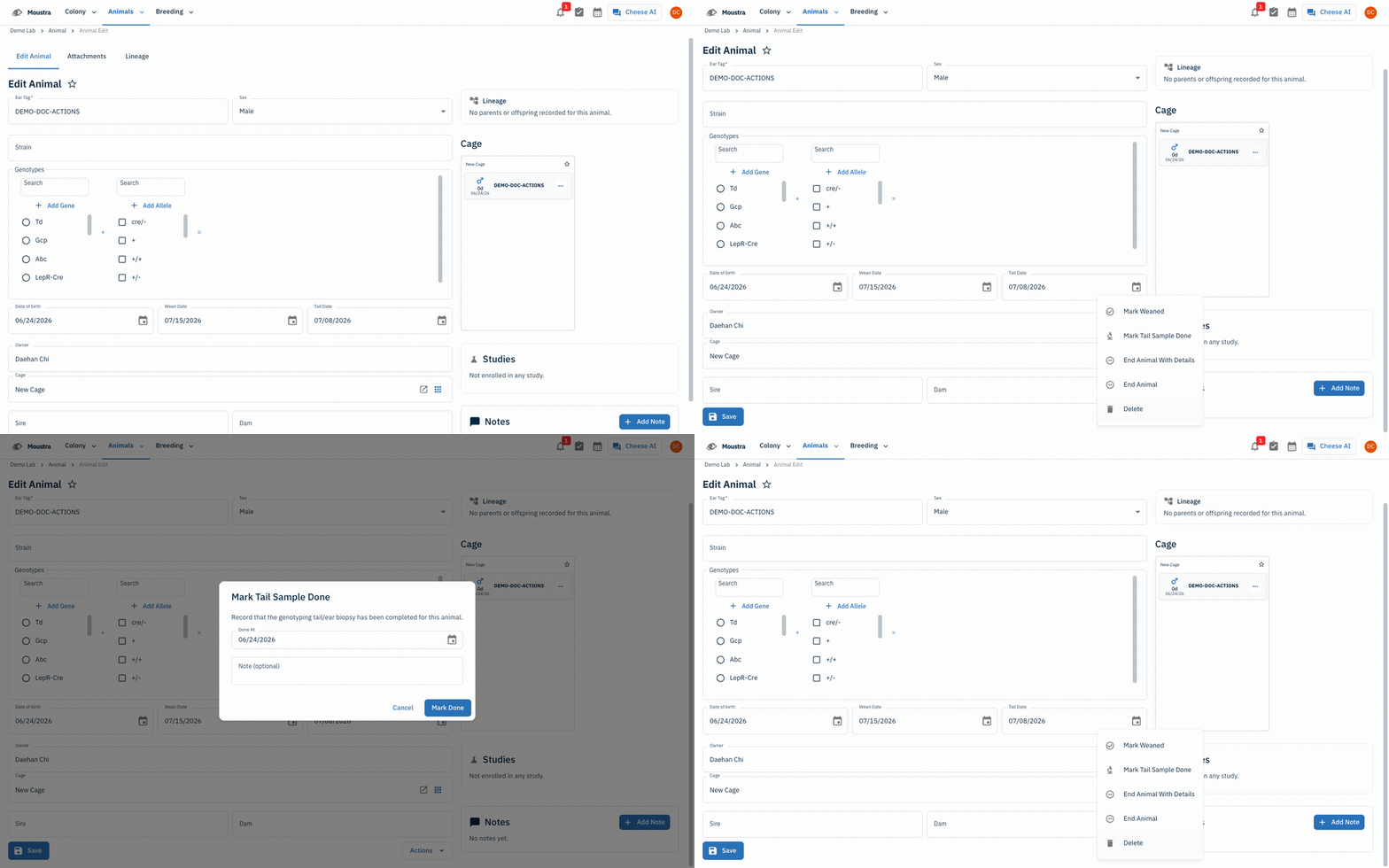
Open the animal's Edit page
From Animals → Animal, click the animal whose biopsy is done to open its Edit Animal page.
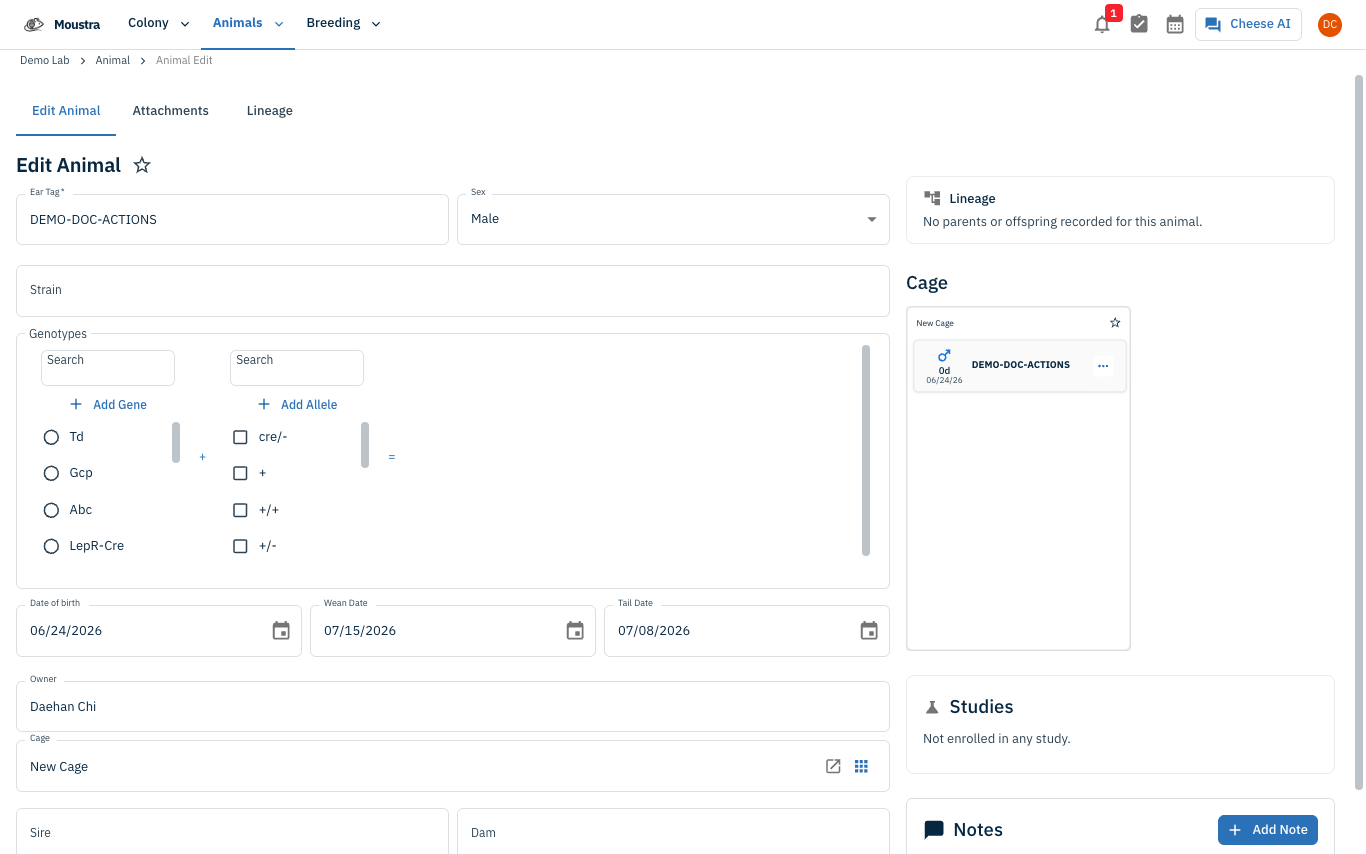
Open Actions → Mark Tail Sample Done
At the bottom of the form click Actions, then choose Mark Tail Sample Done. The option is disabled (with a tooltip showing the prior date) if it is already recorded.
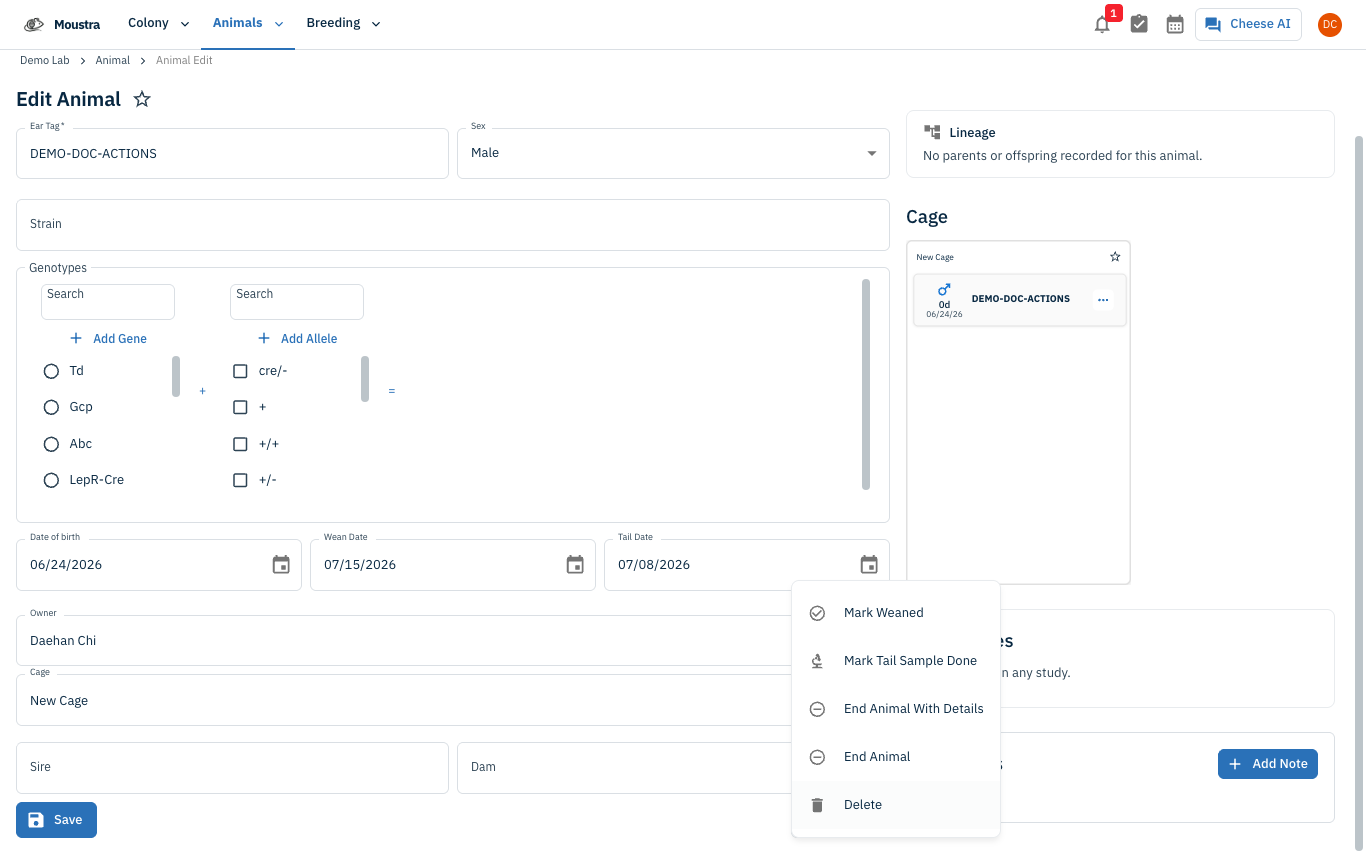
Set the completion date and confirm
In the Mark Tail Sample Done dialog, pick a Done At date (defaults to today) and optionally add a Note for the sample ID or handler initials, then click Mark Done. A Tail Sampled chip appears in the form header.
More in Editing your colony
How to Create a New Animal
Step-by-step instructions for adding a new animal, including key fields and tips.
How to Add a New Strain
This guide will walk you through the process of creating a new strain entry in Moustra.
How to Add Breeding Animals
This guide will walk you through the process of creating multiple breeding animals at once in Moustra.