How to End Animals
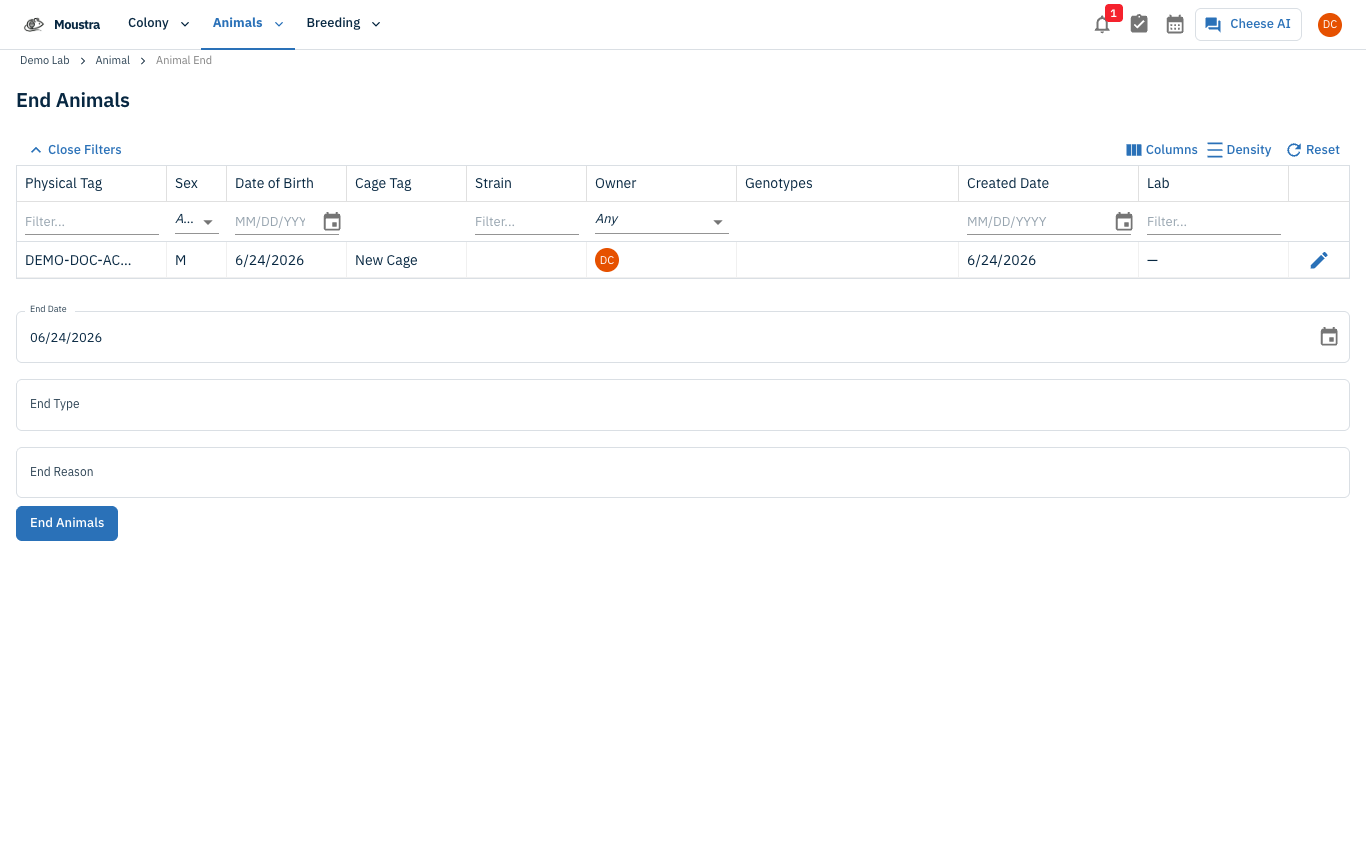
End one or many animals at once from the Animals list. Select the animals, then either end them instantly with today's date or open the End Animals form to set an End Date, End Type, and End Reason. Ended animals stay in your records.
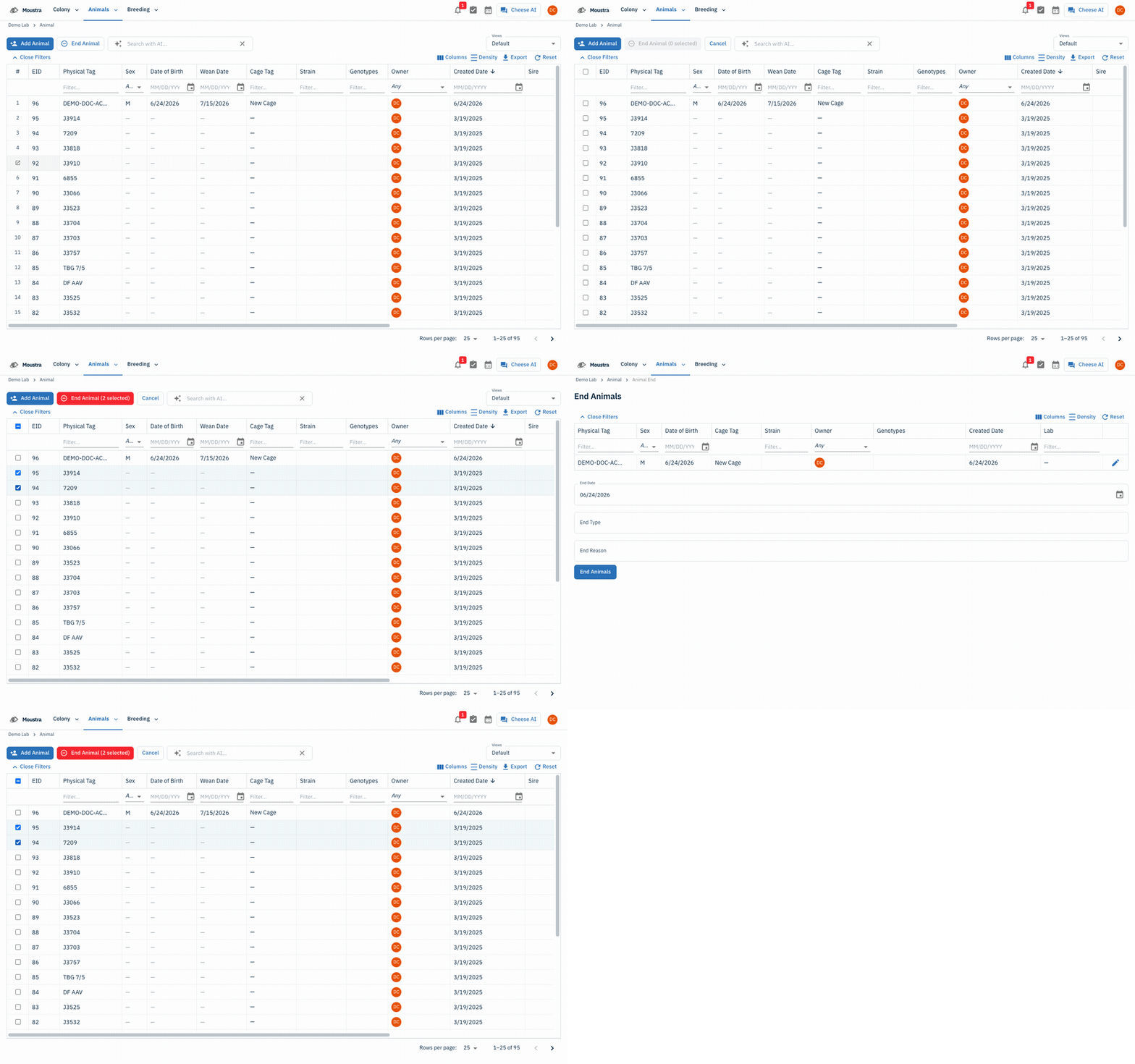
Open the Animals list
Go to Animals → Animal to open your colony list.
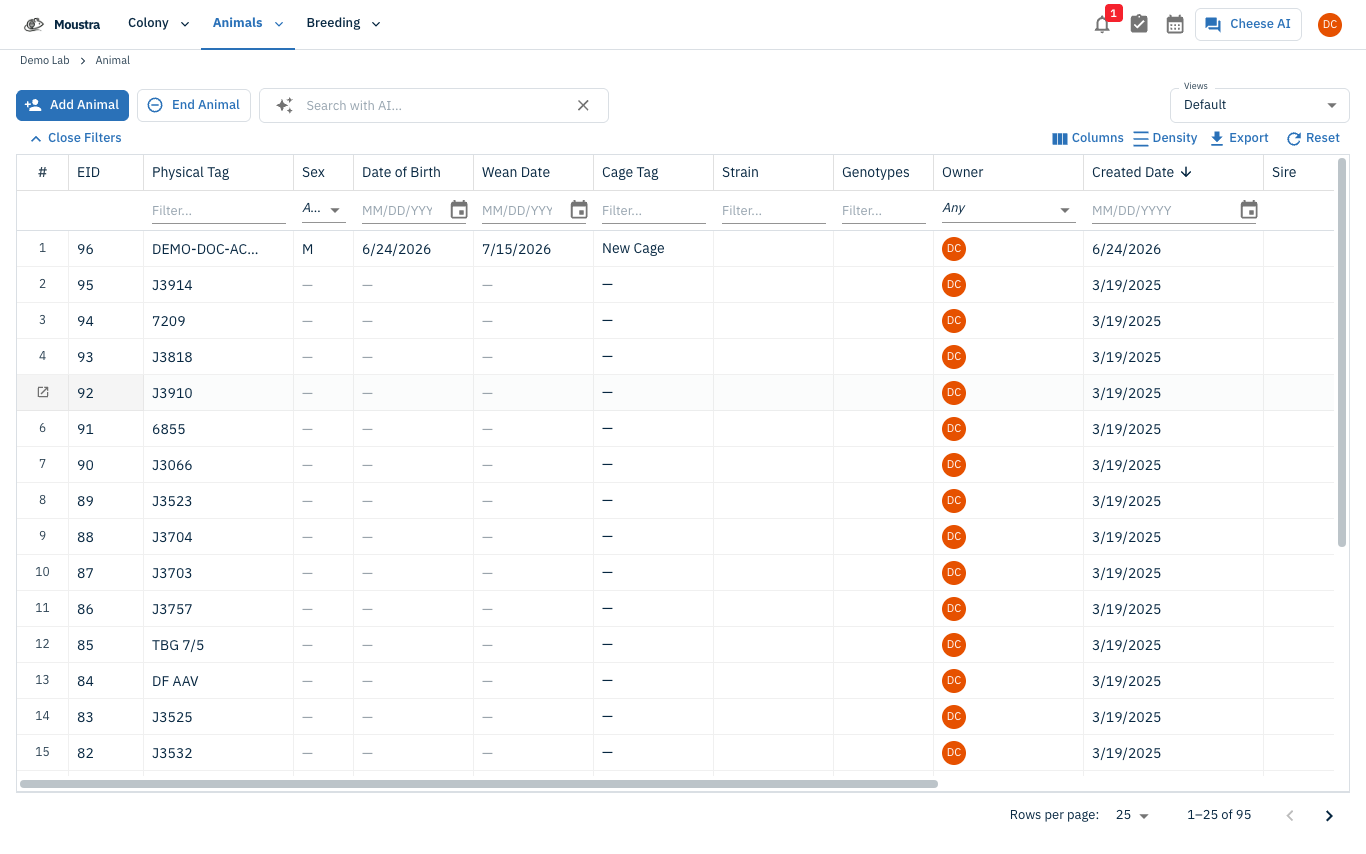
Start an end selection
Click End Animal in the toolbar. Checkboxes appear on every row and the toolbar switches to a red End Animal (N selected) button plus Cancel.
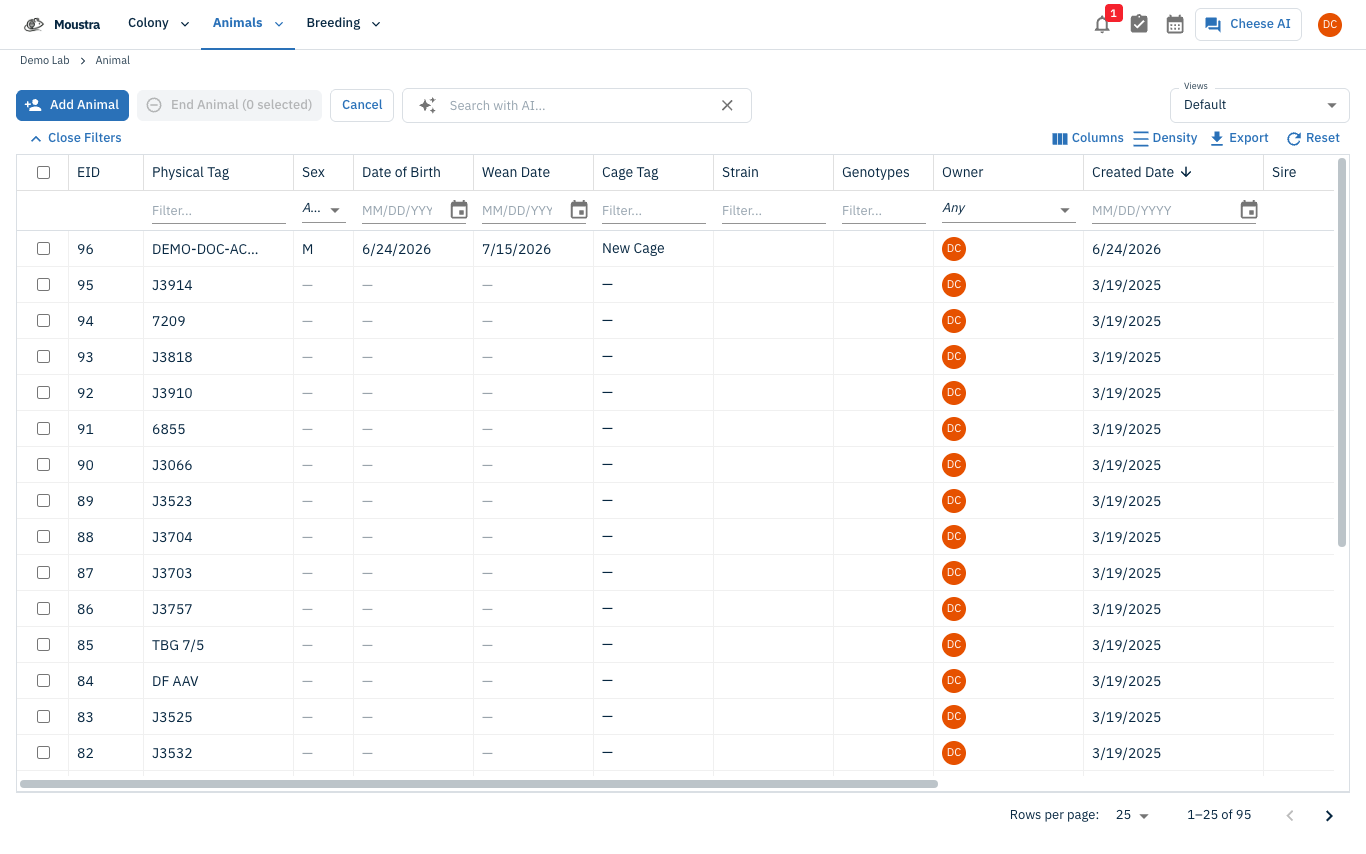
Select the animals to end
Tick the checkbox on each animal you want to end. Filters help when ending a whole cohort at once.
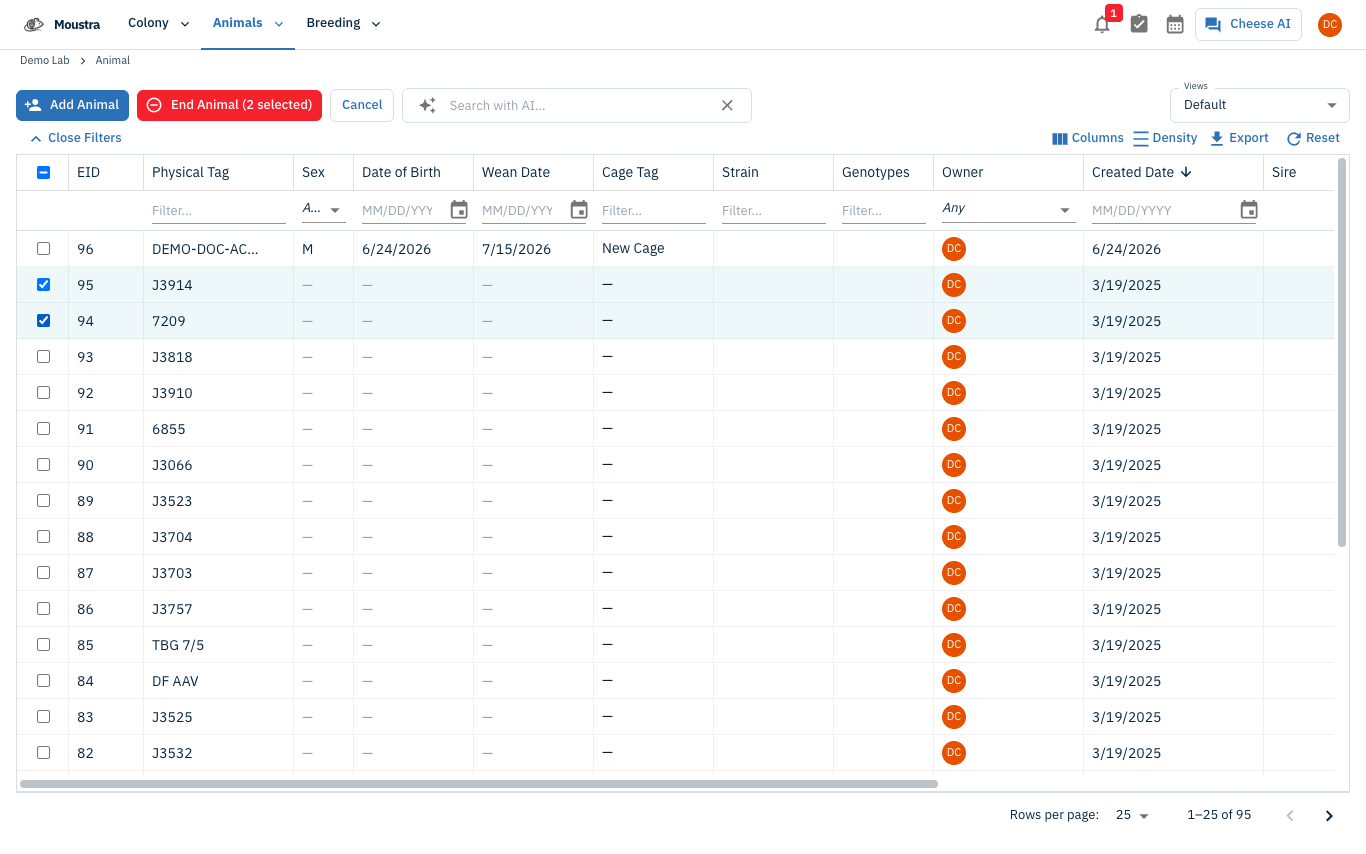
Set the end details and confirm
Click the red End Animal (N selected) button. Choose End instantly to end them with today's date, or End with details to open the End Animals form and set an End Date, End Type, and End Reason before clicking End Animals.
More in Editing your colony
How to Create a New Animal
Step-by-step instructions for adding a new animal, including key fields and tips.
How to Add a New Strain
This guide will walk you through the process of creating a new strain entry in Moustra.
How to Add Breeding Animals
This guide will walk you through the process of creating multiple breeding animals at once in Moustra.