How to Print Cage Cards
Print a cage card or stock label for any cage in Moustra — pick a template, preview it live with a QR code or barcode, then print or save as a PDF.
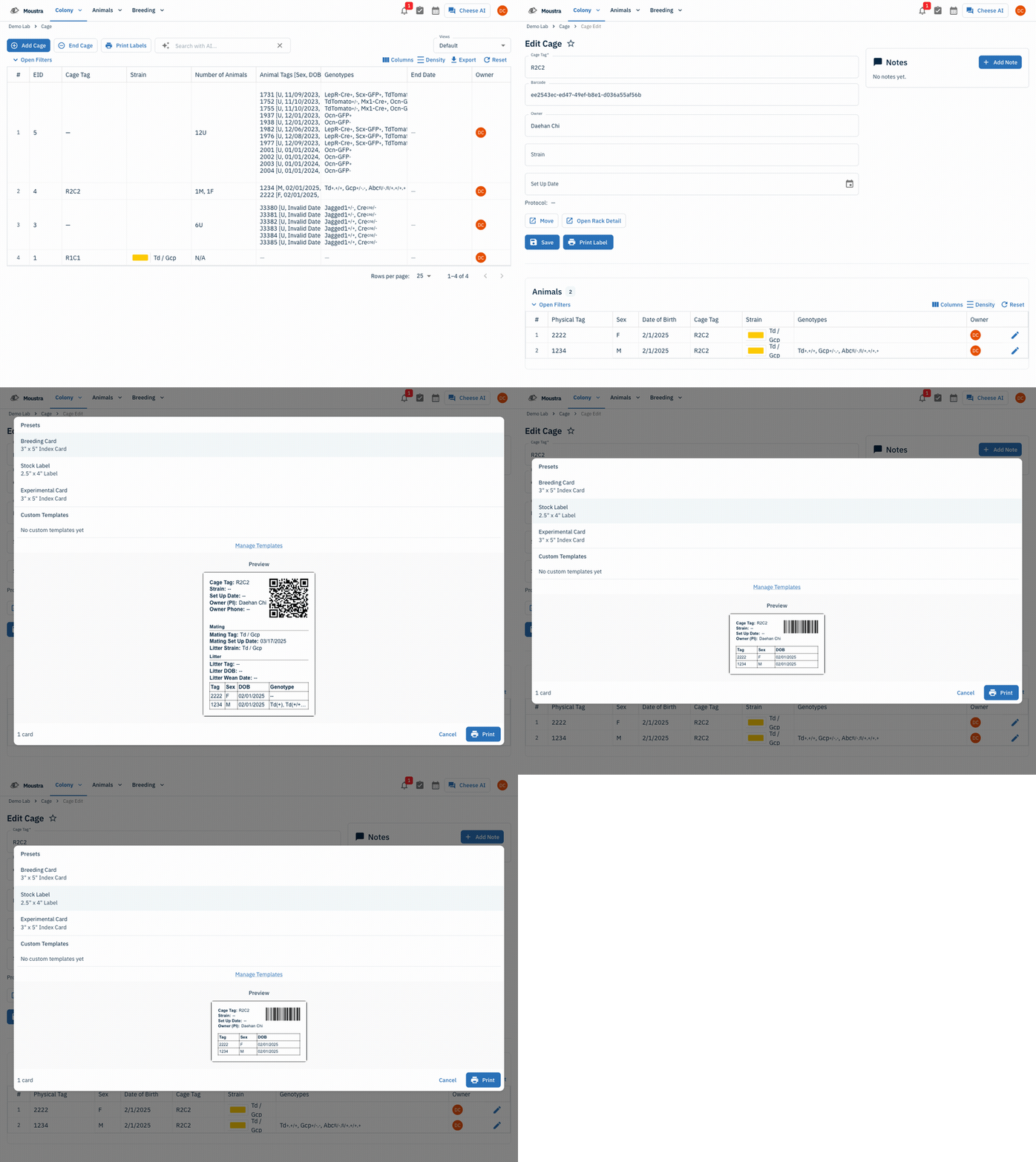
Open the Cages page
In the top navigation, open Colony → Cages to see your cage inventory. To print a single card, open a cage as shown next; to print labels for many cages at once, use Print Labels in the toolbar.
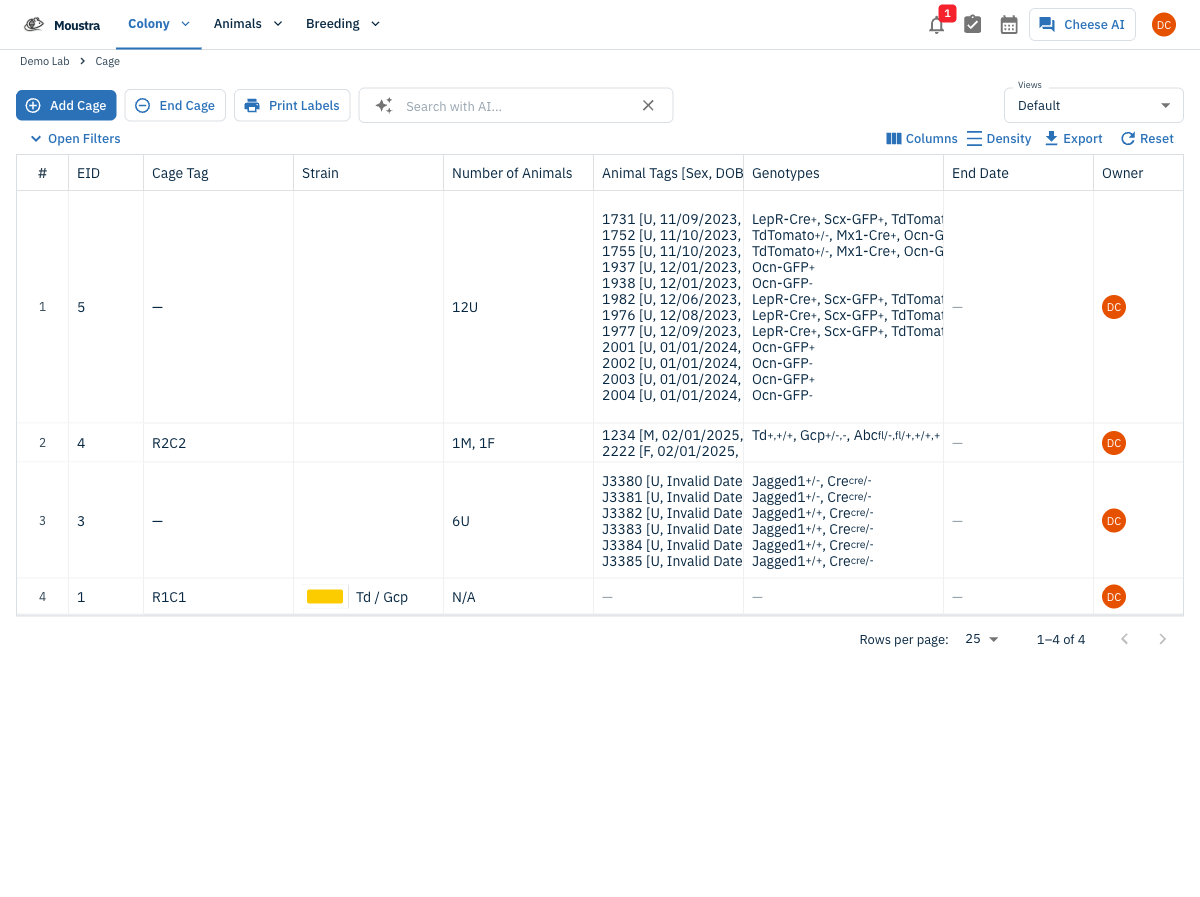
Open the cage and click Print Label
Click a cage row to open its detail page, then click Print Label in the cage's action bar.
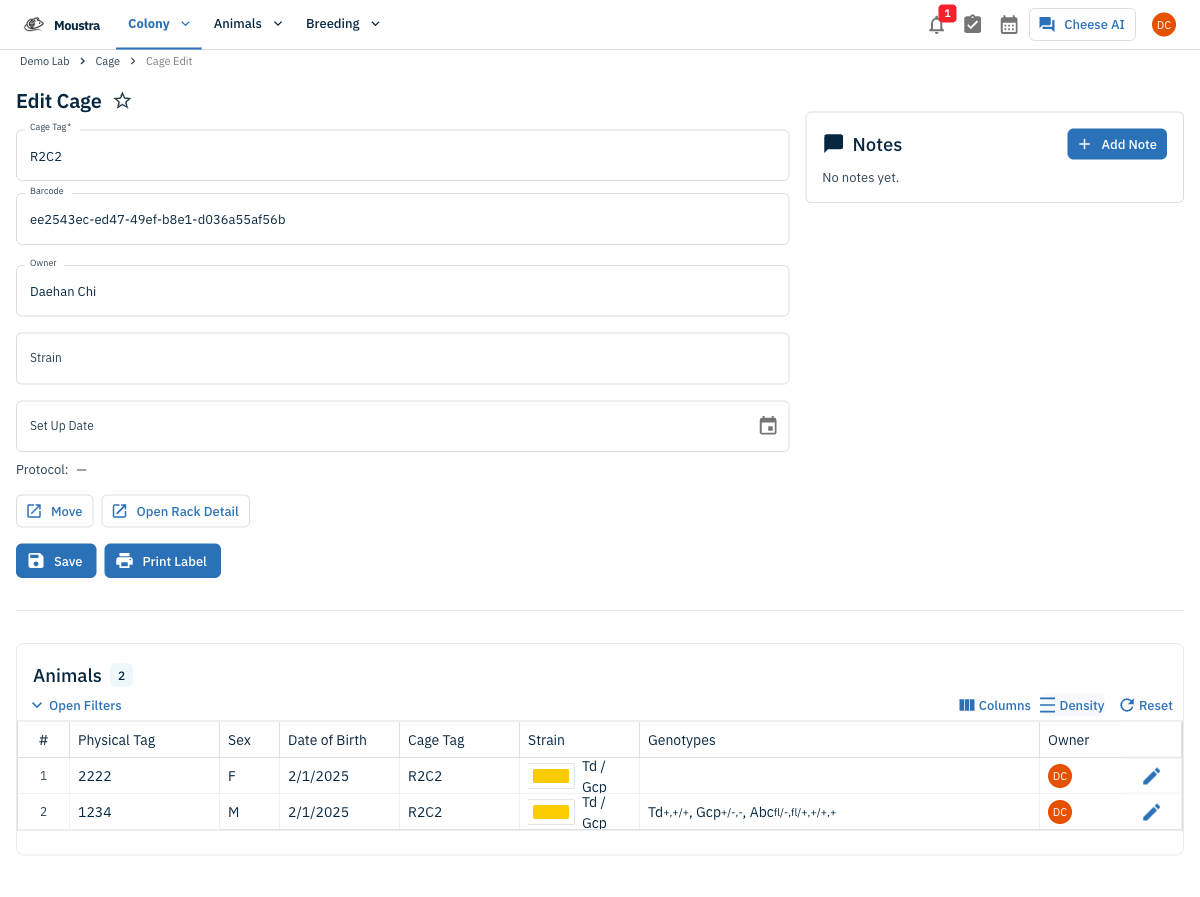
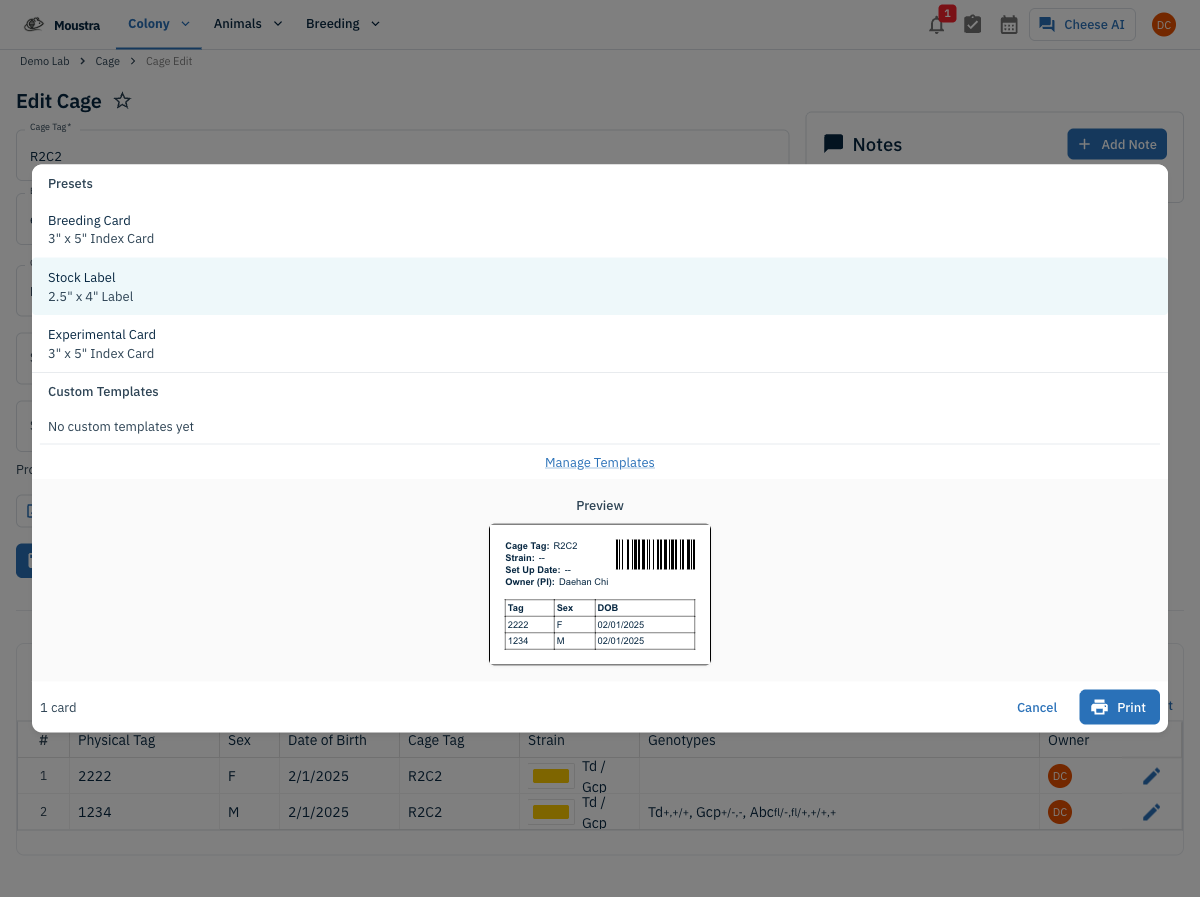
Pick a template preset
Choose a preset: Breeding Card (3" × 5" index card with a QR code and mating/litter detail), Stock Label (2.5" × 4" label with a barcode), or Experimental Card. Build your own under Manage Templates (Settings → Cage Cards).
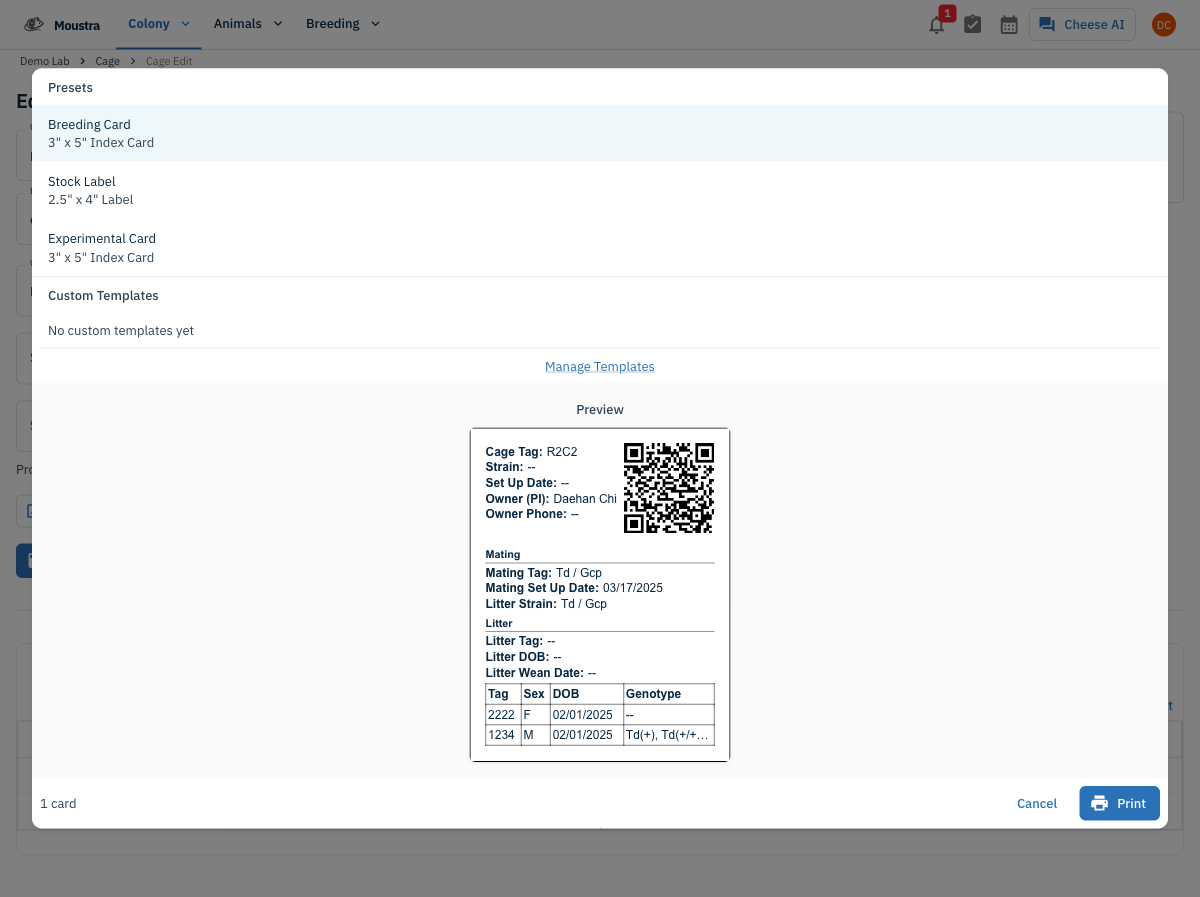
Review the preview and print
The Preview updates live to match the template — a QR code or barcode, the fields, and the animal table. When it looks right, click Print to send it to your printer or save it as a PDF.
More in Advanced
Quick Edit Cell
Edit values directly in any data grid: double-click an editable cell and Moustra shows the right input (text, number, date, or dropdown). Press Enter to save or Escape to cancel.
How to Connect Slack
Receive real-time notifications in Slack for litters, weans, and colony milestones without logging into Moustra.
How to Configure Daily Reports
Set up automated email summaries of colony activity delivered each morning to your team.