How to Bulk-Create Animals
Onboard a shipment or freshly weaned litter fast with the Bulk Animal Creation grid. Add a row per animal, set each one's sex and tag inline, and create the whole batch into one cage — leave the cage blank and Moustra creates one for you.
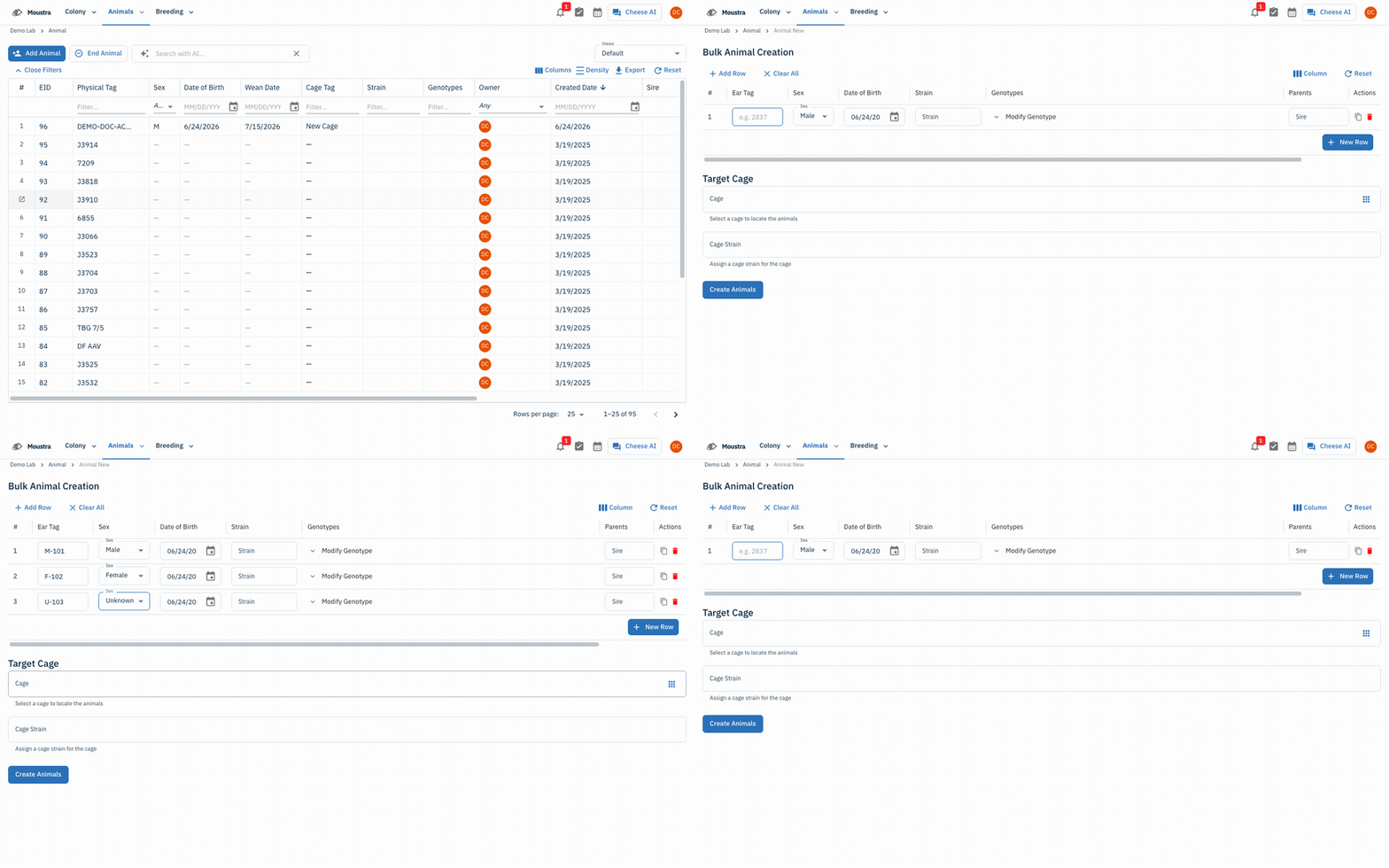
Open the Animals list and click Add Animal
From Animals → Animal, click Add Animal in the top-right to open the Bulk Animal Creation grid.
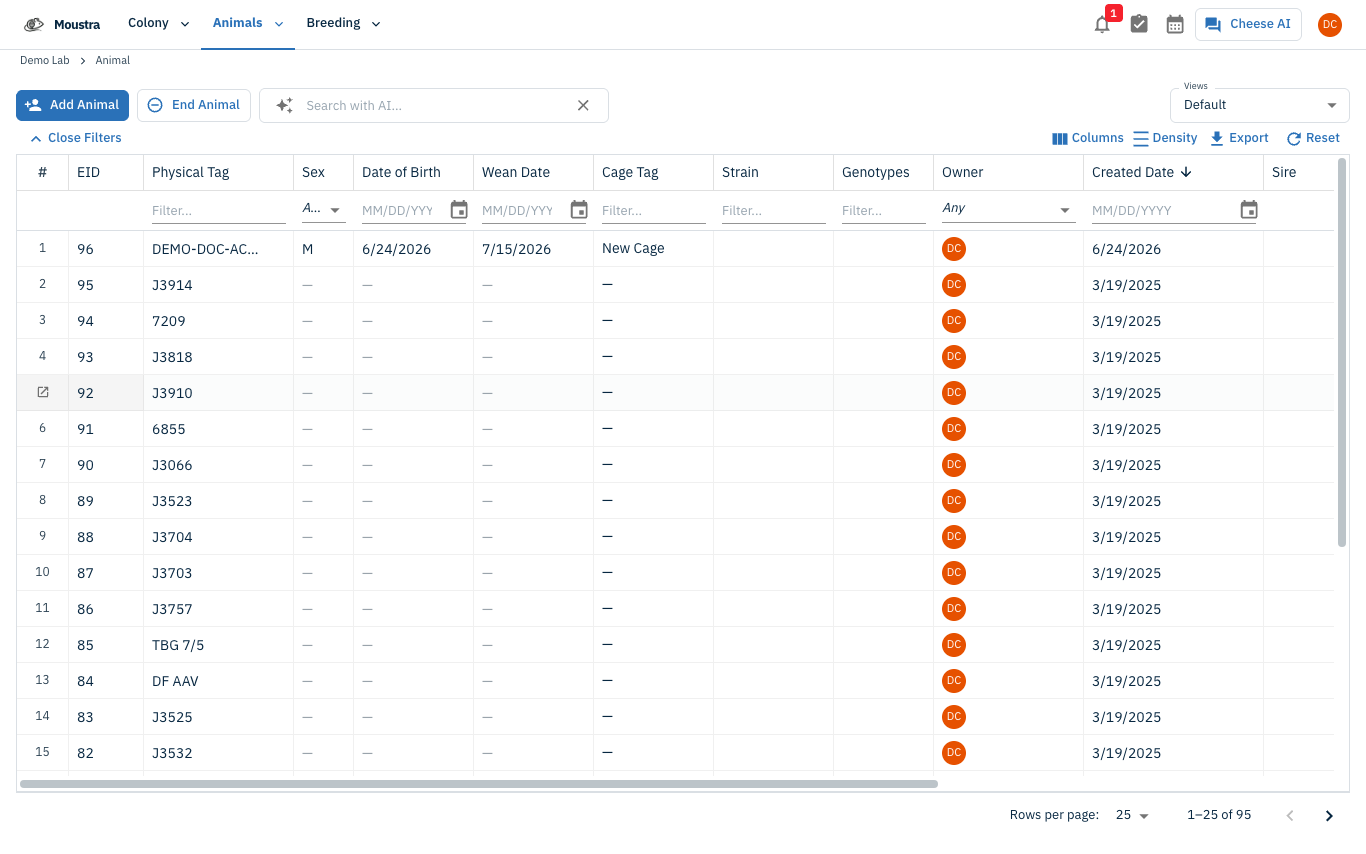
Open the Bulk Animal Creation grid
The grid opens with one blank row. A toolbar offers Add Row, Clear All, a Column show/hide menu, and Reset. Each row is one animal.
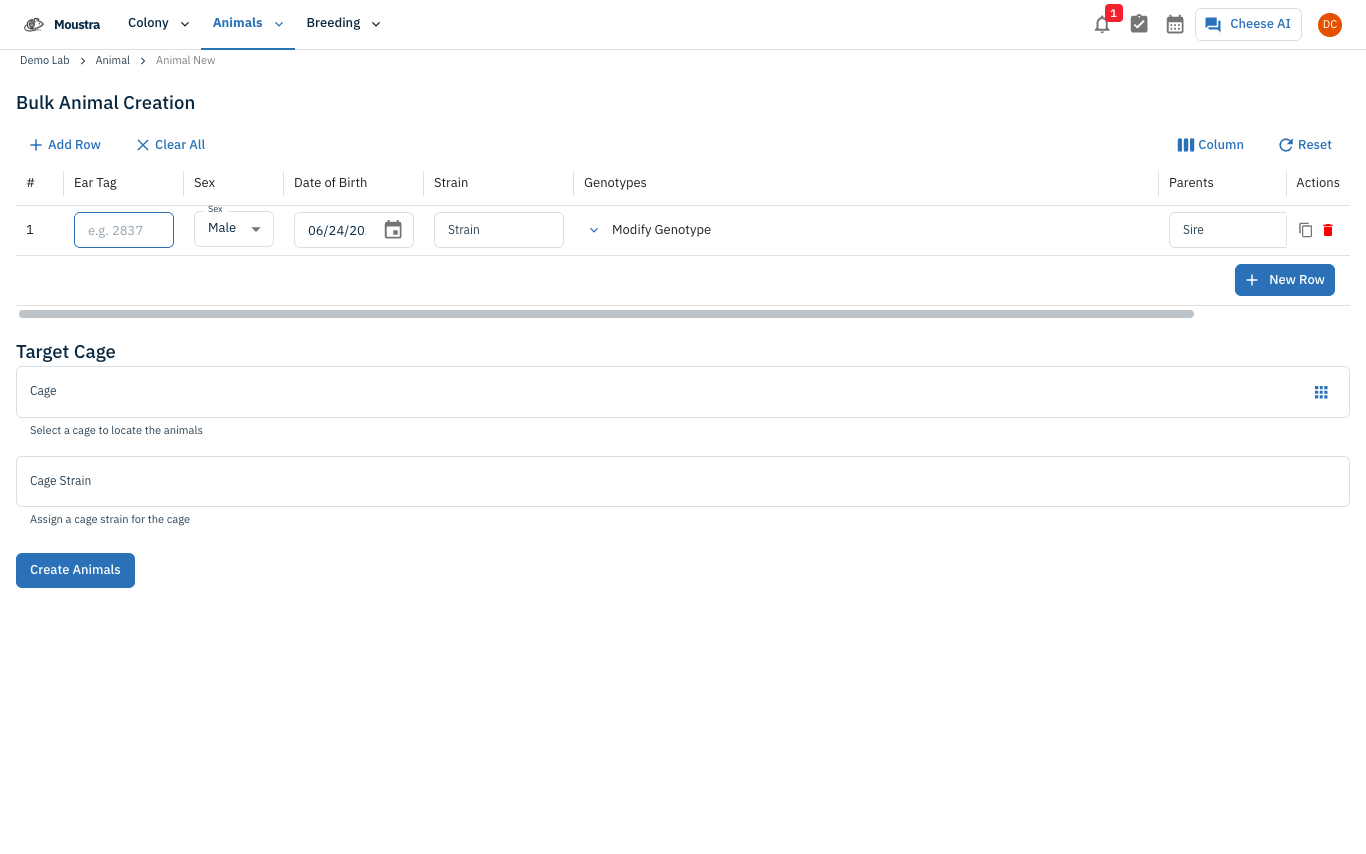
Build the batch and create
Click New Row for each animal (or Duplicate a row to copy values) and set every row's Ear Tag, Sex (Male / Female / Unknown), Date of Birth, and Strain inline. Pick a Target Cage — or leave it blank to auto-create one — then click Create Animals to commit the whole batch.
More in Editing your colony
How to Create a New Animal
Step-by-step instructions for adding a new animal, including key fields and tips.
How to Add a New Strain
This guide will walk you through the process of creating a new strain entry in Moustra.
How to Add Breeding Animals
This guide will walk you through the process of creating multiple breeding animals at once in Moustra.