How to Add Breeding Animals
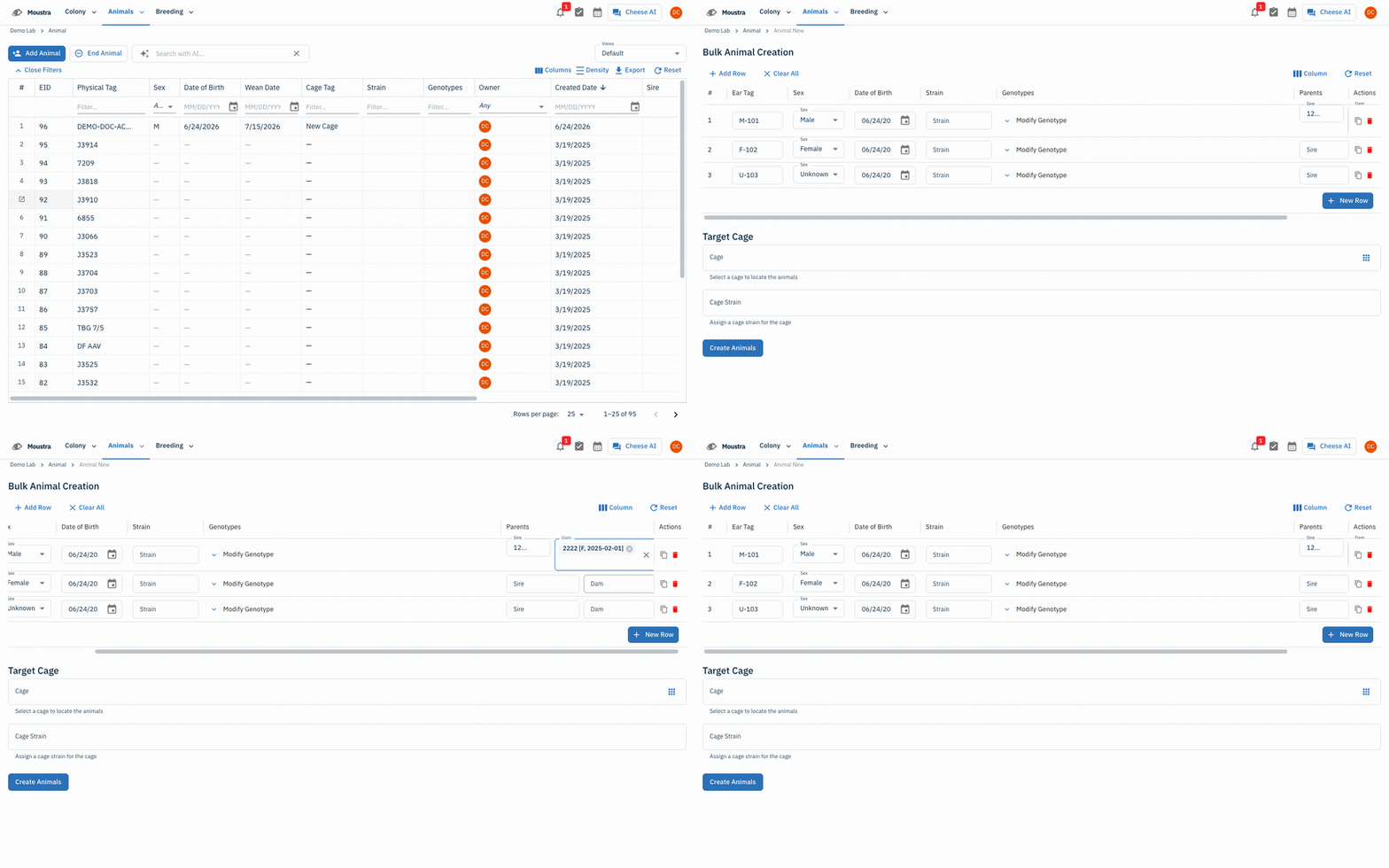
Register a litter or breeding cohort in one pass with the Bulk Animal Creation grid. Each row is one animal; set the Parents (Sire and Dam) per row to record lineage, then create them all at once into a target cage.
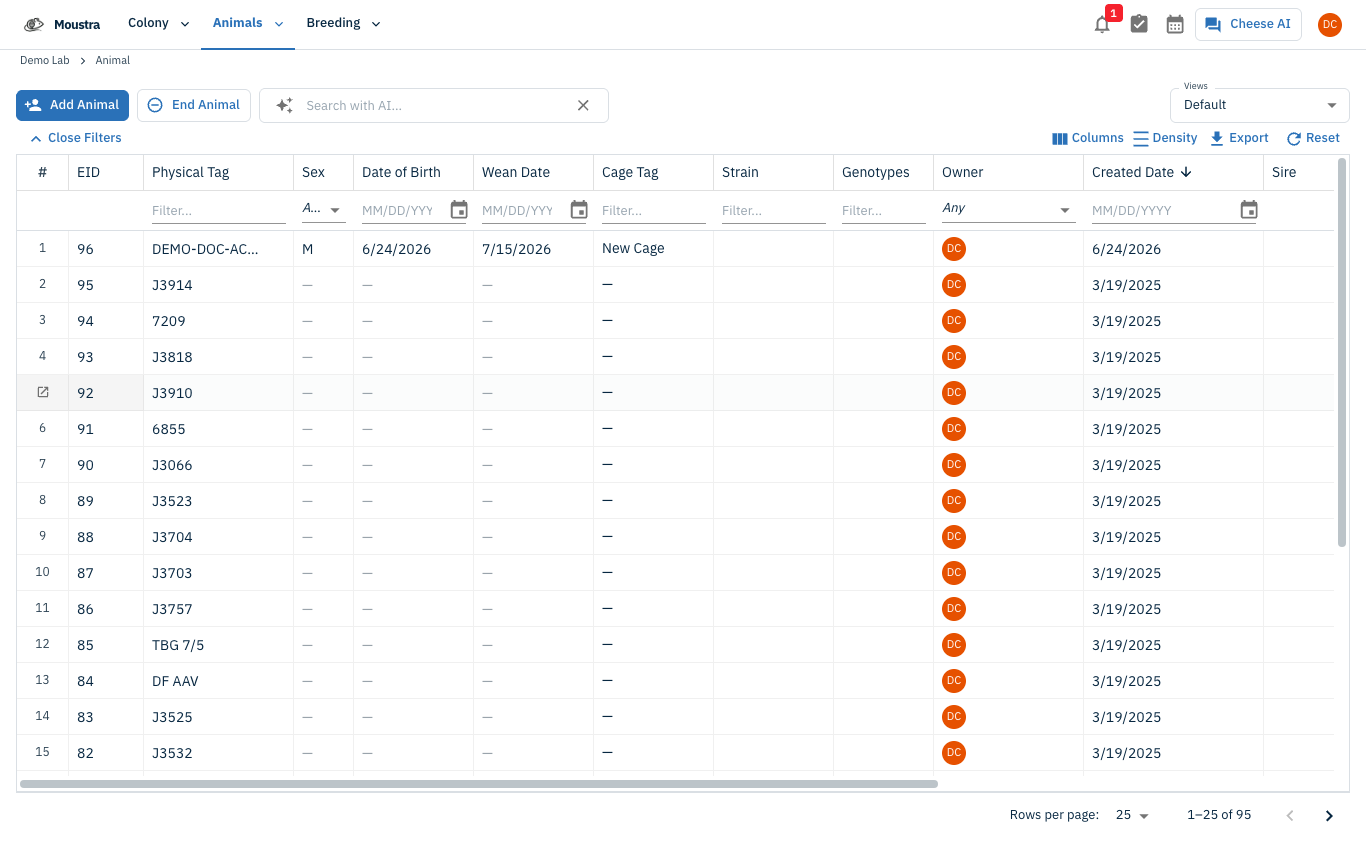
Open the Bulk Animal Creation grid
From Animals → Animal, click Add Animal. The Bulk Animal Creation grid opens with one blank row per animal.
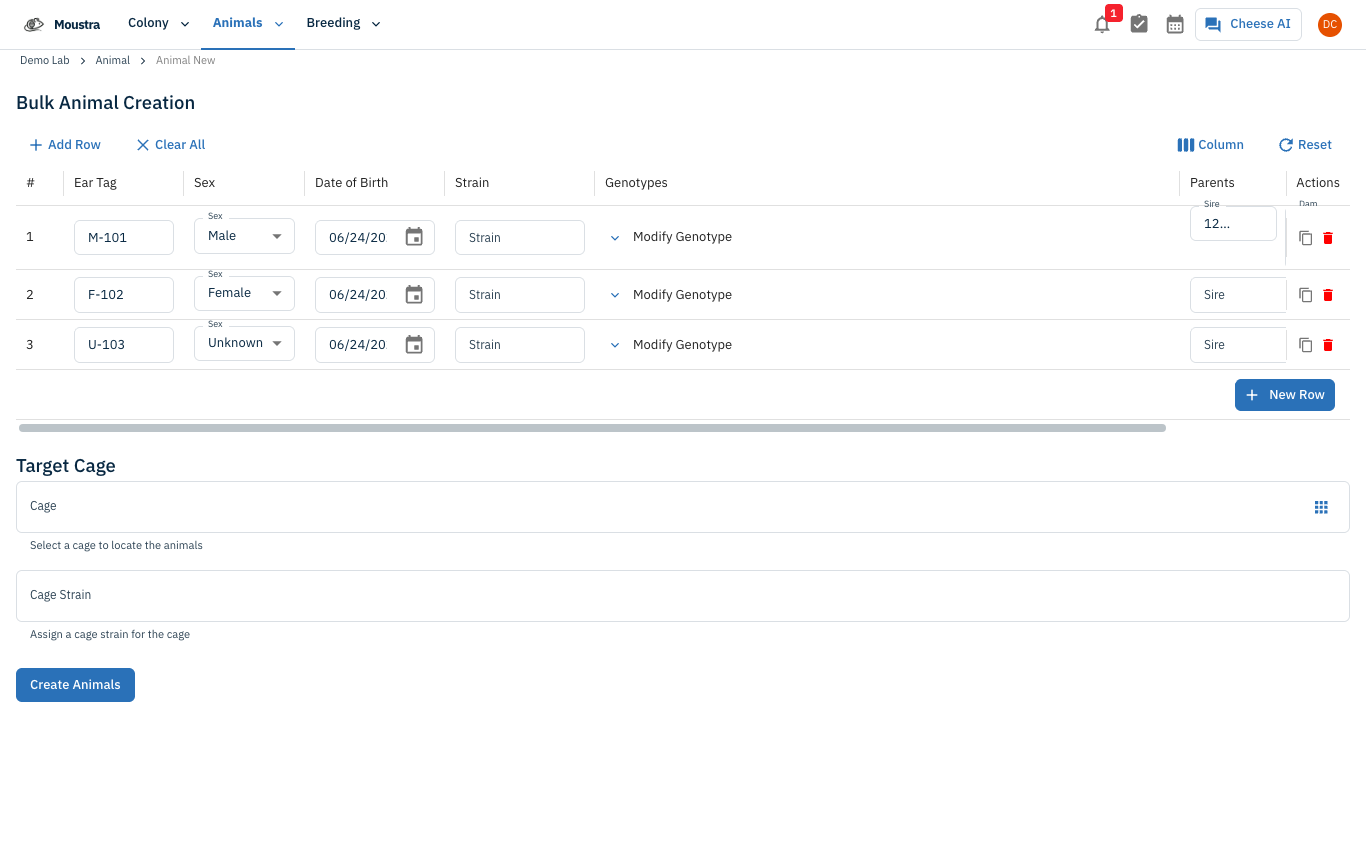
Add a row per animal
Click New Row (or a row's Duplicate icon) for each animal, and fill Ear Tag, Sex, Date of Birth, Strain, and Genotypes inline. Every cell edits directly in the grid.
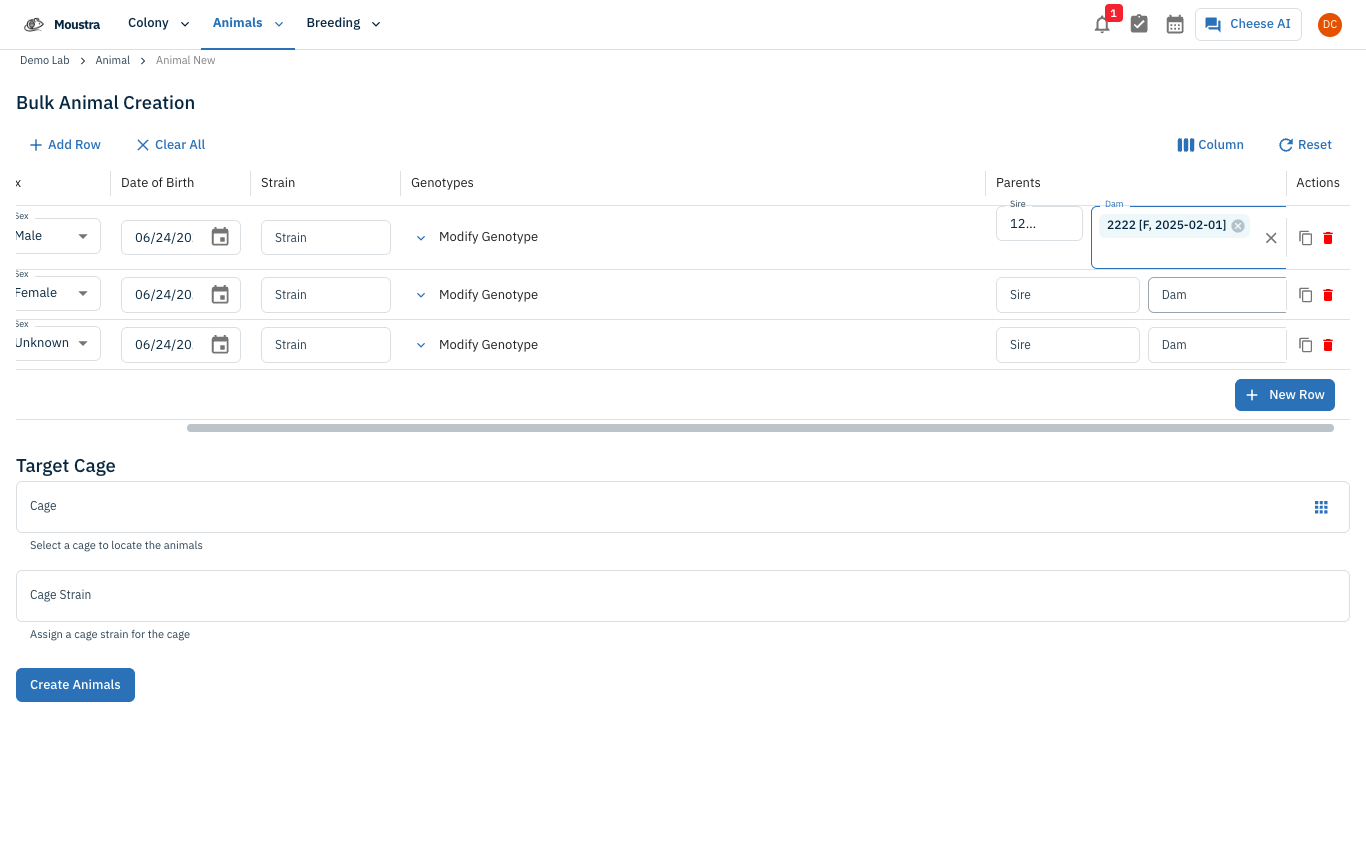
Set the parents and create
In each row's Parents column, pick a Sire (male) and Dam (female) to record lineage. Choose a Target Cage below the grid (or leave it blank to auto-create one), then click Create Animals to add the whole cohort at once.
More in Editing your colony
How to Create a New Animal
Step-by-step instructions for adding a new animal, including key fields and tips.
How to Add a New Strain
This guide will walk you through the process of creating a new strain entry in Moustra.
How to Add a New Cage
This guide will walk you through the process of creating a new cage in Moustra.